Orders & production
Shift targets and missed-target reasons
Set targets per shift or by time on each work order step, and review which were missed and why.
Did the night shift hit its 60 mats? If not, why?
Give each step of a work order a target per shift (or by a time). When the shift closes it is judged once: met, late or missed. Missed ones collect a reason.
1Set targets on the work order
WhereProduction → Work Orders → open or create the work order → the step → Schedule & targets
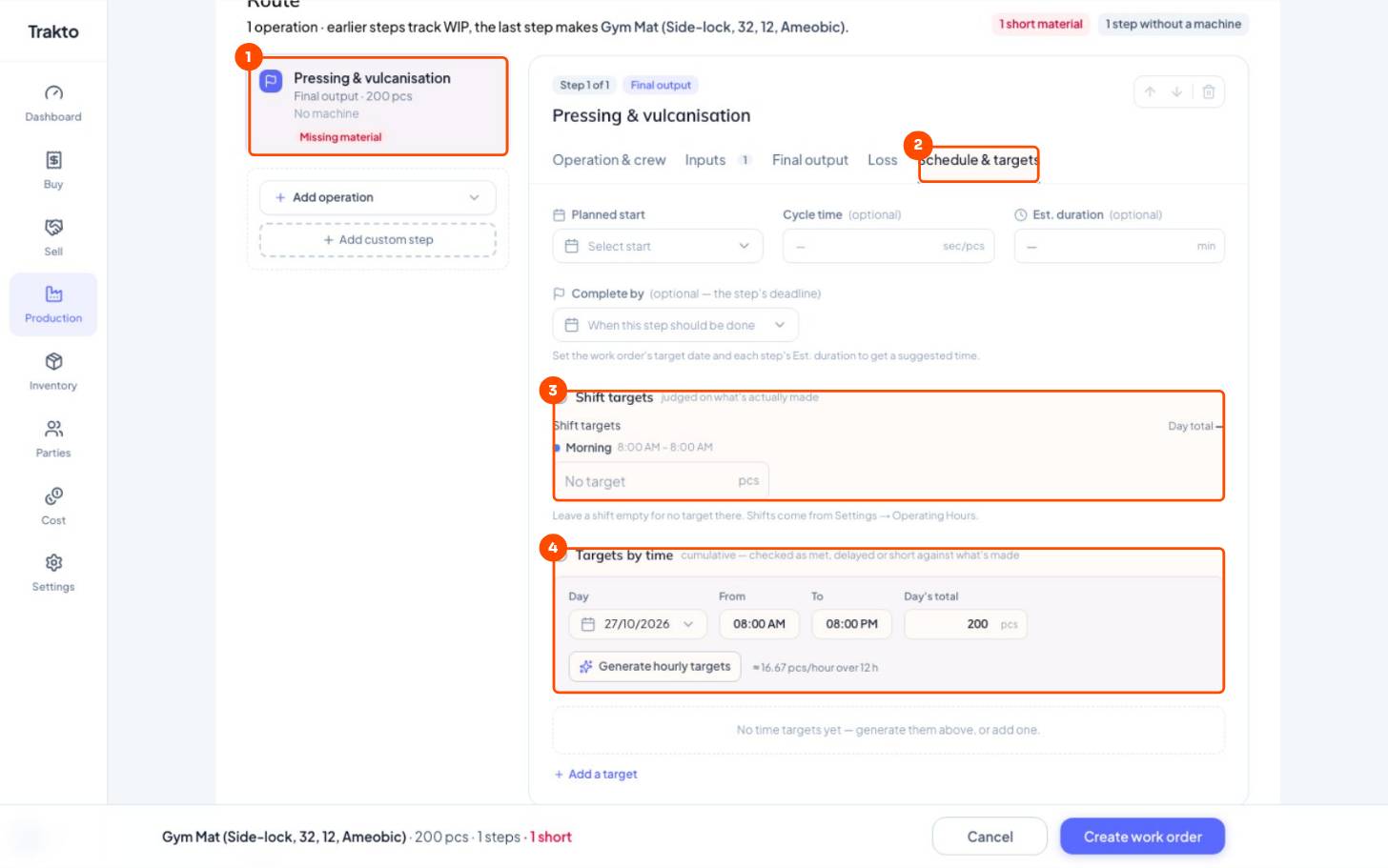
- 1The stepEach step (operation) of the work order has its own targets.
- 2Schedule & targetsThe step's tab for start, duration and targets.
- 3Shift targetsOne figure per shift from Operating Hours; the day's target is their total.
- 4Targets by timeFor example 80 mats by 1 PM. Generate hourly targets spreads the day's total.
Targets belong to each step (operation) of the work order, so a two-step flow can have a compounding target and a pressing target. Shifts come from Operating Hours.
2Missed targets and their reasons
WhereDashboard → Production → Targets → View all
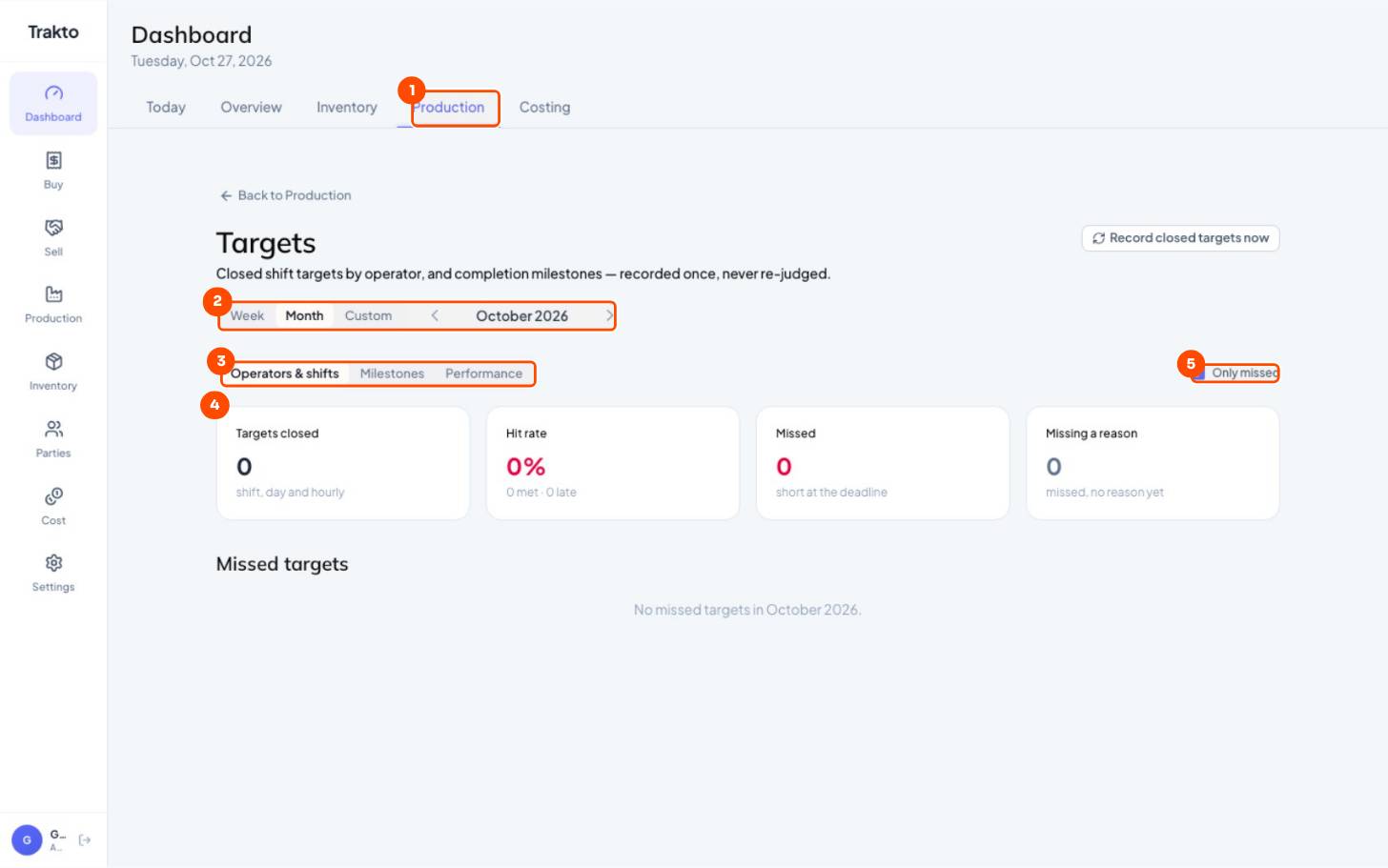
- 1Production dashboardTargets card → View all opens this report.
- 2PeriodWeek, month or custom.
- 3Three viewsBy operator and shift, completion milestones, and performance.
- 4Closed, hit rate, missed, no reasonEach target is judged once when its shift closes.
- 5Only missedThe list below: each missed target, when, by whom, and its reason.
Each missed target shows the shift, the step, who ran it and how short it was. Give it a reason with one tap (Machine breakdown, No material, Operator absent, Power cut, Quality issue, Changeover) or type your own. Missing a reason counts the ones still unexplained.
Still stuck?
Book a set-up call. We'll configure your compound, variants and machines with you.