Getting started
How Trakto works in a rubber factory
The daily loop from purchase to dispatch, and what Draft and Live mean.
Where do I start?
Set up your items and recipe once. After that you record a few things a day (purchases, orders, finished mats, dispatches) and Trakto works out stock, material used, cost and profit.
1The daily loop
Every screen in these guides comes from one demo factory: Gym Rubber Mats. It makes one product, the Gym Mat, in 72 variants (edge × weight × thickness × pattern), pressed from a rubber compound mixed on a mill. If you make 1–2 products in many sizes or grades, this is your factory too.
| You record | Trakto works out |
|---|---|
| Purchase entry (GRN) with rate and freight | Landed rate, stock, material cost |
| Sales order from the customer's PO | Work orders, material shortages, expected margin |
| Finished mats from each shift | Raw material deducted through the recipe, scrap credit |
| Dispatch with weighbridge reading | Weight check, profit per dispatch |
| Monthly bills (rent, power, wages) | Overhead per mat, real profit per month |
2Draft and Live
Recipes (BOMs) and production steps (flows) have two states:
Draft
Your workspace. Change it freely; the floor is not affected.
Live
What work orders, production logs and costing actually use.
When a draft is ready, click Publish (or Make it live). Old versions stay in History, so you can always go back. You can edit a live recipe any time: Trakto opens a draft beside it and production keeps running on the live one until you publish.
3Where things are
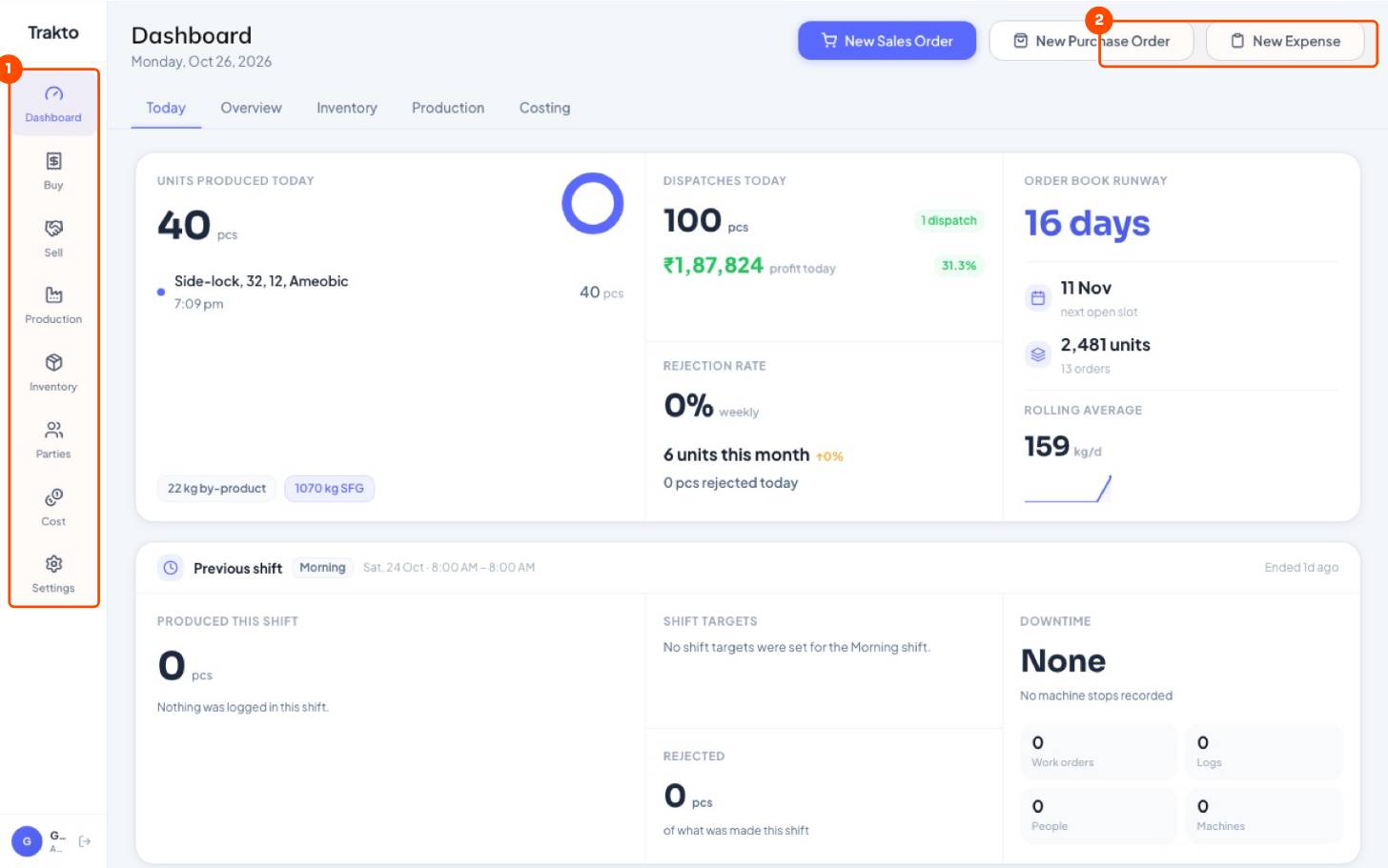
| Menu | What lives there |
|---|---|
| Dashboard | Today, Overview (sales & margin), Inventory, Production, Costing |
| Buy | Purchase orders and Goods In (GRN) |
| Sell | Sales orders and dispatch |
| Production | Work orders, logs, BOMs and flows, machines |
| Inventory | Stock on hand, item master, opening stock |
| Cost | Costing per product, expenses, overhead settings |
| Settings | Store, units, shifts, team and roles |
Still stuck?
Book a set-up call. We'll configure your compound, variants and machines with you.