Items & recipes
One compound, several recipes, each with its batch cost
Premium, standard and economy mixes for the same compound, and which one a batch used.
Same compound, mixed three ways depending on the order?
Keep one compound item with several BOMs, each with its own name and quantities. Trakto shows each recipe's batch cost, and you pick the recipe when you log a batch.
1Create another recipe
This assumes the compound is already set up as a semi-finished item with its own flow. If not, start with the compound as an SFG.
WhereProduction → BOMs → Compound Mix → BOM → New BOM
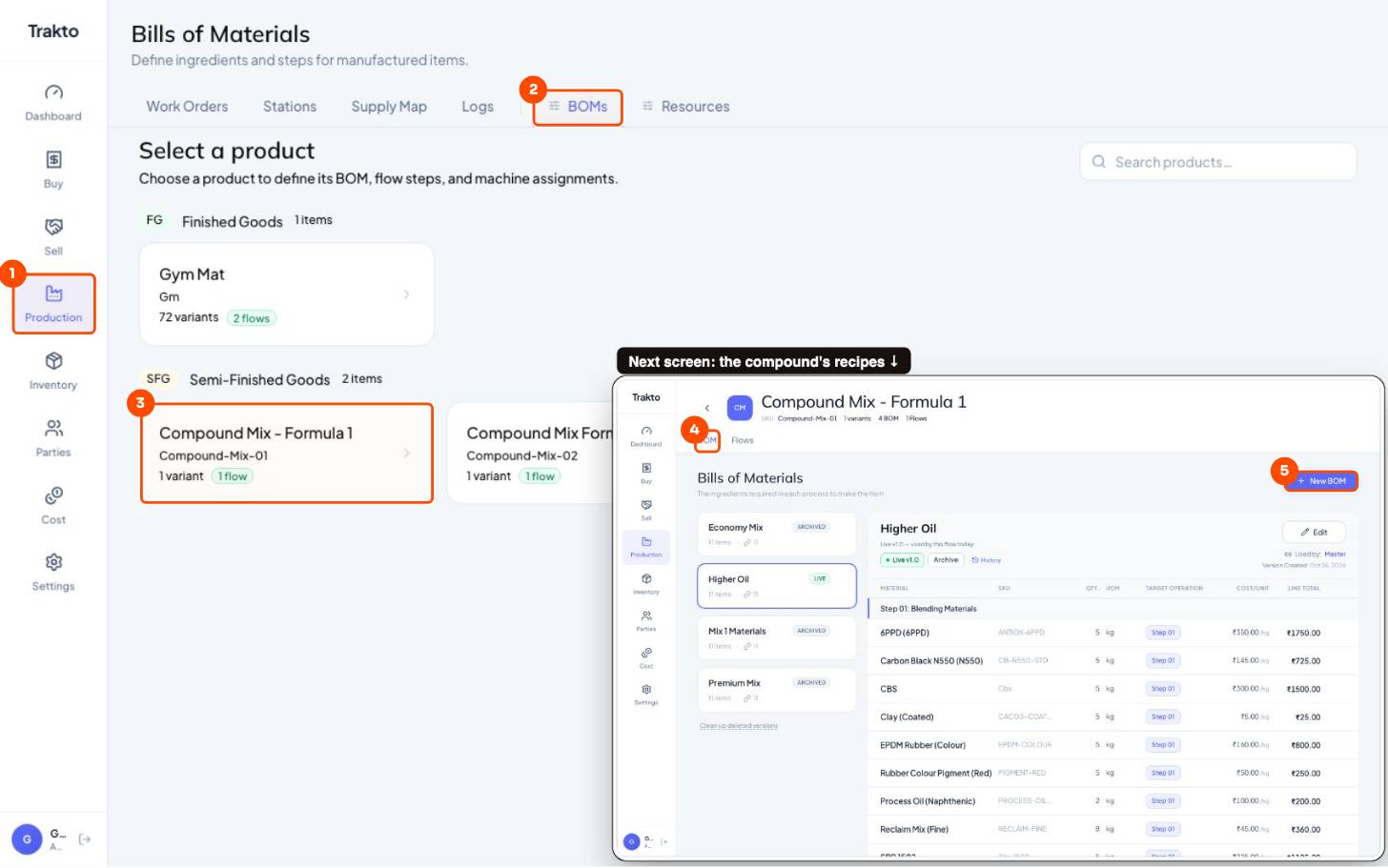
- 1ProductionIn the left menu.
- 2BOMsEvery product you make.
- 3Compound MixOpen the compound item.
- 4BOM tabEvery recipe of this compound, live and archived.
- 5New BOMAdd another recipe.
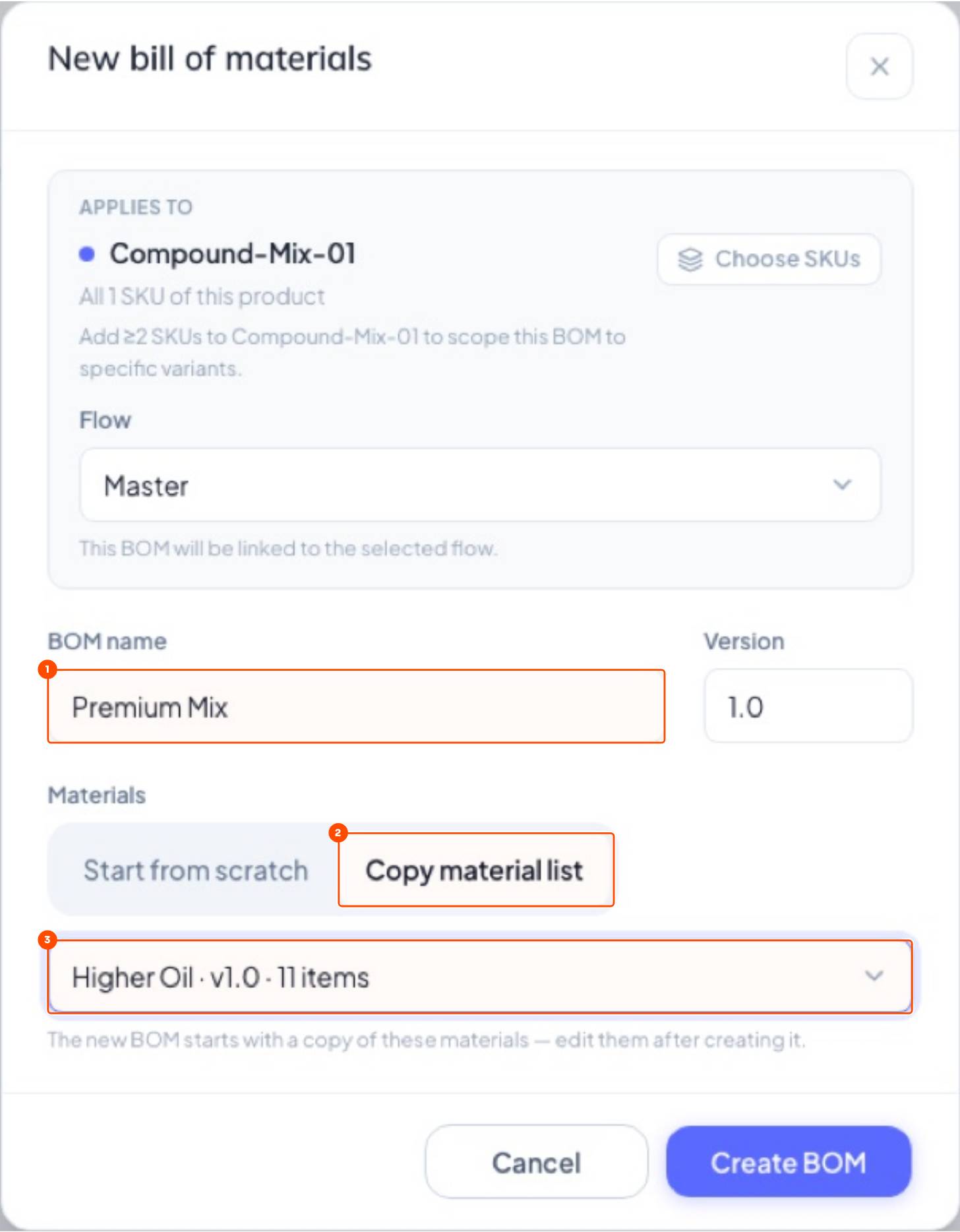
- Type a BOM name, e.g. Premium Mix.
- Copy material list from an existing recipe → Create BOM.
- Edit each material's kg and Save. Keep the total equal to the batch size (here 55 kg).
- Publish draft.
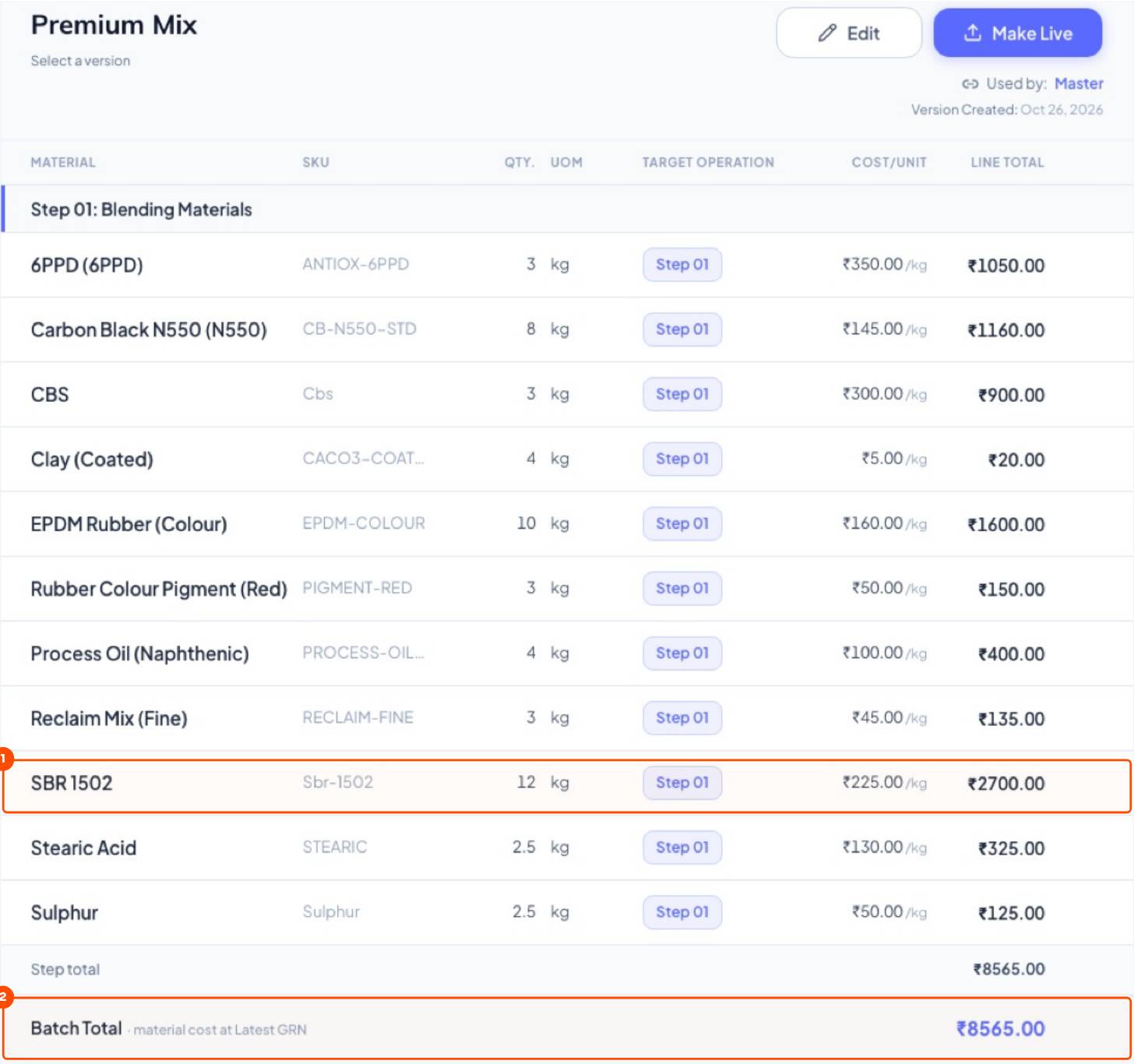
2Compare batch costs
| kg per 55 kg batch | Economy | Higher Oil | Premium |
|---|---|---|---|
| SBR 1502 | 4 | 5 | 12 |
| EPDM Rubber | 3 | 5 | 10 |
| Carbon black | 6 | 5 | 8 |
| Clay | 12 | 5 | 4 |
| Reclaim | 12 | 8 | 3 |
| Batch cost | ₹5,725 | ₹7,635 | ₹8,565 |
| Per kg | ₹104 | ₹139 | ₹156 |
3Live and archived recipes
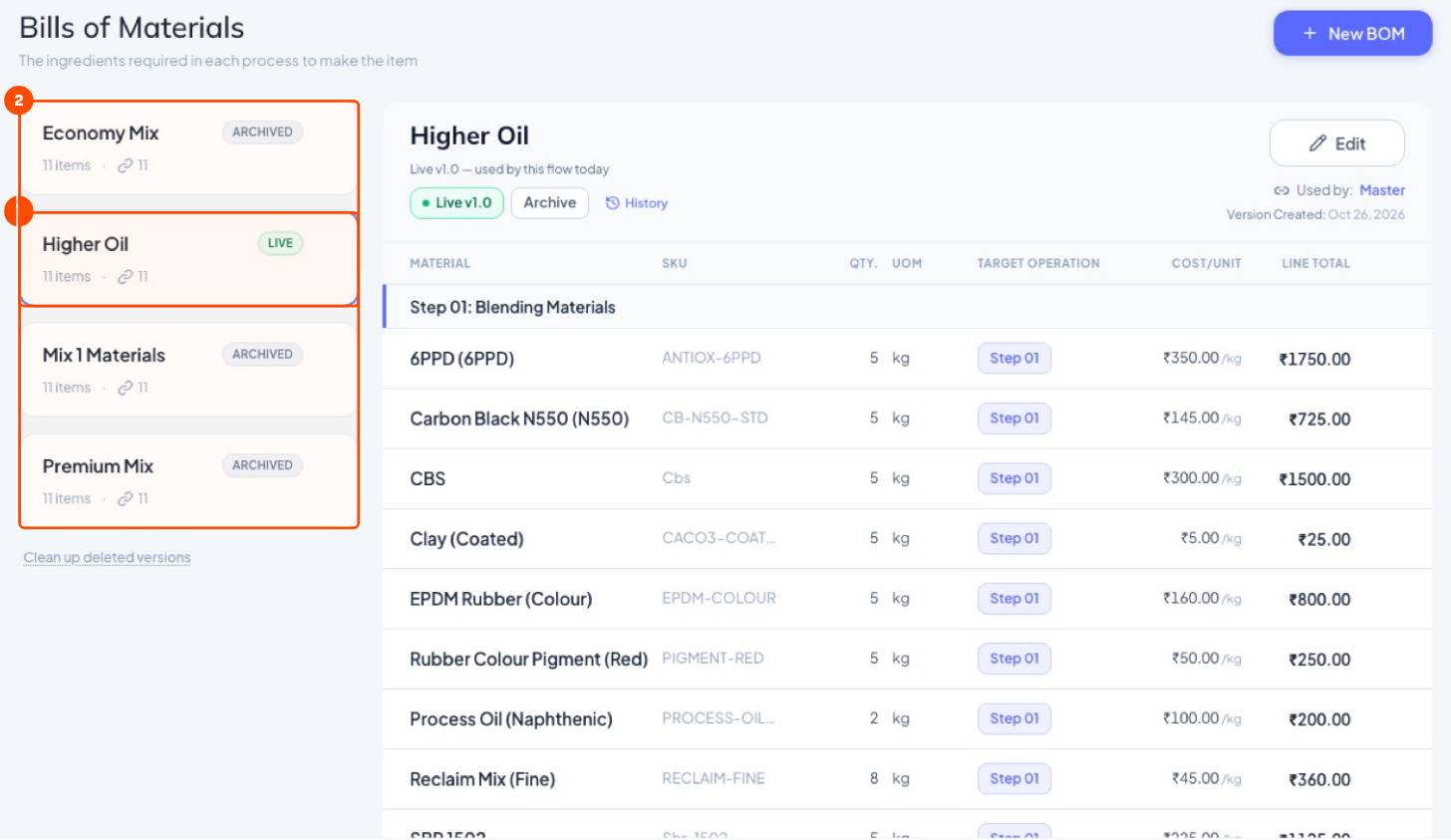
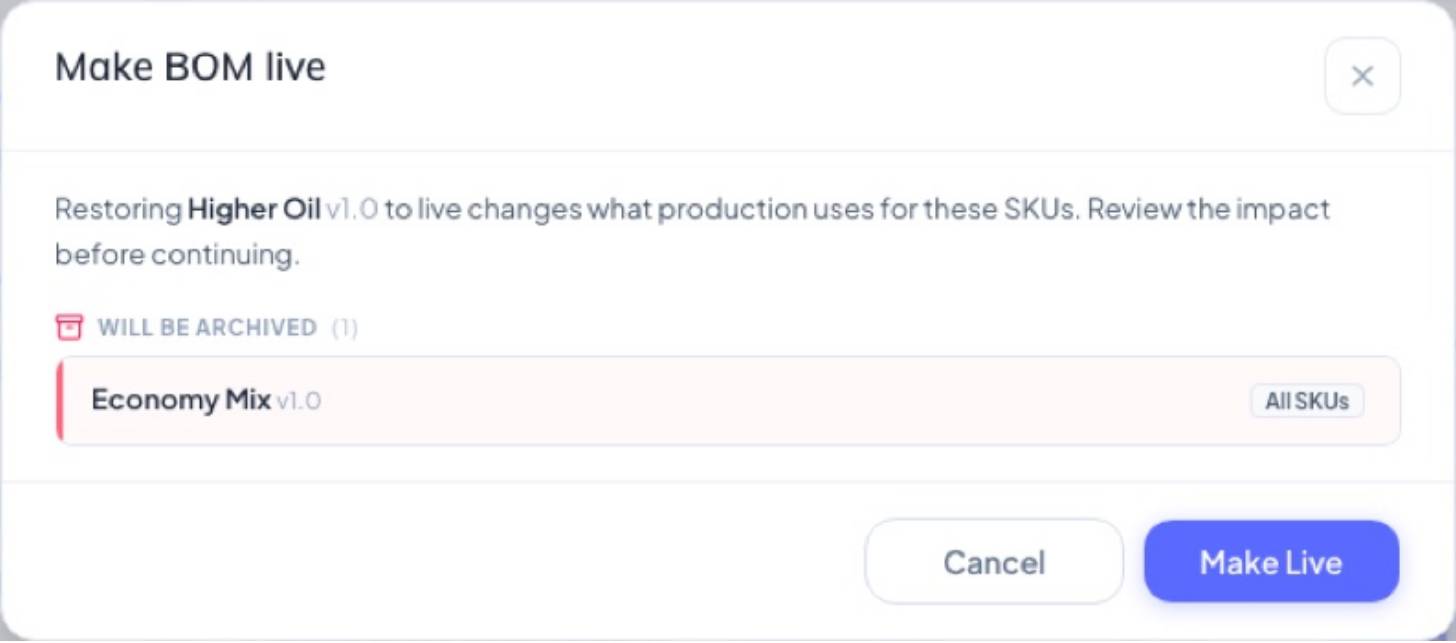
One recipe is live (the default for work orders, logs and costing). The others are archived but ready to use. To switch the default, open a recipe → Make Live.
4Pick the recipe when logging
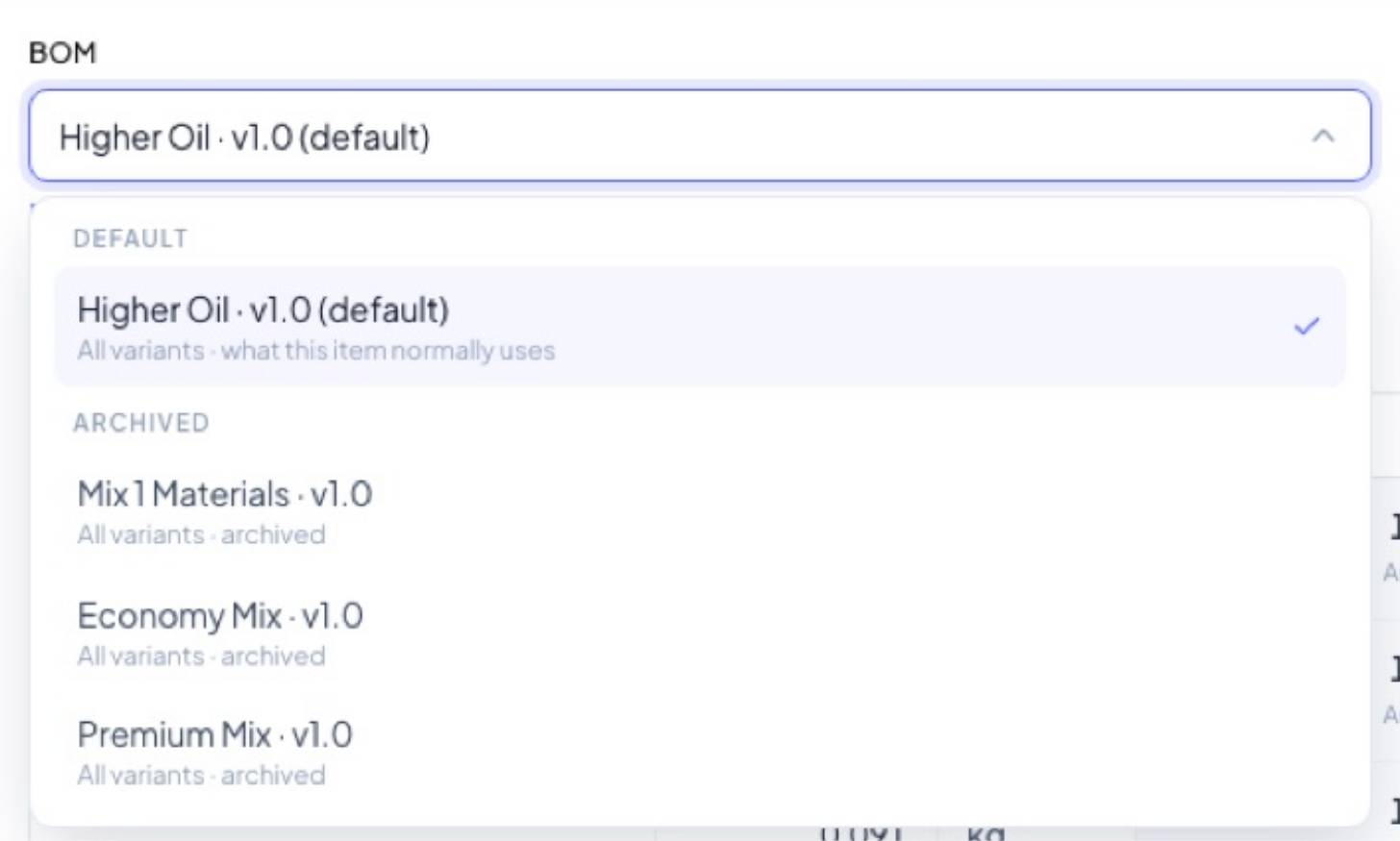
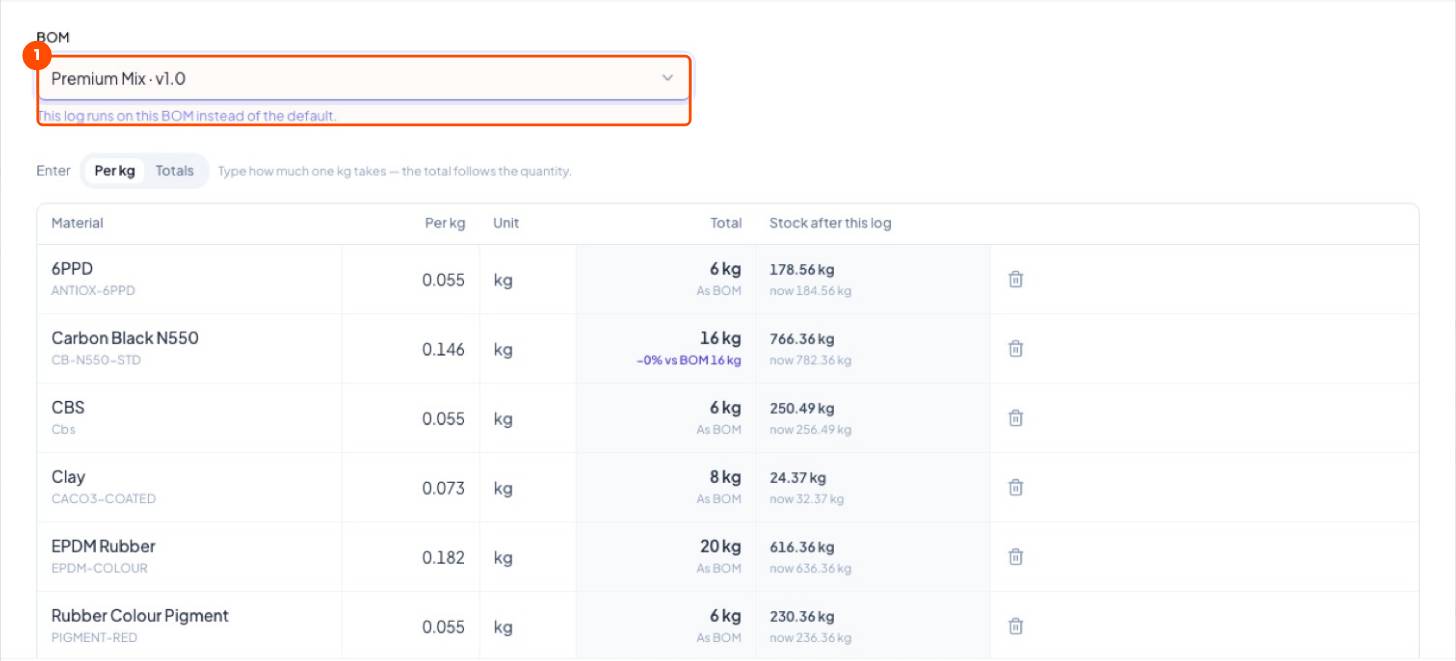
On Confirm materials, the BOM box lists the default and every archived recipe. Pick what the mill actually ran; quantities are recalculated for that batch.
Still stuck?
Book a set-up call. We'll configure your compound, variants and machines with you.