Orders & production
Enter exactly what material was used
Pick the formulation and type actual kg per material on Confirm materials.
The mill used 75 kg of NR today, not the recipe's 72?
On Confirm materials, switch to Totals and type the actual kg. Trakto deducts exactly that and shows what's left in stock after the log.
1Where it appears
WhereProduction → Logs → Log Production → a row's Materials
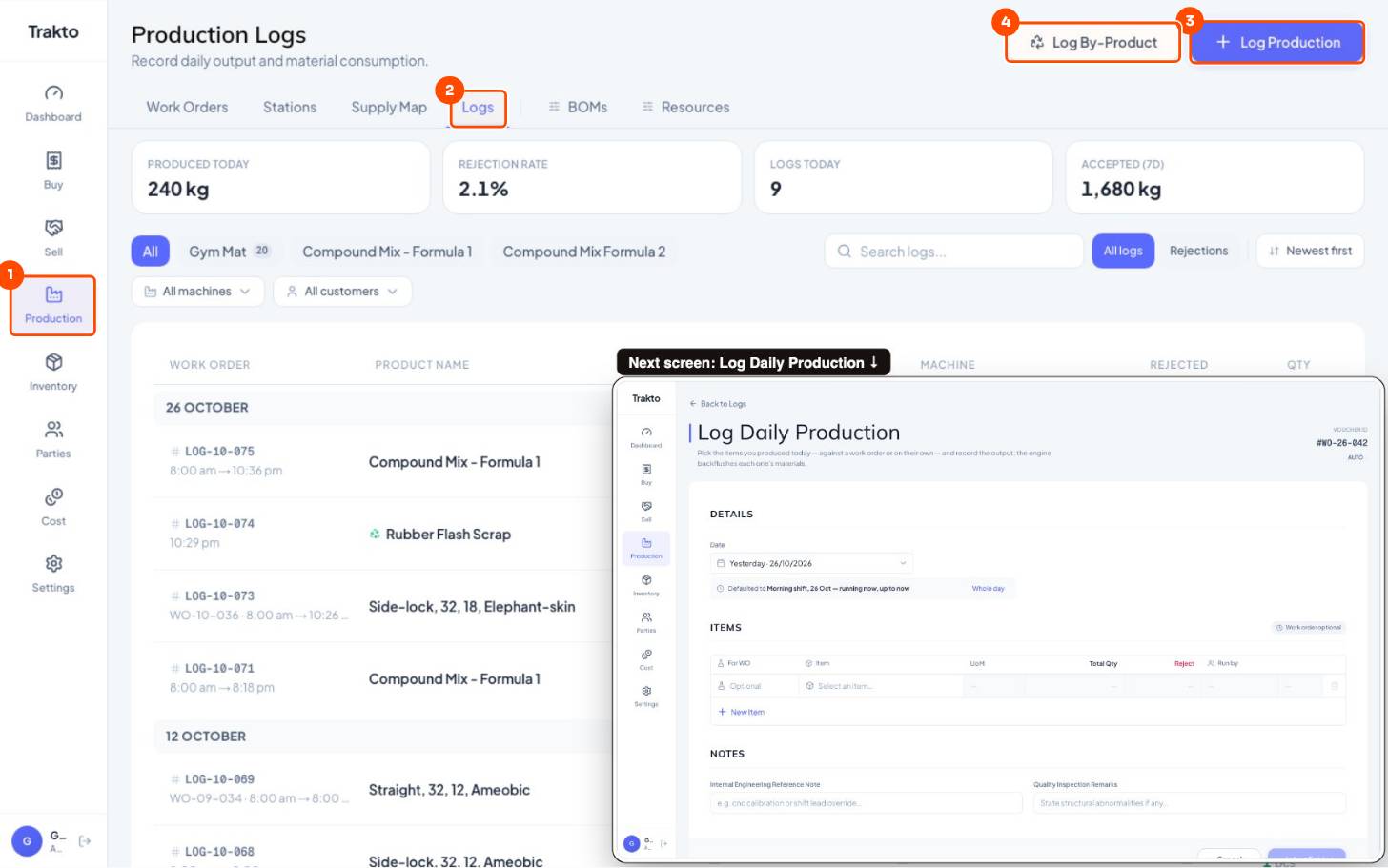
- 1ProductionIn the left menu.
- 2LogsEvery production log, newest first.
- 3Log ProductionSeveral rows at once: one per work order or product run this shift.
- 4Log By-ProductFlash or scrap weighed on its own.
2Turn it on
Settings → Operations → Confirm Materials on Log. With it off, every log simply follows the recipe.
3Check the recipe quantities
Example: 20 mats of 18 mm. Recipe: 18 kg compound per mat → 360 kg, split into its ingredients.
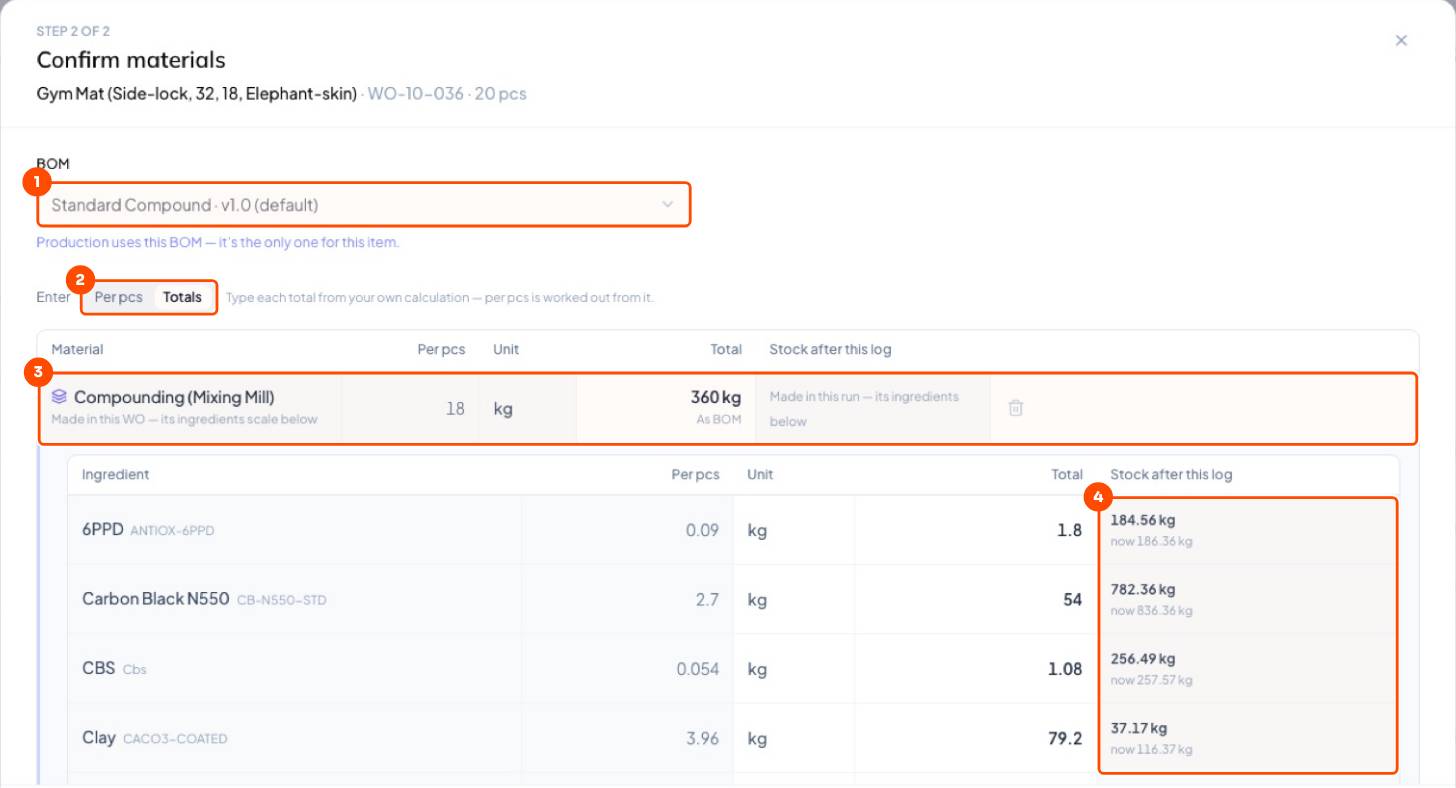
- BOM: the formulation the materials come from. Change it if the mill ran another recipe.
- Per pcs (kg one mat takes) or Totals (kg for the whole run).
- Stock after this log: what's left in the store once this is deducted.
4Type the actual kg
- Find the material and type the actual total: NR 75 instead of 72, clay 84 instead of 79.2.
- The line turns Changed; per mat updates (NR 3.75 kg).
- Add material for something extra; the bin removes one not used.
- Confirm materials → Log Entries.
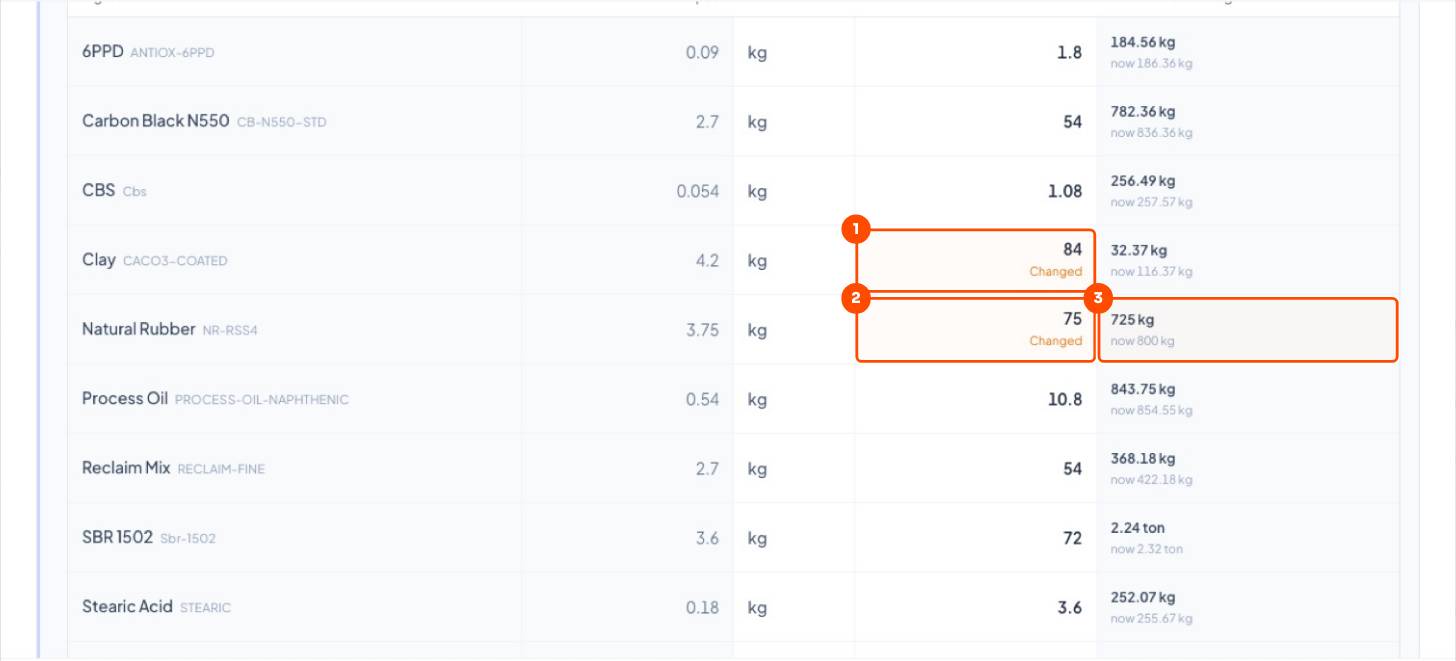
Per pcs or Totals? Per pcs when the loading weight per mat changed; Totals when you weighed the day's material. Both save the exact kg deducted.
Over a month, recipe vs actual shows up in Dashboard → Production → Material Yield, in ₹.
Still stuck?
Book a set-up call. We'll configure your compound, variants and machines with you.