Orders & production
Reading a sales order: made, ready, left to ship
What the order bars really measure, the pending KPIs, and how to share stock between orders.
How much is pending to make, and to ship, across my orders?
The top of Sell → Sales Orders shows it in four numbers. Each order's bar is ready to ship now ÷ still owed, and each line shows what is made, dispatched and left.
1The pending numbers and the bar
WhereSell → Sales Orders
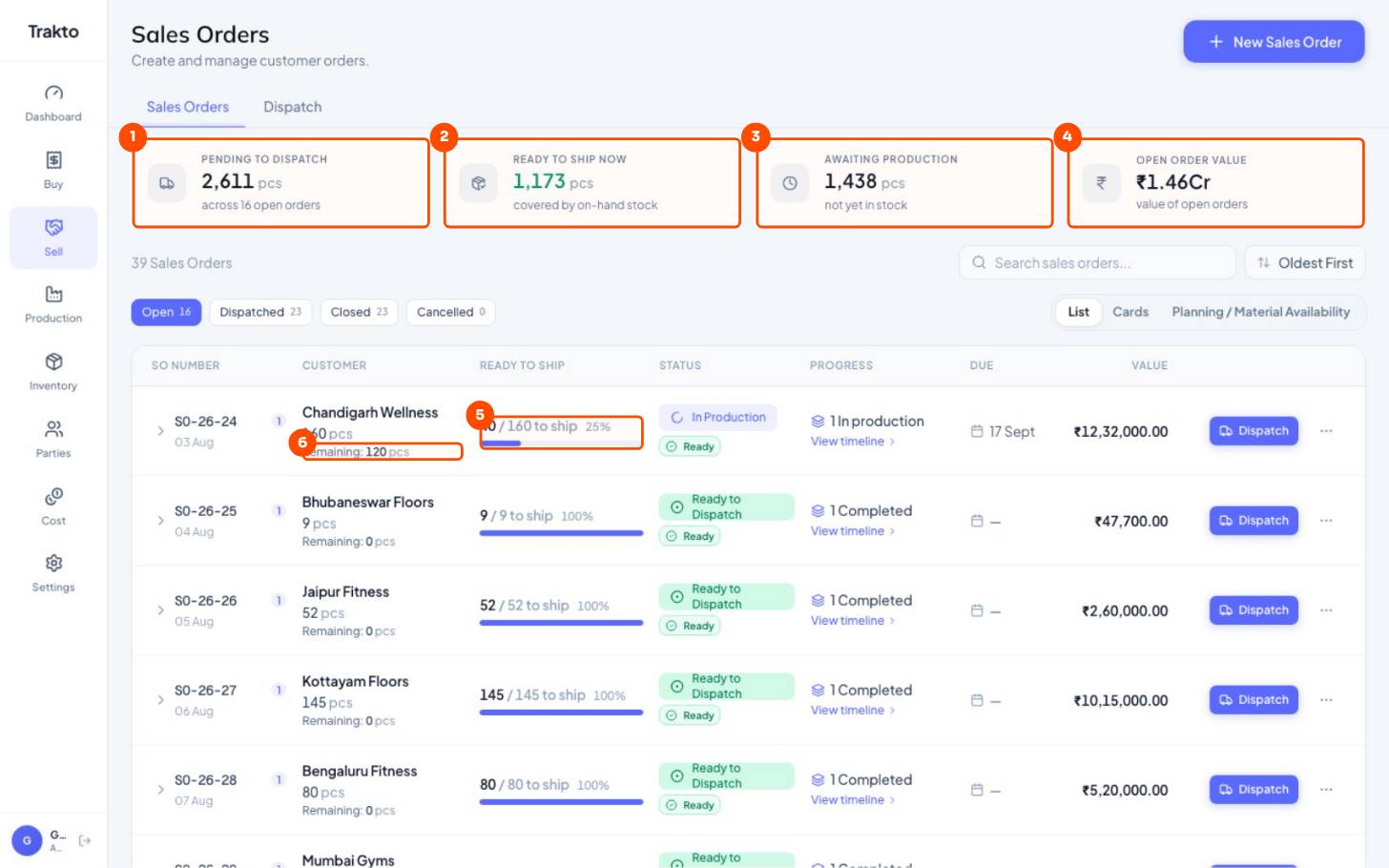
- 1Pending to dispatchEverything ordered and not yet shipped, across open orders.
- 2Ready to ship nowThe part of that you already have in stock, reserved for these orders.
- 3Awaiting productionThe part not in stock yet: still to make.
- 4Open order valueRupee value of all open orders.
- 5Ready / still owed40 of the 160 still owed can ship today. It is not production progress.
- 6RemainingStill to make: ordered minus what's made (or shipped).
| You see | It means |
|---|---|
| 40 / 160 to ship | Of the 160 still owed (ordered − dispatched), 40 are in stock for this order now |
| Remaining: 120 | Still to make: ordered − made (or shipped, if higher) |
| N dispatched | Shown under the bar once something has shipped |
The order bar is not production progress. A work order can be 100% made while the order bar drops, because the made mats have been dispatched or given to another order.
2Each line of the order
Click an order to open its lines.
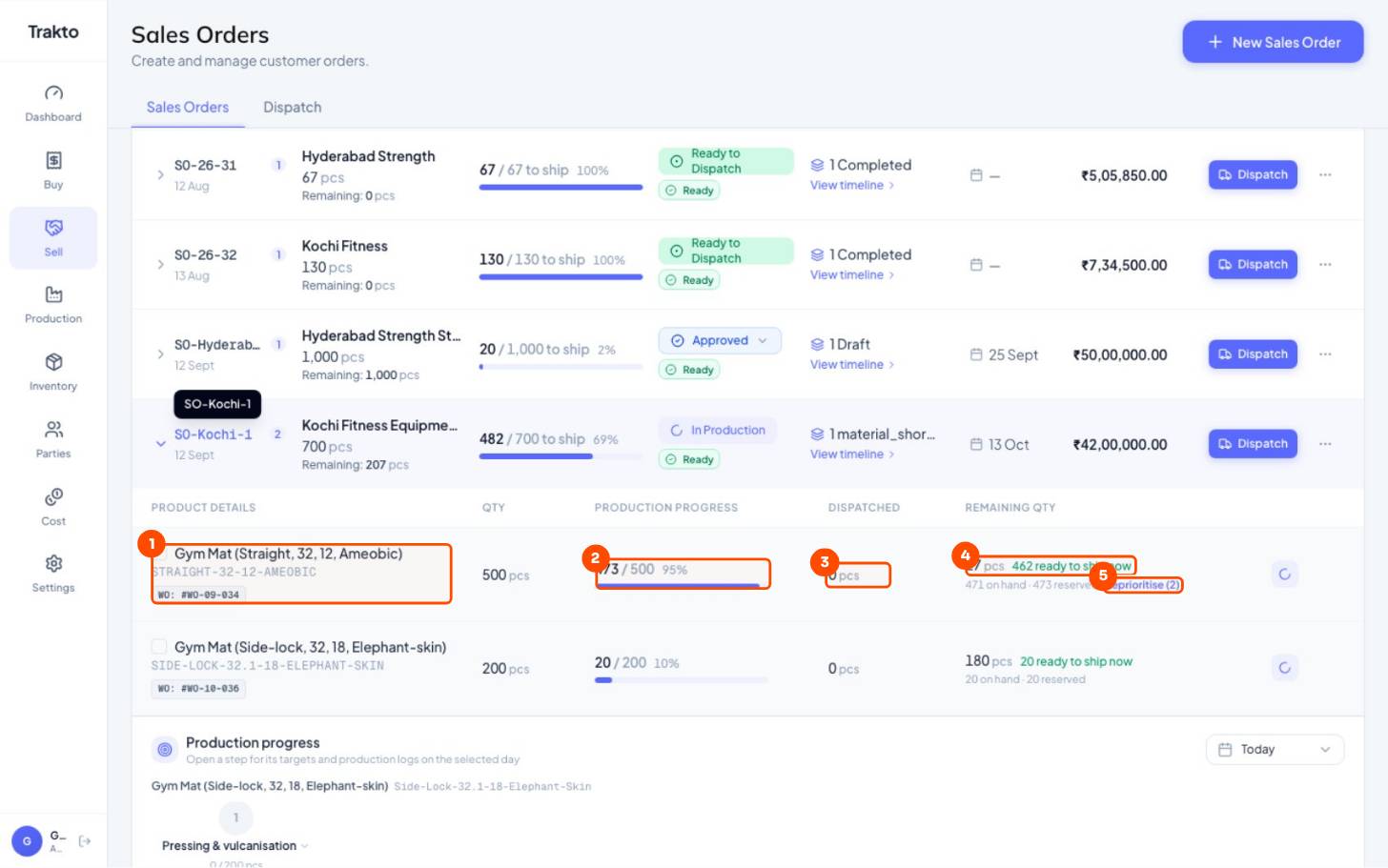
- 1One line, one work orderEach item of the order gets its own work order (WO-09-034 here).
- 2Production progressMade so far on this line's work orders: 473 of 500.
- 3DispatchedAlready shipped on this line.
- 4Left to make + ready27 still to make; 462 ready to ship now.
- 5ReprioritiseShown when other orders want the same variant's stock.
3Share stock between orders
When several orders want the same variant, stock on hand is shared top-down. Click Reprioritise on a line to change who is served first, for example to ship an urgent order with mats made for another.
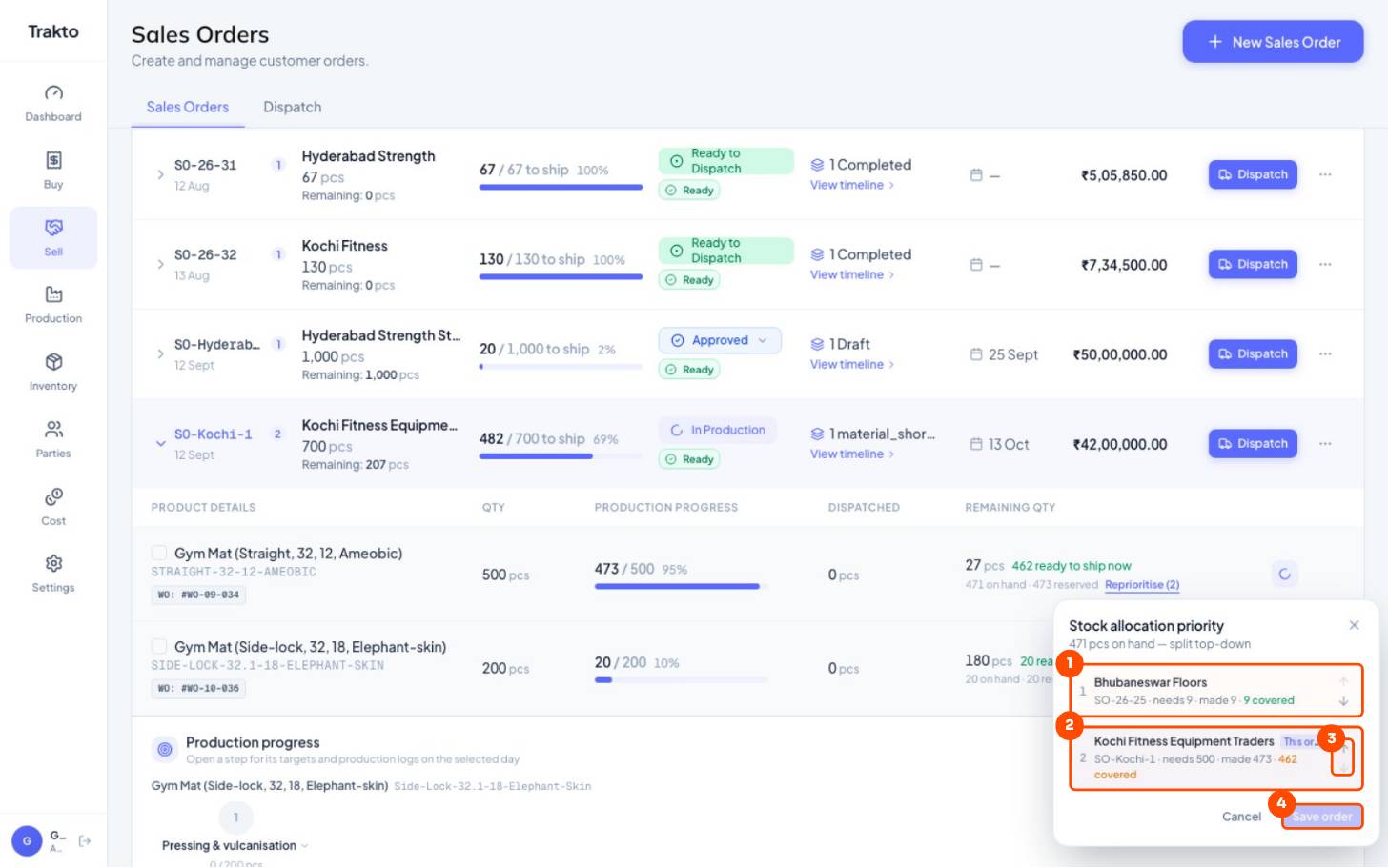
- 1First in lineStock on hand is shared top-down: this order takes what it needs first.
- 2This orderGets what is left: 462 covered.
- 3Move up or downChange who is served first.
- 4Save orderReady-to-ship and the bars update for every order involved.
4Order cost and margin
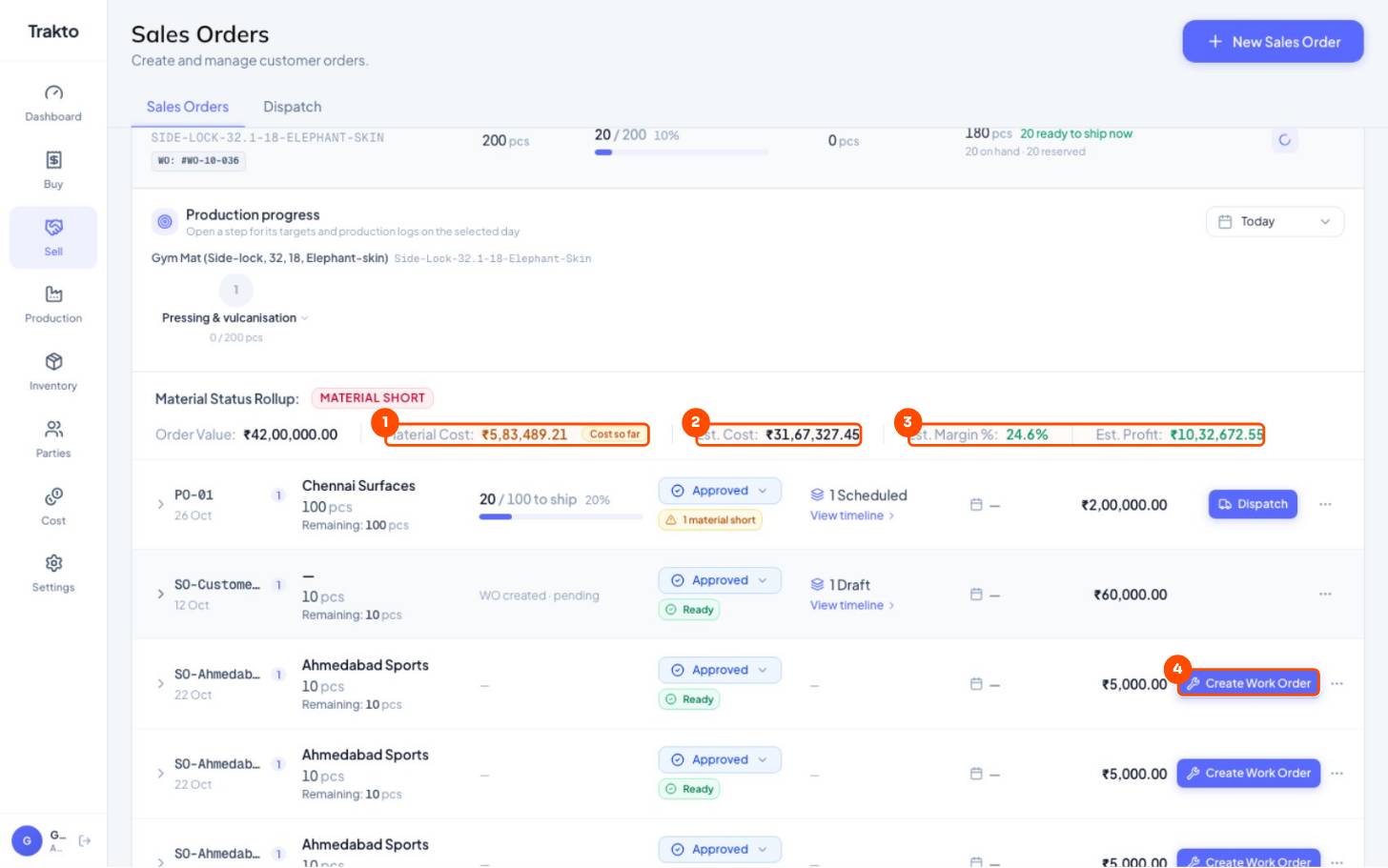
- 1Material cost so farWhat the logs on this order have used.
- 2Est. costWhole order at current costing.
- 3Est. margin and profitOrder value minus estimated cost.
- 4Create Work OrderOn an order with no work orders yet: one per line.
Still stuck?
Book a set-up call. We'll configure your compound, variants and machines with you.