Items & recipes
Route B: record compound batches too (compound as SFG)
Two flows: the compound's mixing flow, and the mat's press flow that takes it with a loading weight. Every batch tracked.
You chose to record compound batches too?
Make the compound an SFG item with its own mixing flow. The mat's flow then has only the press step, which takes the compound with a loading weight per thickness. Haven't chosen yet? Decide first.
1Two flows, and what goes in each
| Flow on Compound Mix (SFG) | Flow on Gym Mat (FG) | |
|---|---|---|
| Steps | One: Mixing | One: Pressing & vulcanisation |
| Formulation | Every raw material, kg per batch | Only Compound Mix, with the loading weight |
| Output | Final step: 55 kg per batch, into stock | FG: 1 mat per cycle |
| You log | Each compound batch, in kg, with a batch number | The mats pressed |
2Step 1: the compound item, with batch numbers
Create Compound Mix as a Manufactured Item, Semi Finished, unit kg (see creating items). Then turn on batch tracking:
WhereInventory → Items → Compound Mix → Edit Item → Tracking
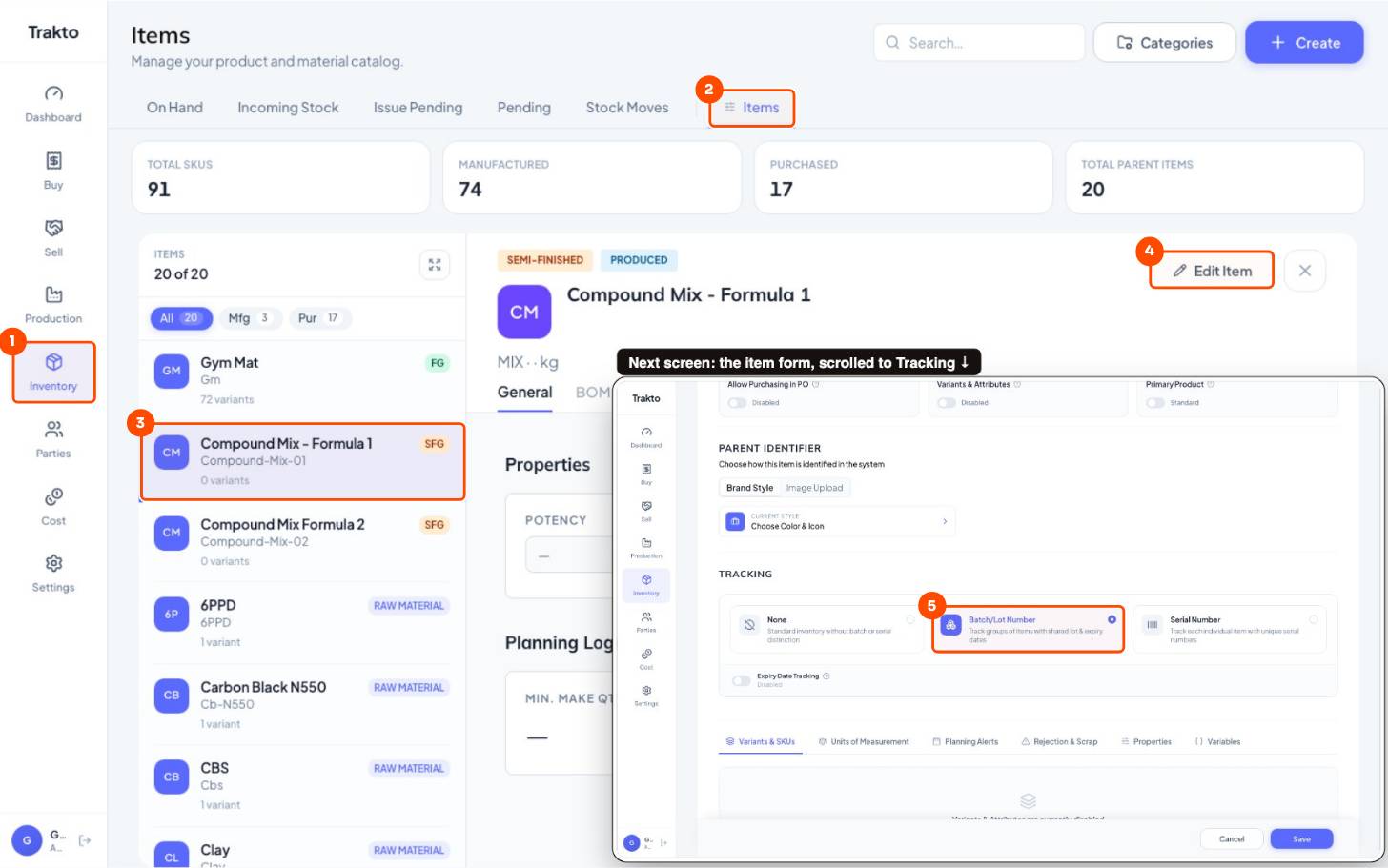
- 1InventoryIn the left menu.
- 2ItemsThe item master.
- 3Compound MixClick the item. Its details open on the right.
- 4Edit ItemOpens the full item form.
- 5Batch/Lot NumberEvery compound batch gets its own batch number. Save.
3Step 2: the compound's flow (mixing)
WhereProduction → BOMs → Compound Mix → Flows → New Flow
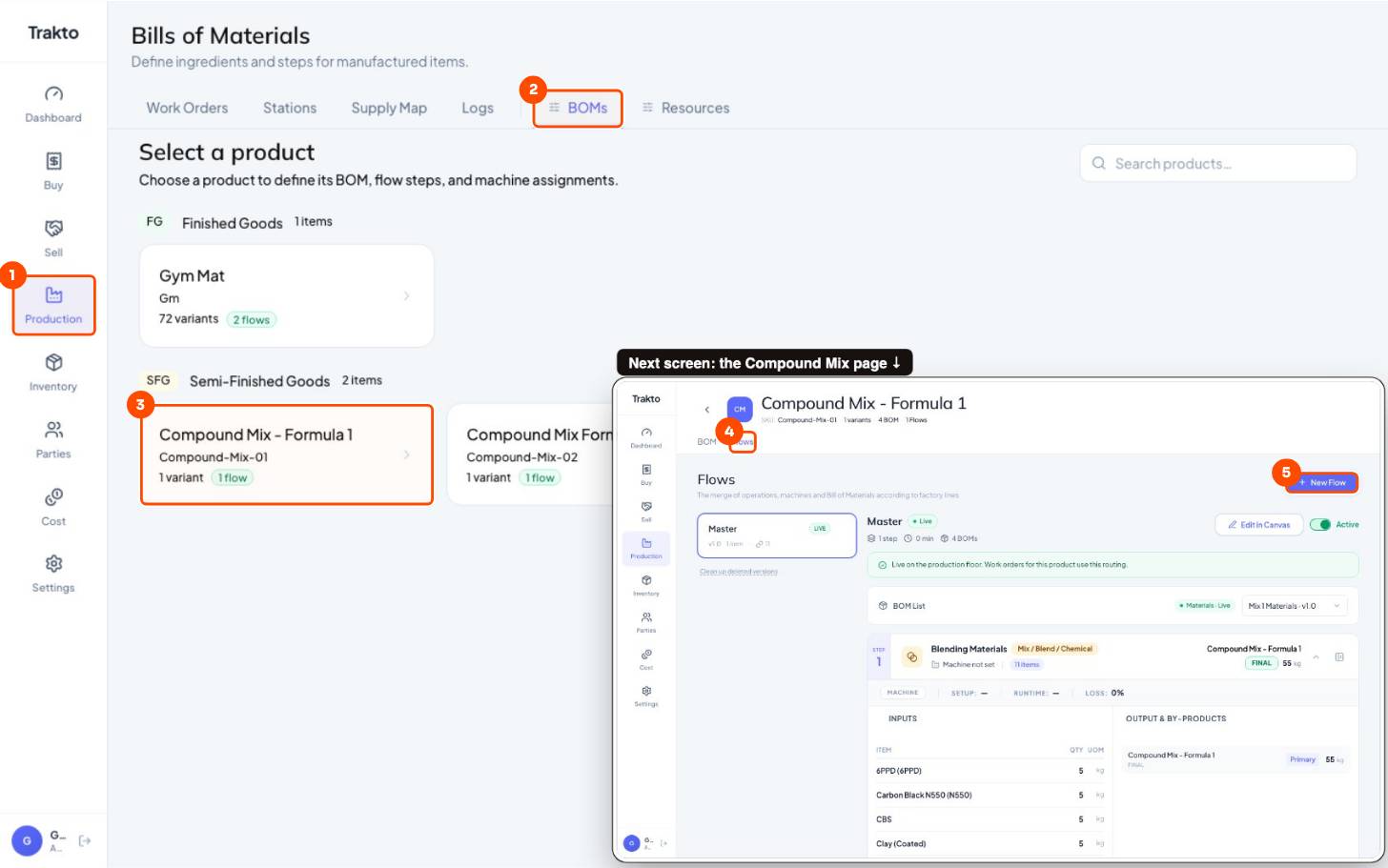
- 1ProductionIn the left menu.
- 2BOMsSemi-finished goods are listed under SFG.
- 3Compound MixOpen the compound item.
- 4Flows tabThe compound's own flow: one mixing step.
- 5New FlowOr open the existing flow → Edit in Canvas.
- Add one Mix / Blend / Chemical step.
- Formulation: create the BOM and add every raw material with its kg for one batch.
- Output: Final step, batch size 55 kg. Then Publish.
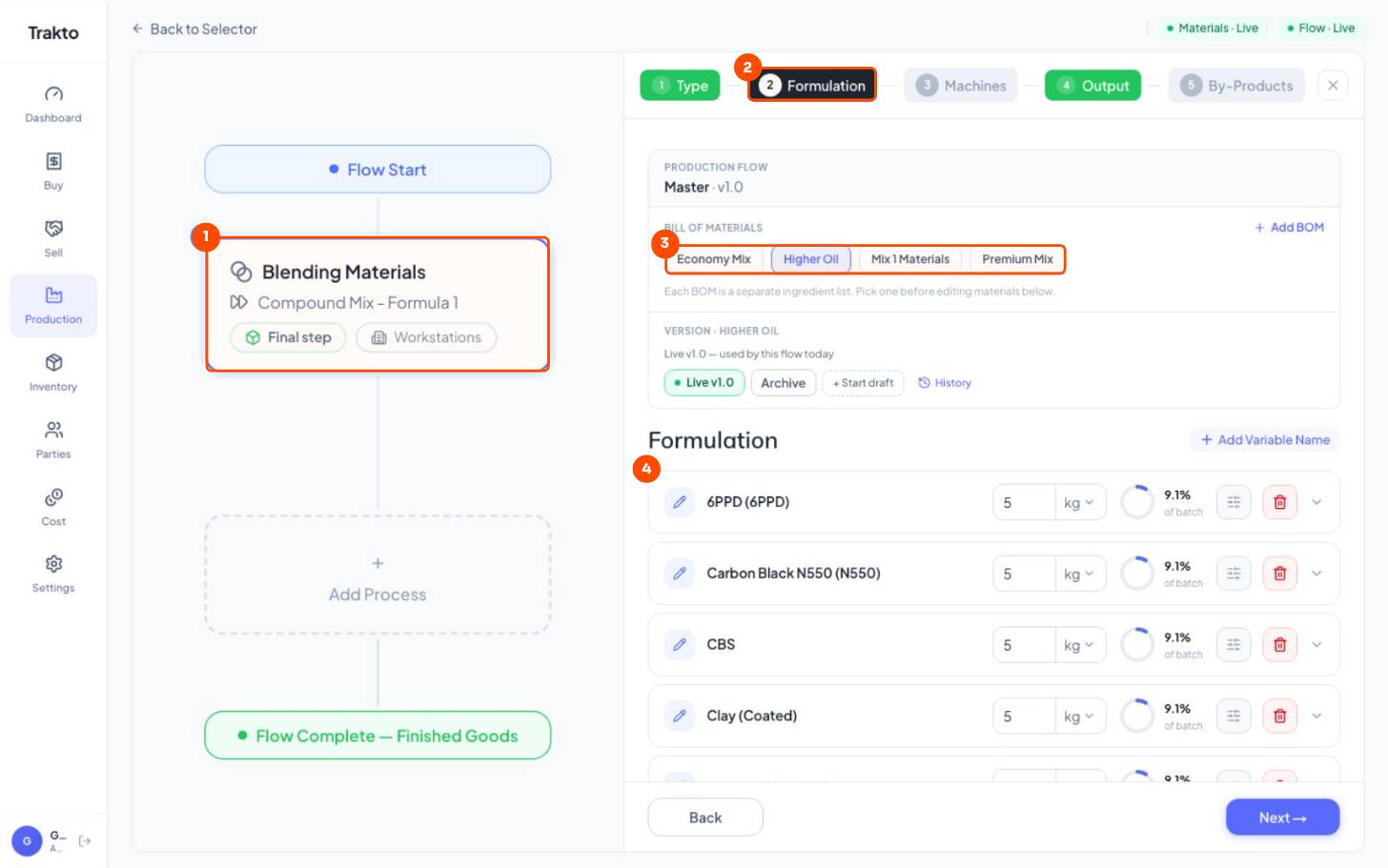
- 1One mixing stepThe compound's flow has a single step.
- 2Formulation tabThe raw materials and kg per batch.
- 3RecipesEach chip is one BOM of this compound: Economy, Higher Oil, Premium …
- 4Materialskg of each raw material for one 55 kg batch.
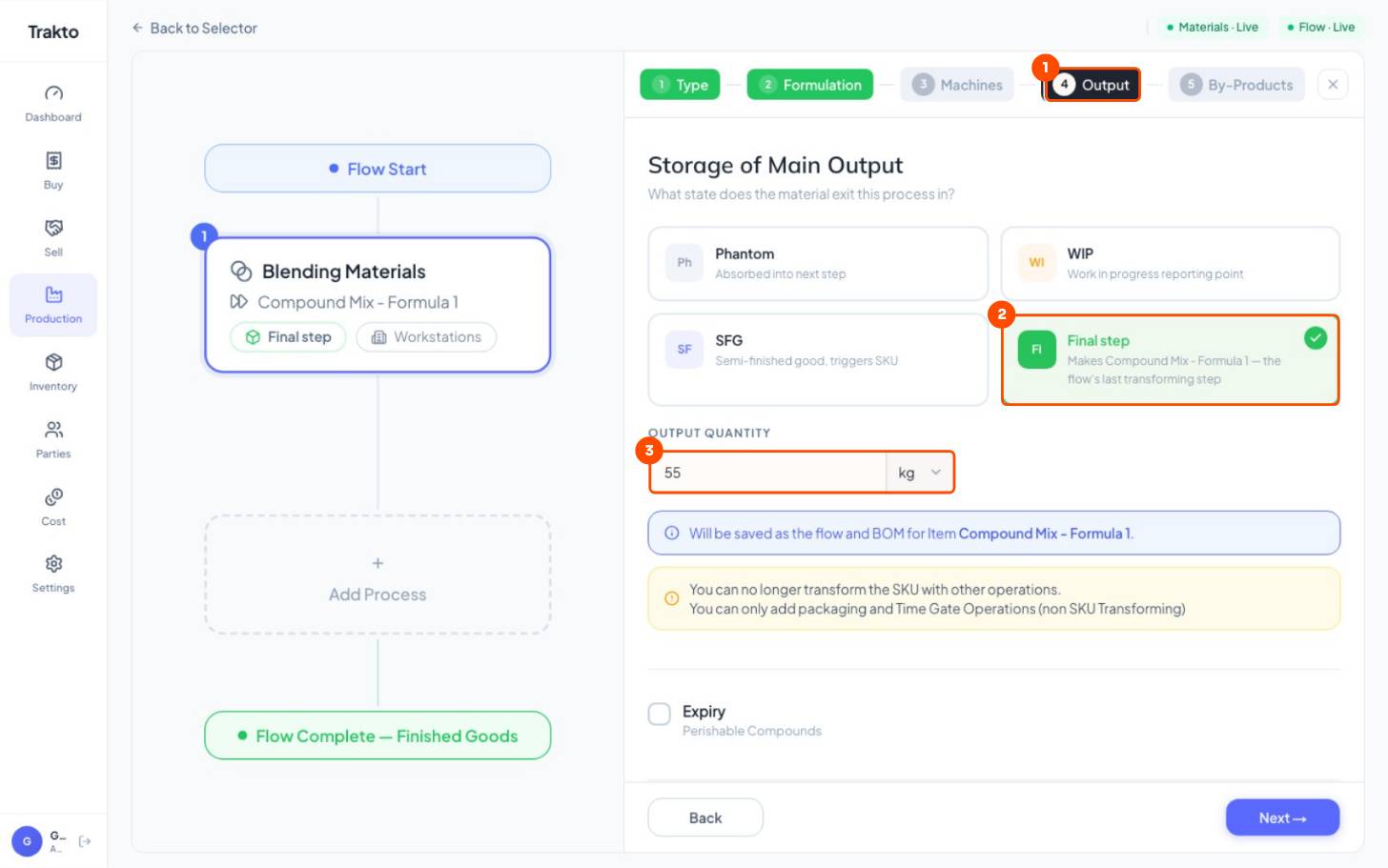
- 1Output tabWhat the step makes.
- 2Final stepThe compound itself comes out and goes into stock, with a batch number.
- 355 kgOne batch. Equal to the formulation total.
4Step 3: the mat's flow (pressing only)
WhereProduction → BOMs → Gym Mat → Flows → New Flow
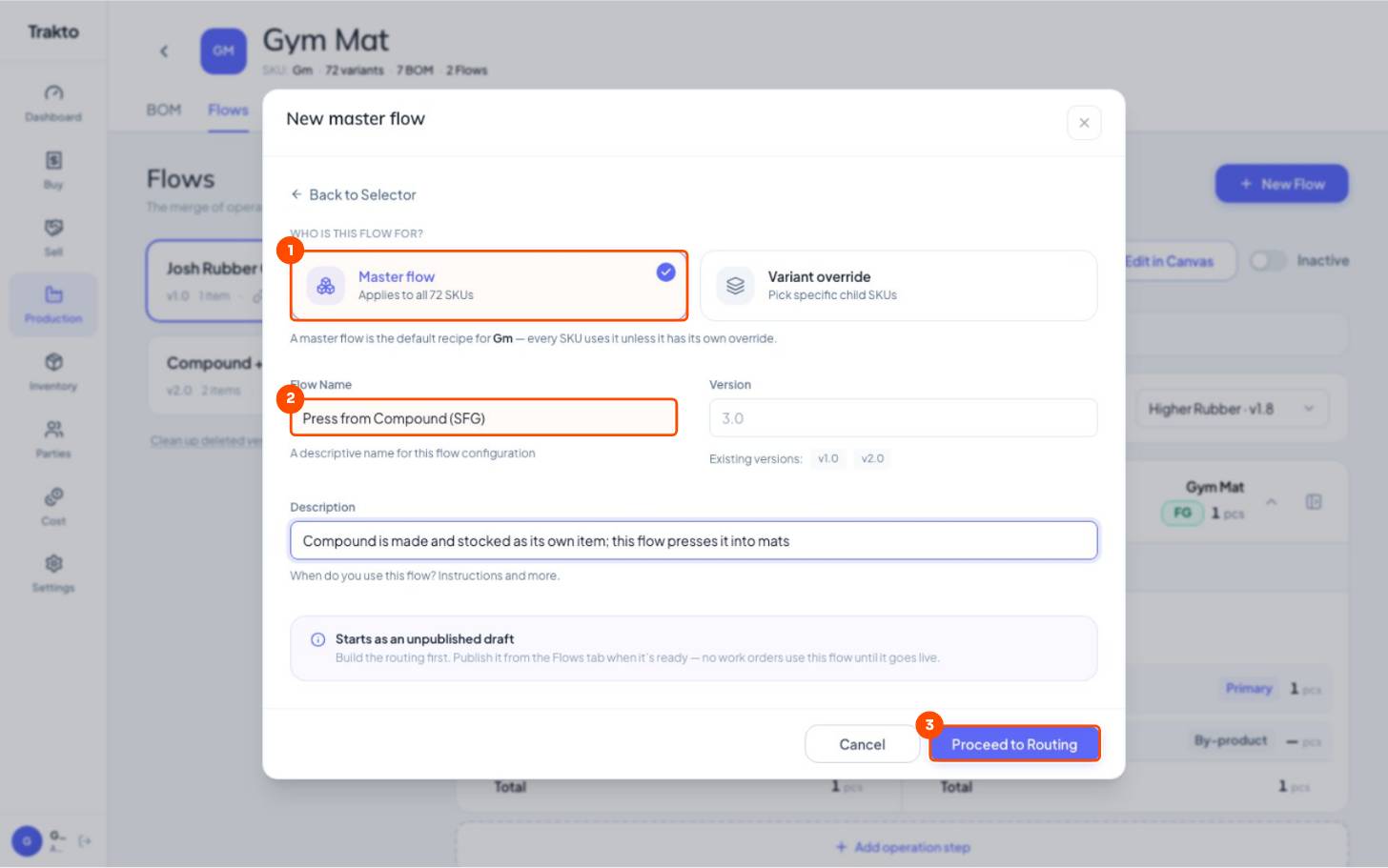
- 1Master flowApplies to all 72 mat variants.
- 2Flow nameFor example Press from Compound (SFG).
- 3Proceed to RoutingOpens the canvas. Then Add Process → Select From Library → Pressing & vulcanisation.
- Add Process → Select From Library → Pressing & vulcanisation.
- Formulation: name the BOM → Create BOM → Add Materials → filter SFG → tick Compound Mix.
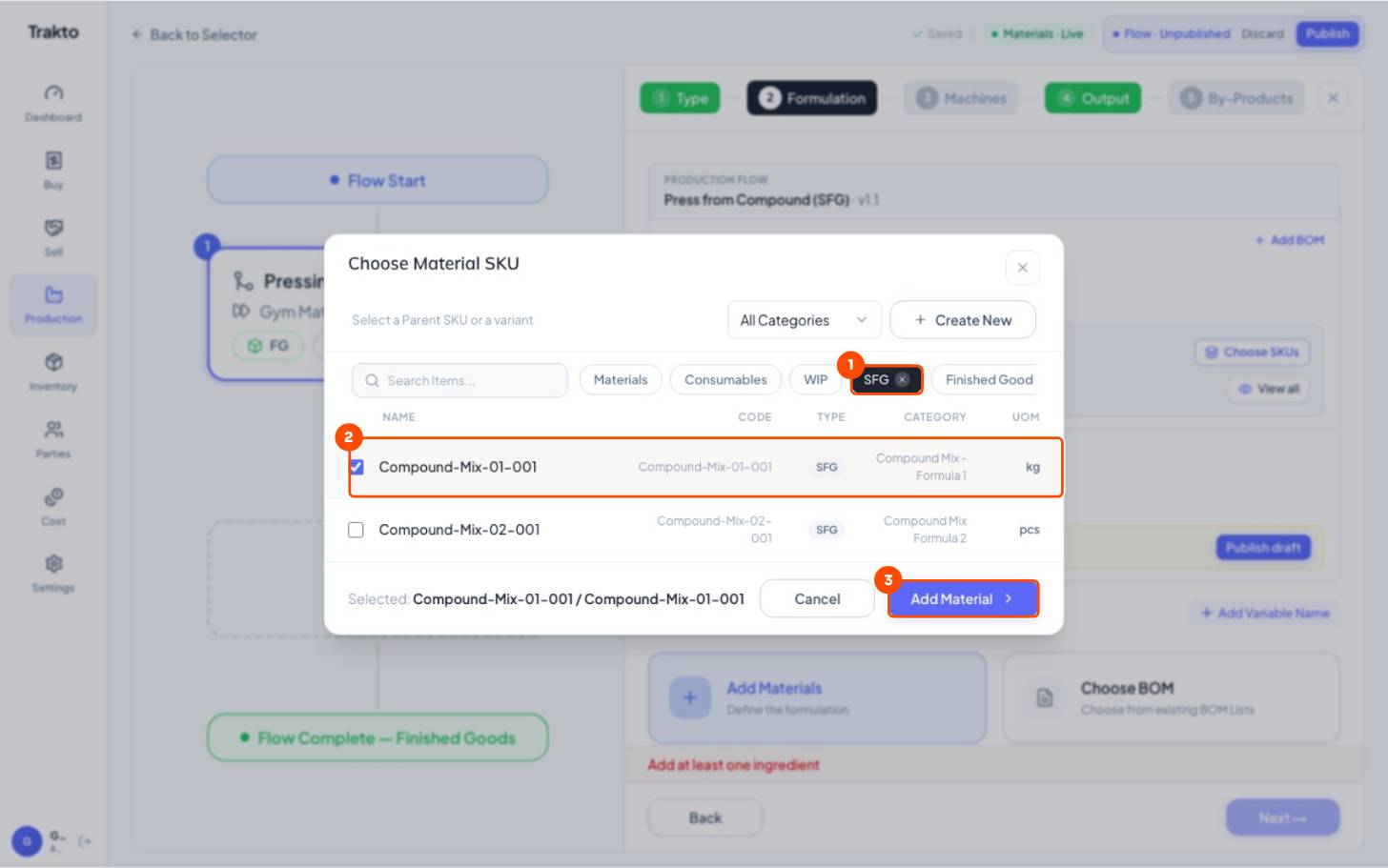
- 1SFG filterFormulation → Create BOM → Add Materials, then show only semi-finished goods.
- 2Compound MixTick the compound. This is the only input of the press step.
- 3Add MaterialAdds it to the step.
5Step 4: loading weight on the compound line
Type a default kg, open the line's settings, tick Variable Input, choose Change on Attribute and add one rule per thickness.
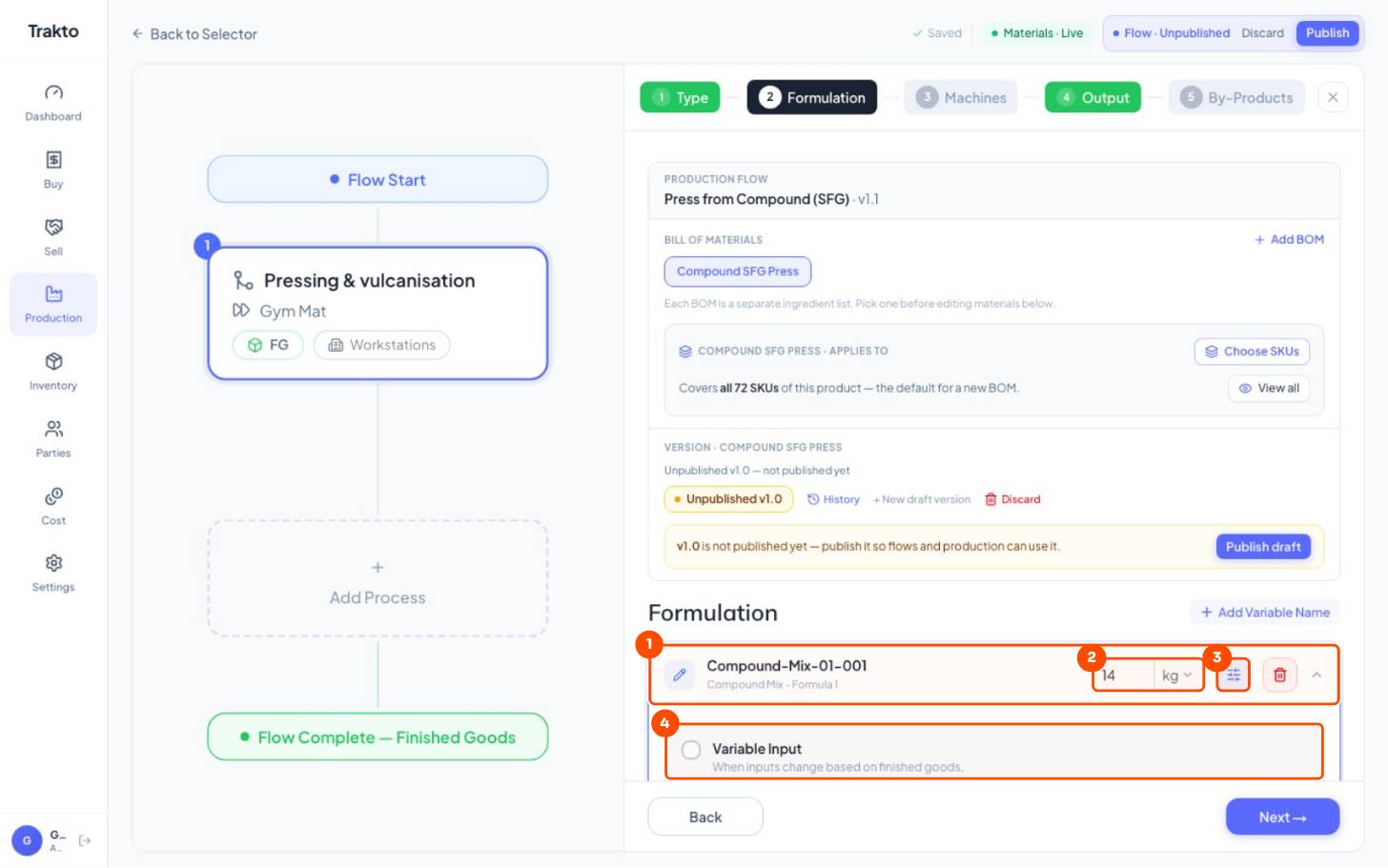
- 1Compound lineCompound Mix, taken from stock.
- 2Default kgUsed when no rule matches.
- 3SettingsOpens Variable Input.
- 4Variable InputTick it, then choose Change on Attribute.
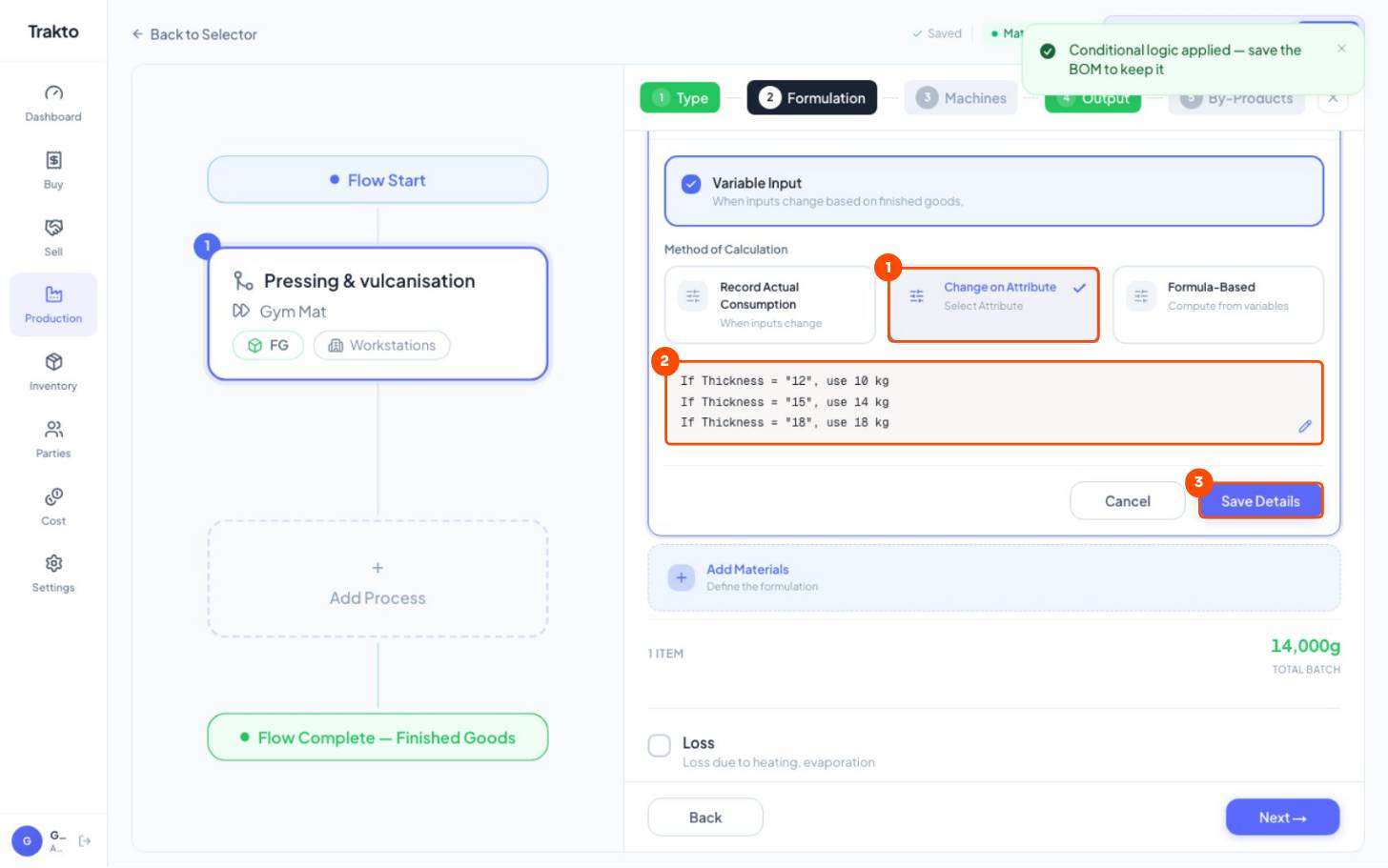
- 1Change on AttributeThe quantity follows the mat's Thickness.
- 2Loading weight12 mm → 10 kg, 15 mm → 14 kg, 18 mm → 18 kg of compound per mat.
- 3Save DetailsThen Machines → Press 1, Output → FG, 1 pc.
Then Machines → Press 1, Output → FG, 1 pc, and Publish.
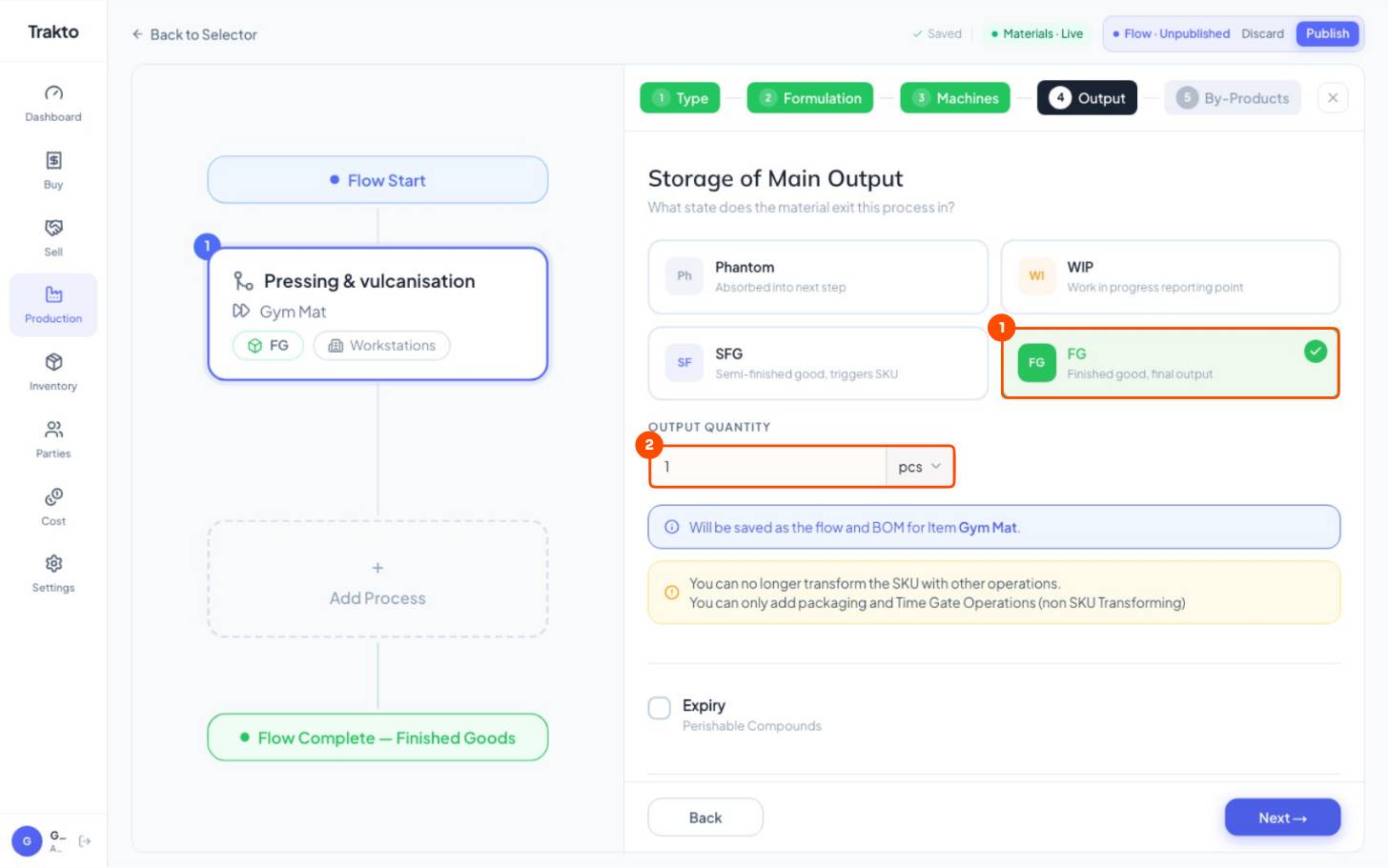
- 1FGThe mat is the finished good.
- 21 pcOne mat per press cycle.
6Track every batch
Log each compound batch in kg (logging production). It goes into stock with its batch number, and mats you log take compound from those batches.
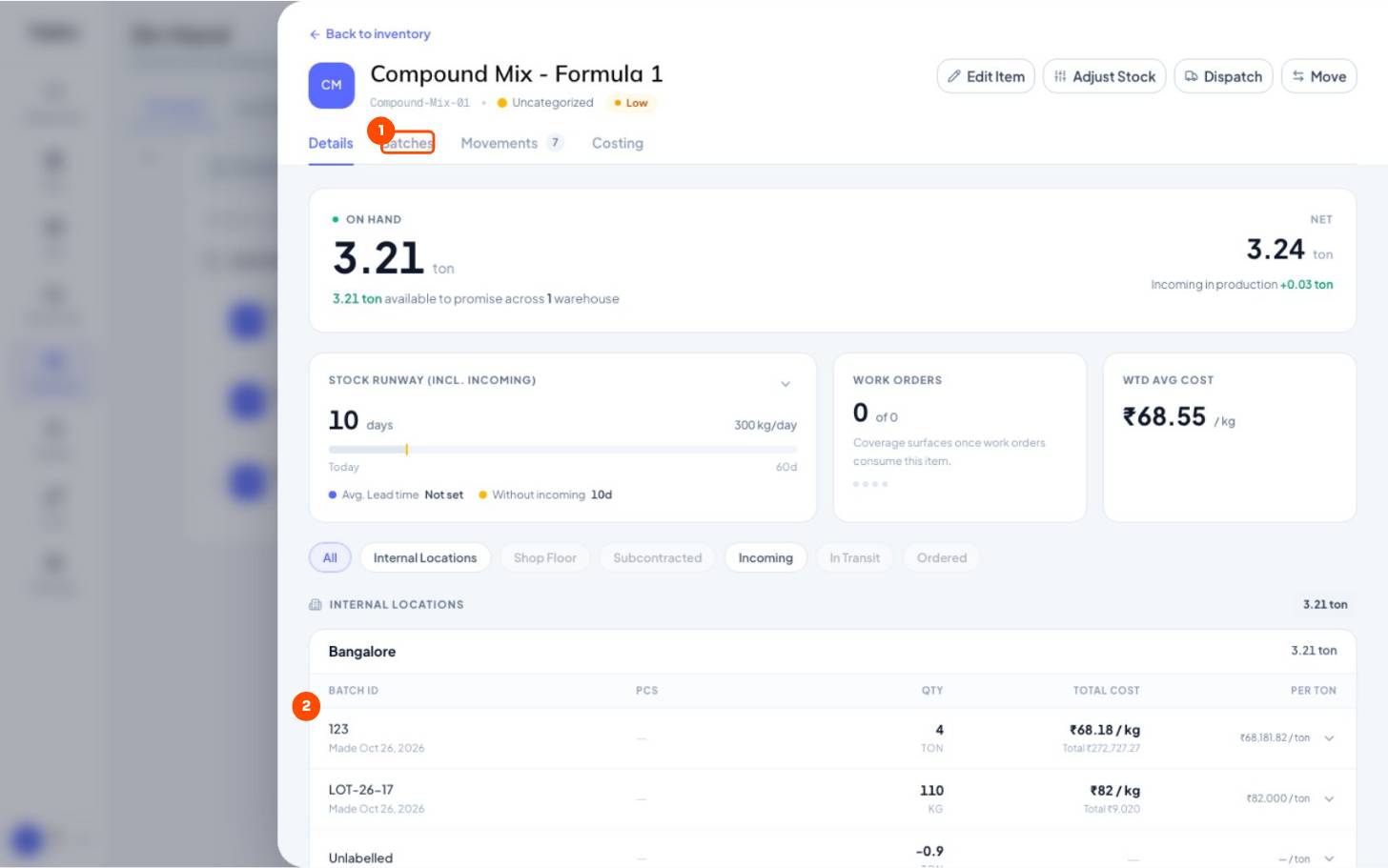
- 1BatchesInventory → On Hand → Manufactured → Compound Mix.
- 2Each batchBatch number, date made, kg left and its own cost per kg.
Run several recipes for the same compound? See several recipes, each with its batch cost.
Still stuck?
Book a set-up call. We'll configure your compound, variants and machines with you.