Buying
Find your stock: on hand, net, variants, spares and the ledger
Read the stock panel, group 72 variants by thickness, show only spares, and see every movement.
How many 18 mm mats do I really have, and what is already promised?
Inventory → On Hand shows each item's stock; open a product to group its variants by any attribute. Click any item for on hand, net, batches and its full ledger.
1On hand, available and net
WhereInventory → On Hand → click the item
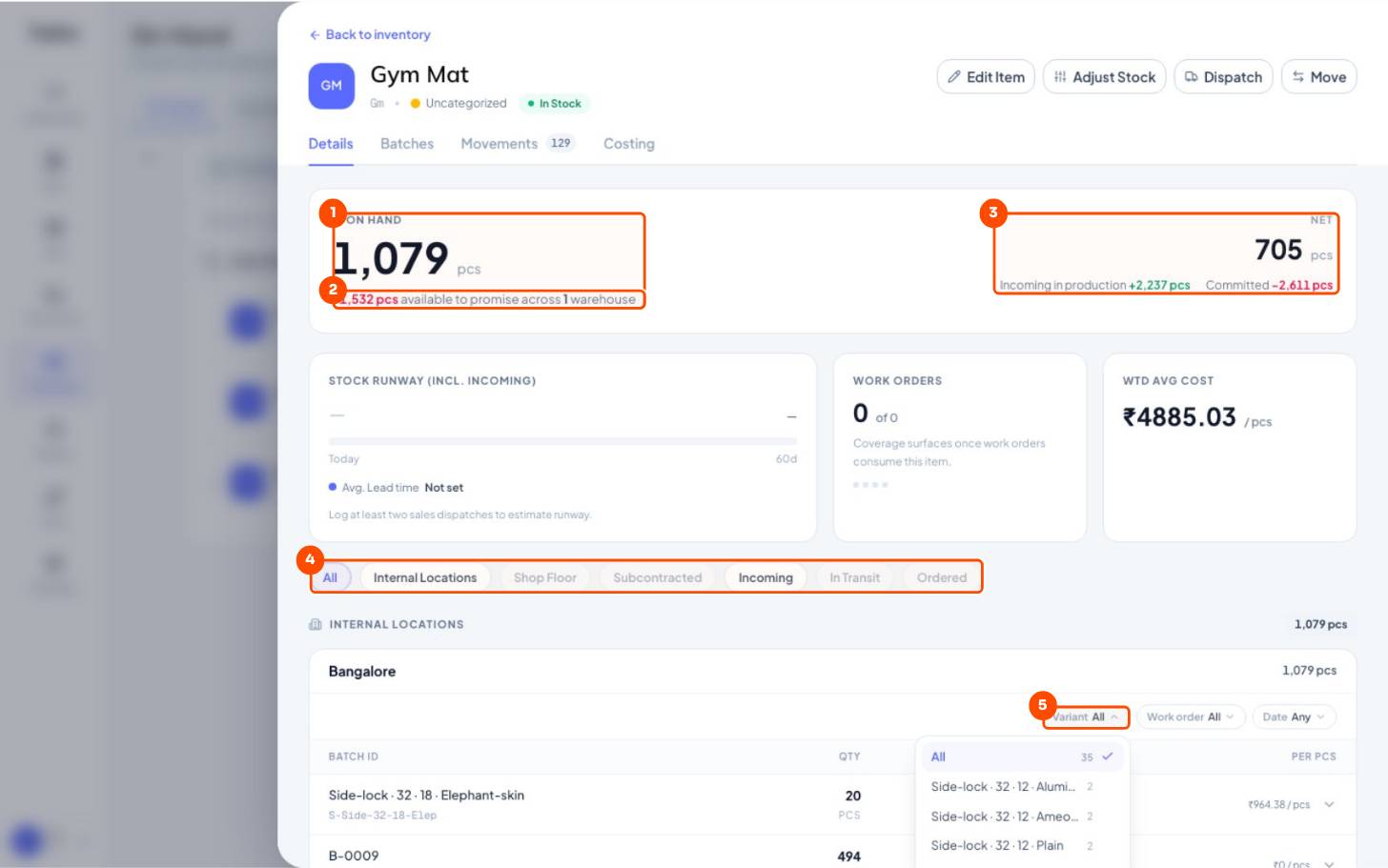
- 1On handIn the store plus work in progress on the floor.
- 2Available to promiseStore stock minus what orders have reserved. Negative = oversold.
- 3NetStore stock + incoming (work orders, POs) − committed to orders.
- 4Where it isStore, shop floor, subcontractor, incoming, in transit.
- 5Filter the batchesBy variant, work order or date: each batch with qty and cost per piece.
| Figure | Means |
|---|---|
| On hand | In the store + work in progress on the floor |
| Available to promise | Store stock − what orders have reserved |
| Net | Store stock + incoming (work orders, POs) − committed to orders |
272 variants, grouped your way
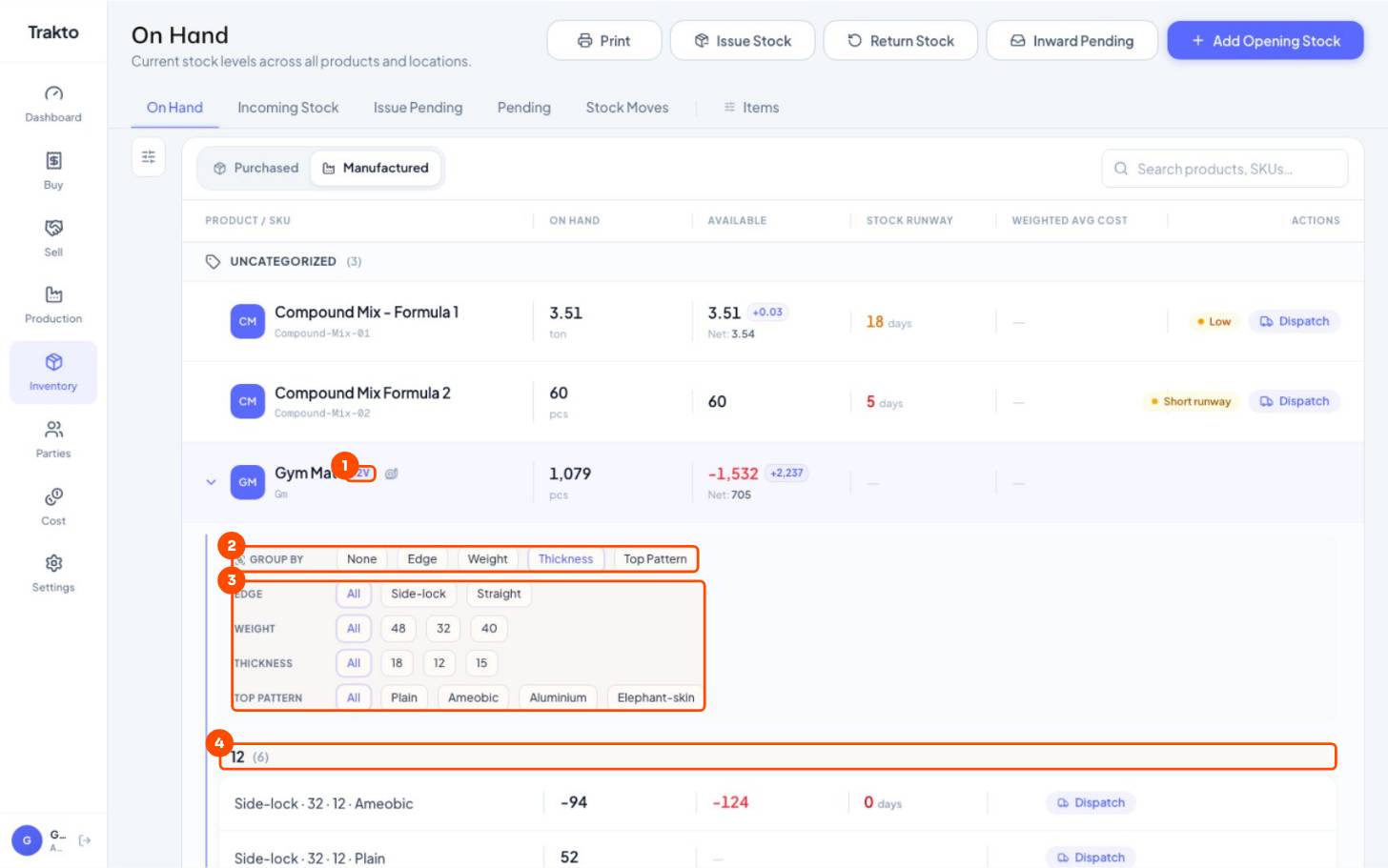
- 172VClick to open the product's variants right in the list.
- 2Group byGroup the variants by any attribute: here Thickness.
- 3FilterTap a chip: only 18 mm, only Side-lock, or both.
- 4Each group12 mm (6 variants), then 15 and 18 mm, each with on hand and runway.
3Only spares, only raw materials
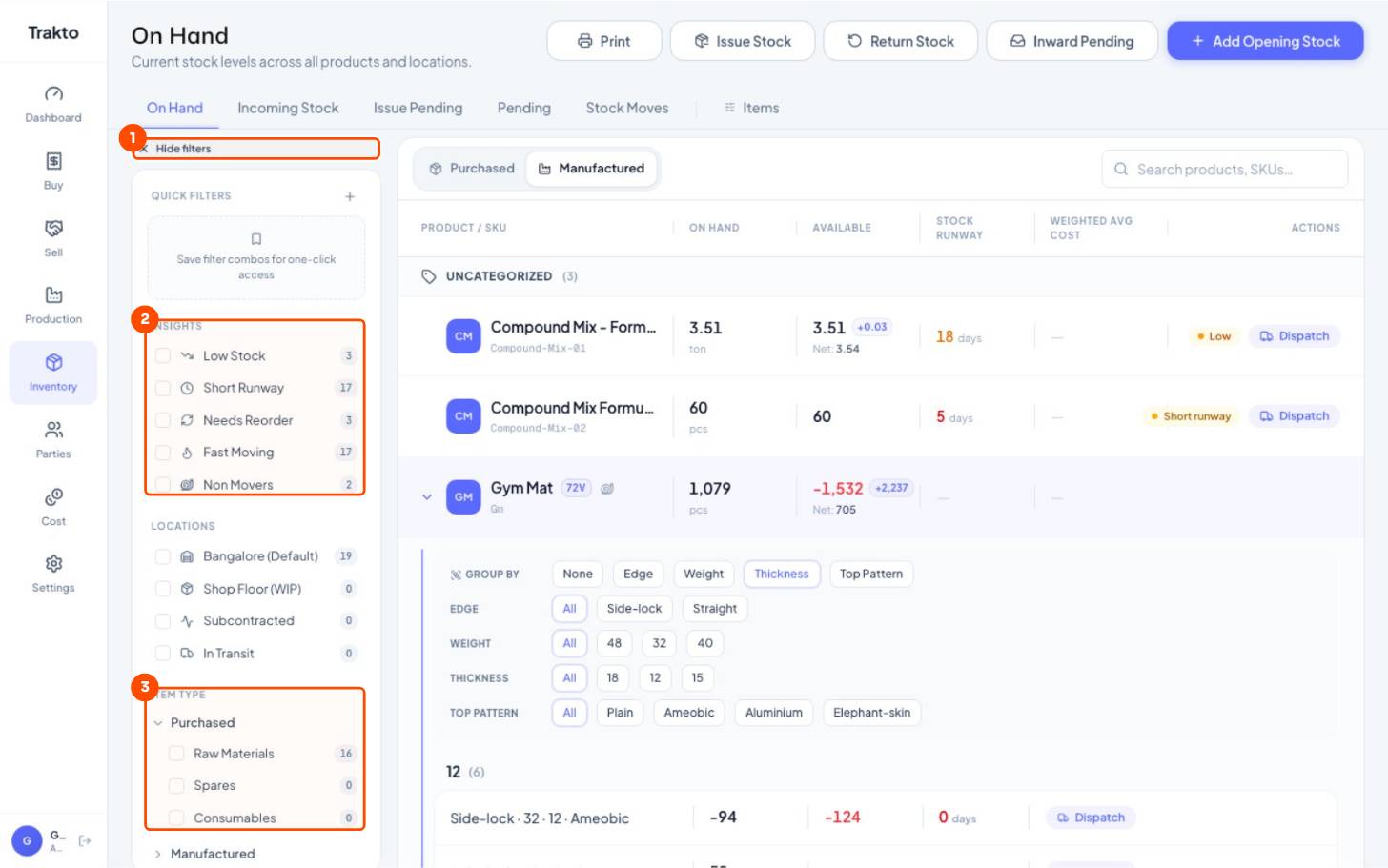
- 1FiltersThe sliders icon at the left of On Hand.
- 2InsightsLow stock, short runway, needs reorder, fast and non-moving items.
- 3Item typeRaw Materials, Spares or Consumables: see only your spares, for example.
4Every movement: the ledger
WhereInventory → On Hand → the item → Movements
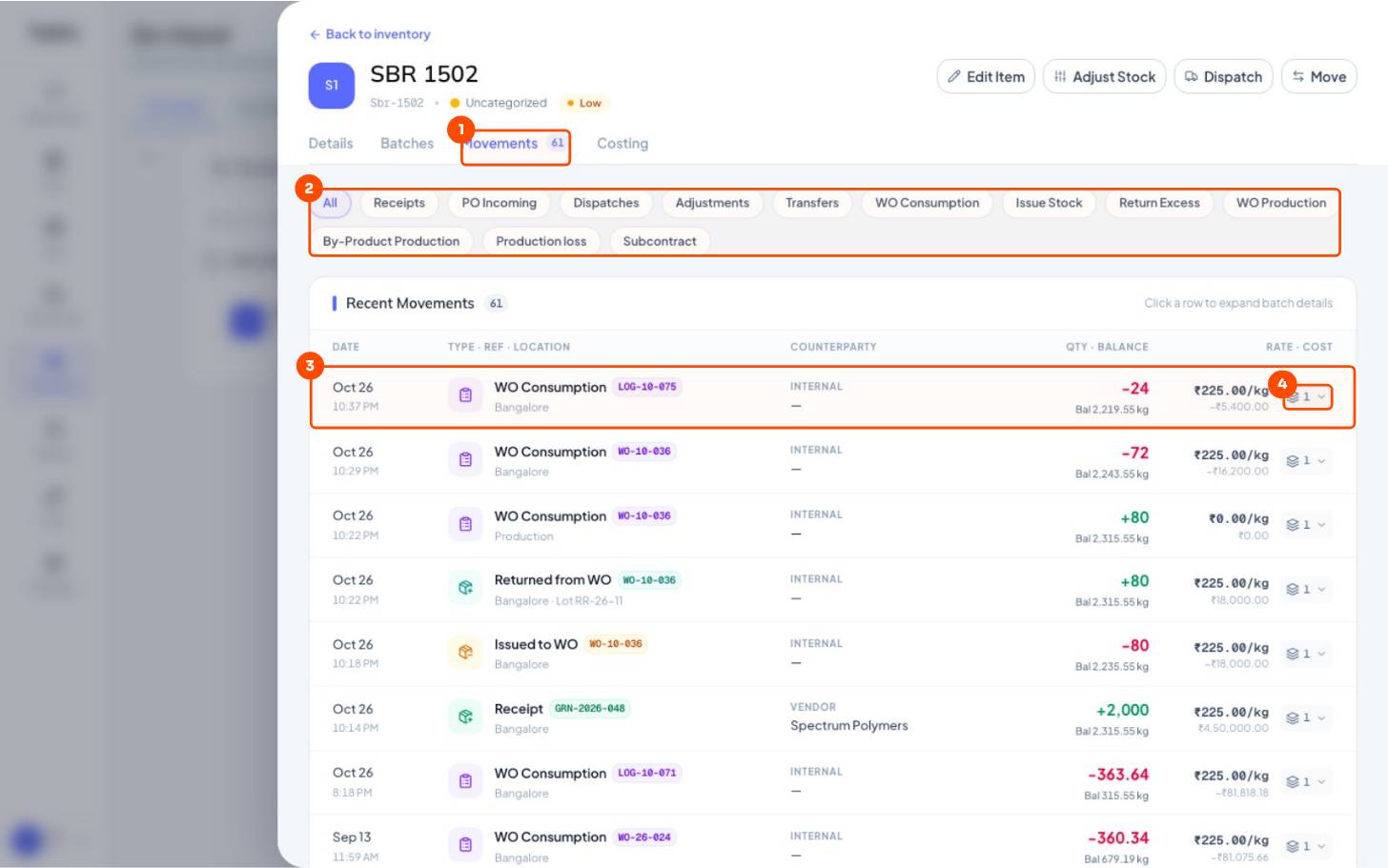
- 1MovementsThe item's full stock ledger.
- 2Filter by typeReceipts, dispatches, adjustments, consumption, returns …
- 3One moveDate, what it was and its document, quantity, running balance, rate and value.
- 4Batch detailsClick a row for the lots it touched.
Still stuck?
Book a set-up call. We'll configure your compound, variants and machines with you.