Orders & production
When will this order be ready?
Queue work orders on each press and get ready dates from real speed and shifts.
Customer asks "when?" and you go ask the floor?
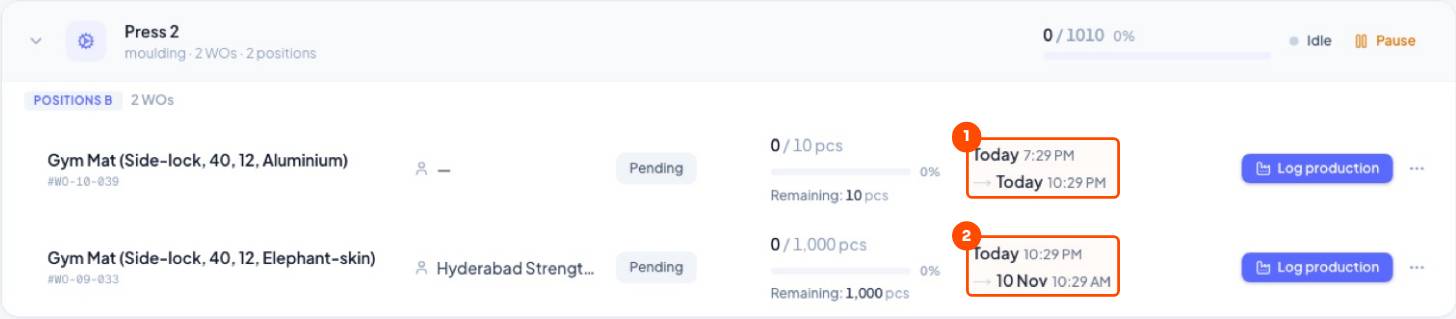
Queue work orders on each machine. Trakto shows start and ready time for every job. Drag to reorder and every date updates.
1Plan the queue
Set a planned start once. The first work order on a press needs a planned start (step → Schedule & targets). Every order after it just joins the queue: drag it into place and Trakto works out each start and ready date from the press's real pace.
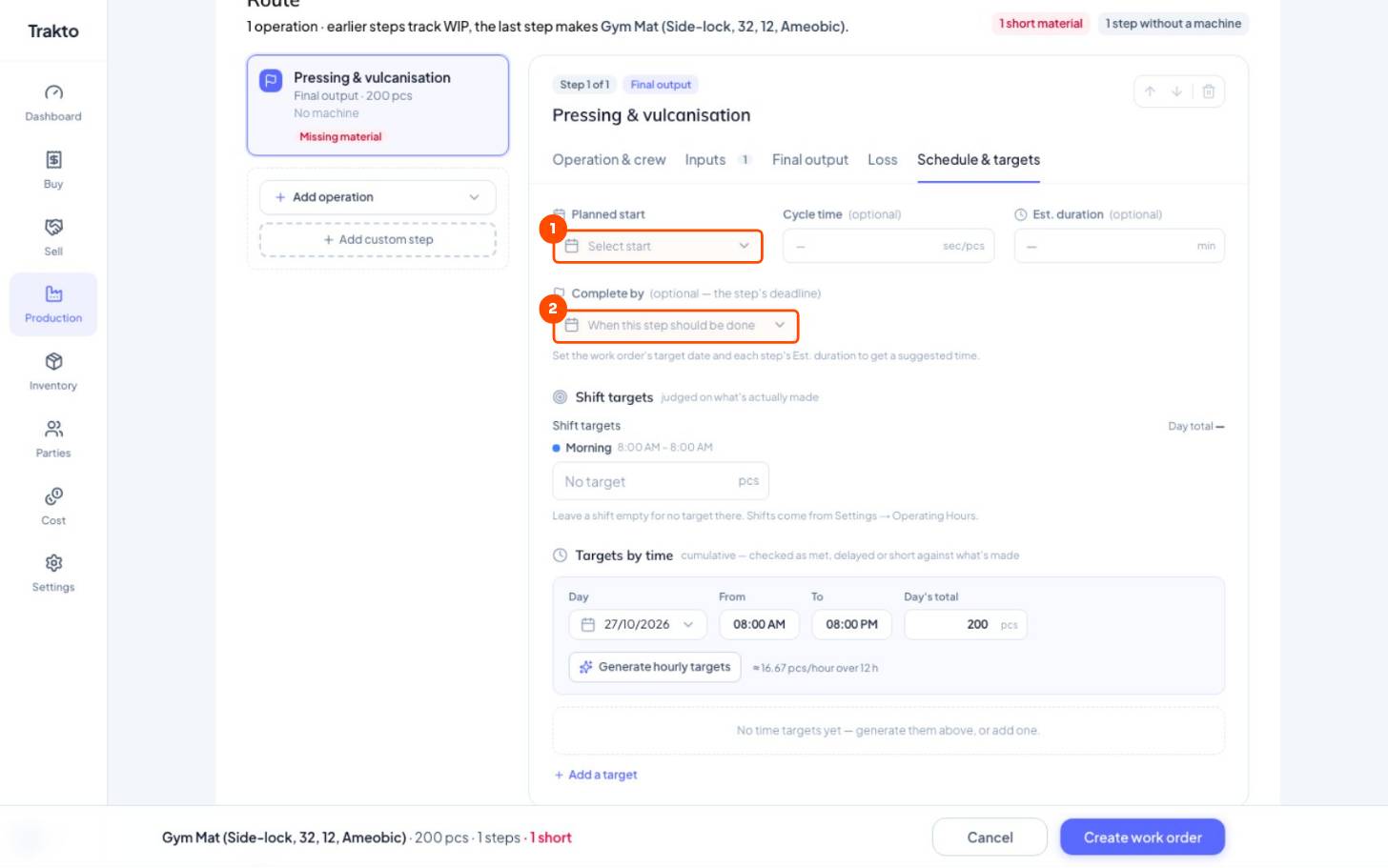
- 1Planned startSet it once, for the first order on a machine. Later orders queue behind it.
- 2Complete byOptional deadline for this step.
WhereProduction → Work Orders → Pending → Group → By Machine
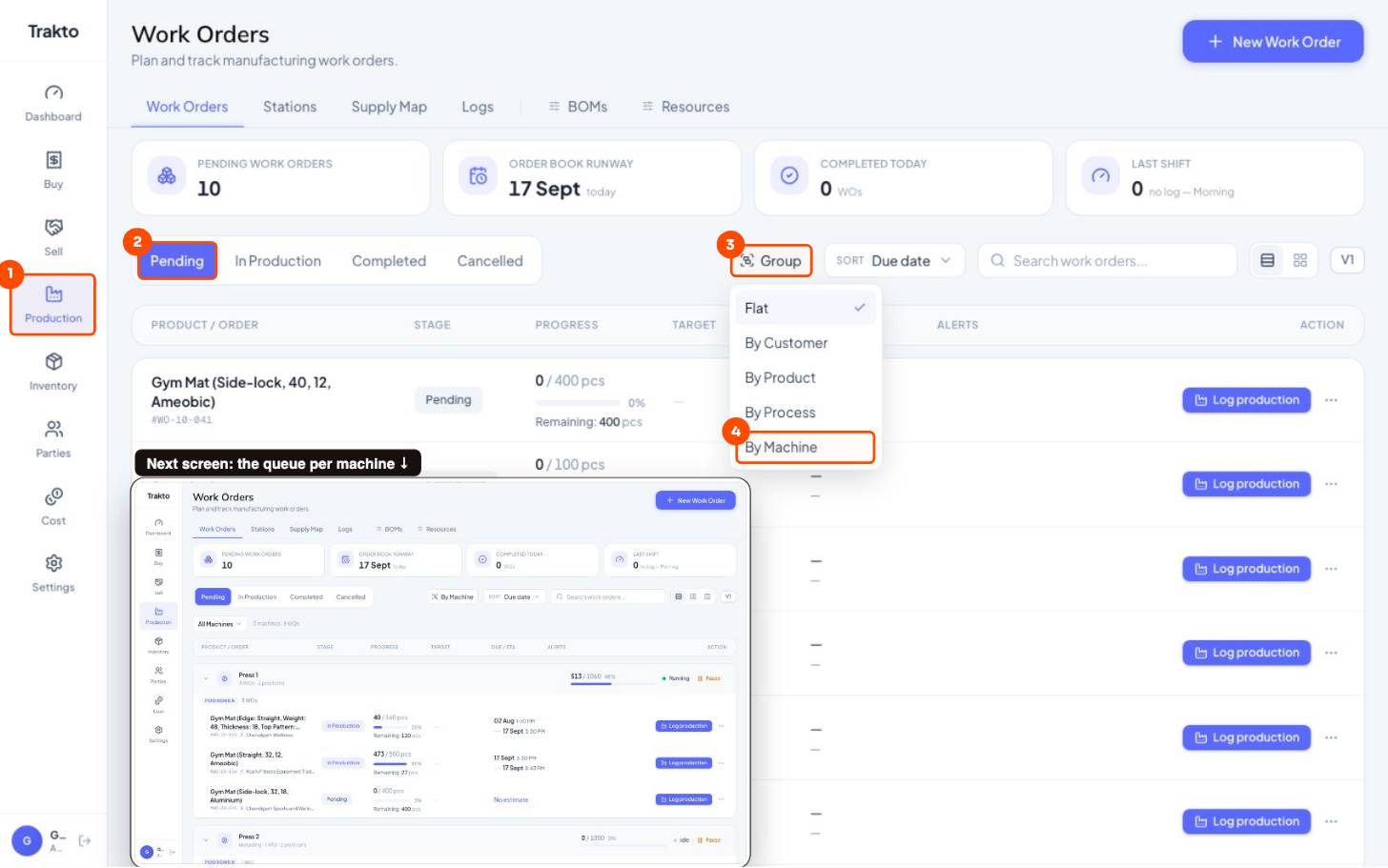
- 1ProductionIn the left menu. Work Orders opens first.
- 2PendingOrders not started yet.
- 3GroupChoose how to group the list.
- 4By MachineOne queue per press, with start and finish times.
- Drag a work order onto a machine, or up and down its queue.
- Every start and ready time on that machine recalculates.
2How the date is worked out
Ready = start + pieces left ÷ speed, counted only in working hours, one job after another
- Speed: the work order's own pace once it has logs; before that the machine's or item's history, then the press cycle time.
- Working hours: shifts and working days; holidays are skipped. See shifts.
- Queue: each job starts when the one above it finishes.
Still stuck?
Book a set-up call. We'll configure your compound, variants and machines with you.