Buying
Order rubber before the mill stops
Stock runway from actual use, stock-out date after a PO arrives, and creating POs.
Finding out you're out of NR when it's too late?
Trakto shows a stock runway: days left at your actual daily use. Add a PO and it shows the exact stock-out date after the delivery.
1Why create purchase orders?
A PO is not paperwork for its own sake. With an Expected by date it tells Trakto what is coming in and when, so the runway can give you the real stock-out date after that delivery, and so the next order date. It also carries the agreed rate into the GRN for store staff who can't see rates.
2Days of stock left
WhereInventory → On Hand → Purchased
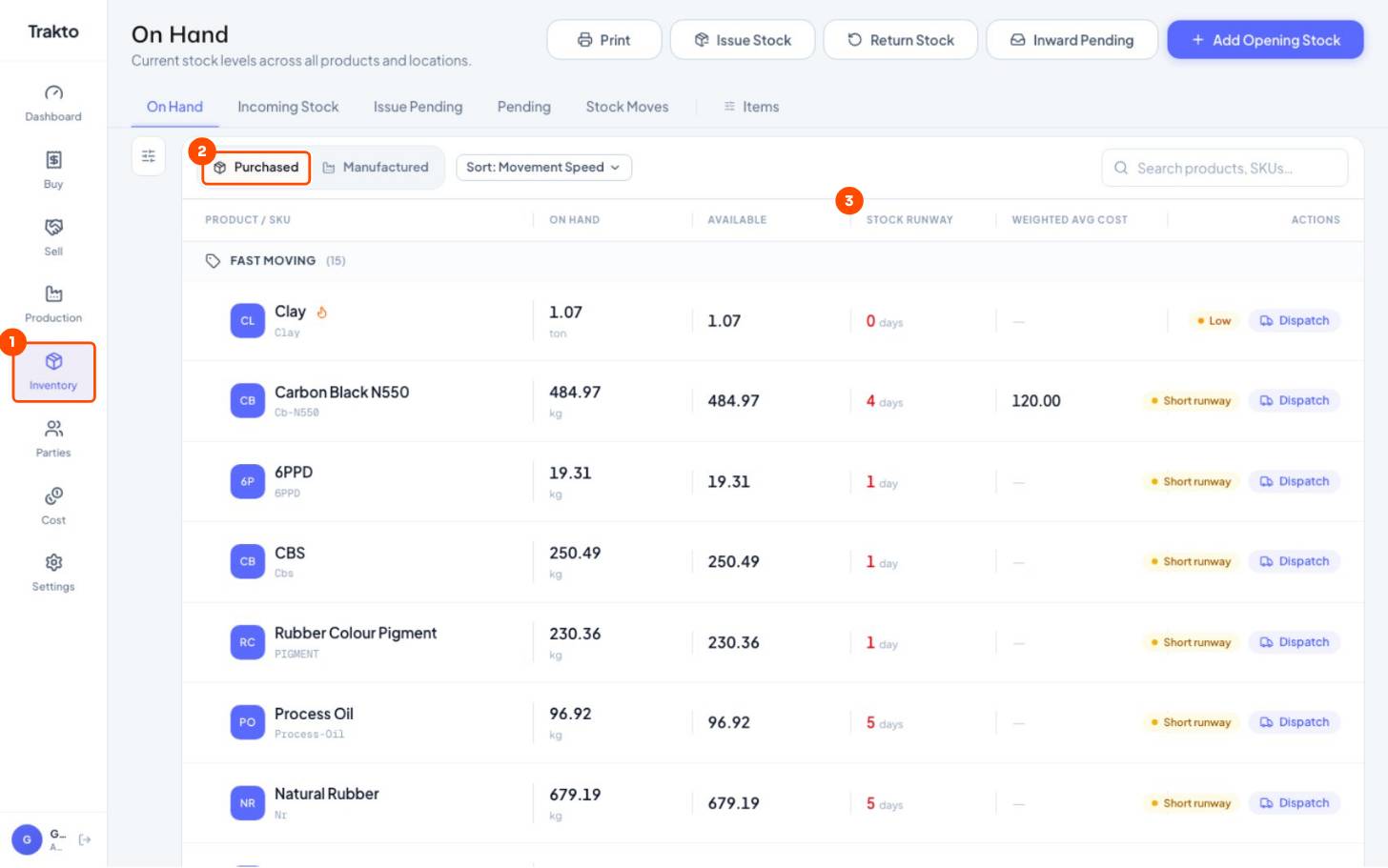
- 1InventoryIn the left menu. On Hand opens first.
- 2PurchasedRaw materials and spares.
- 3Stock runwayDays the stock will last at your recent daily use. Red = order now.
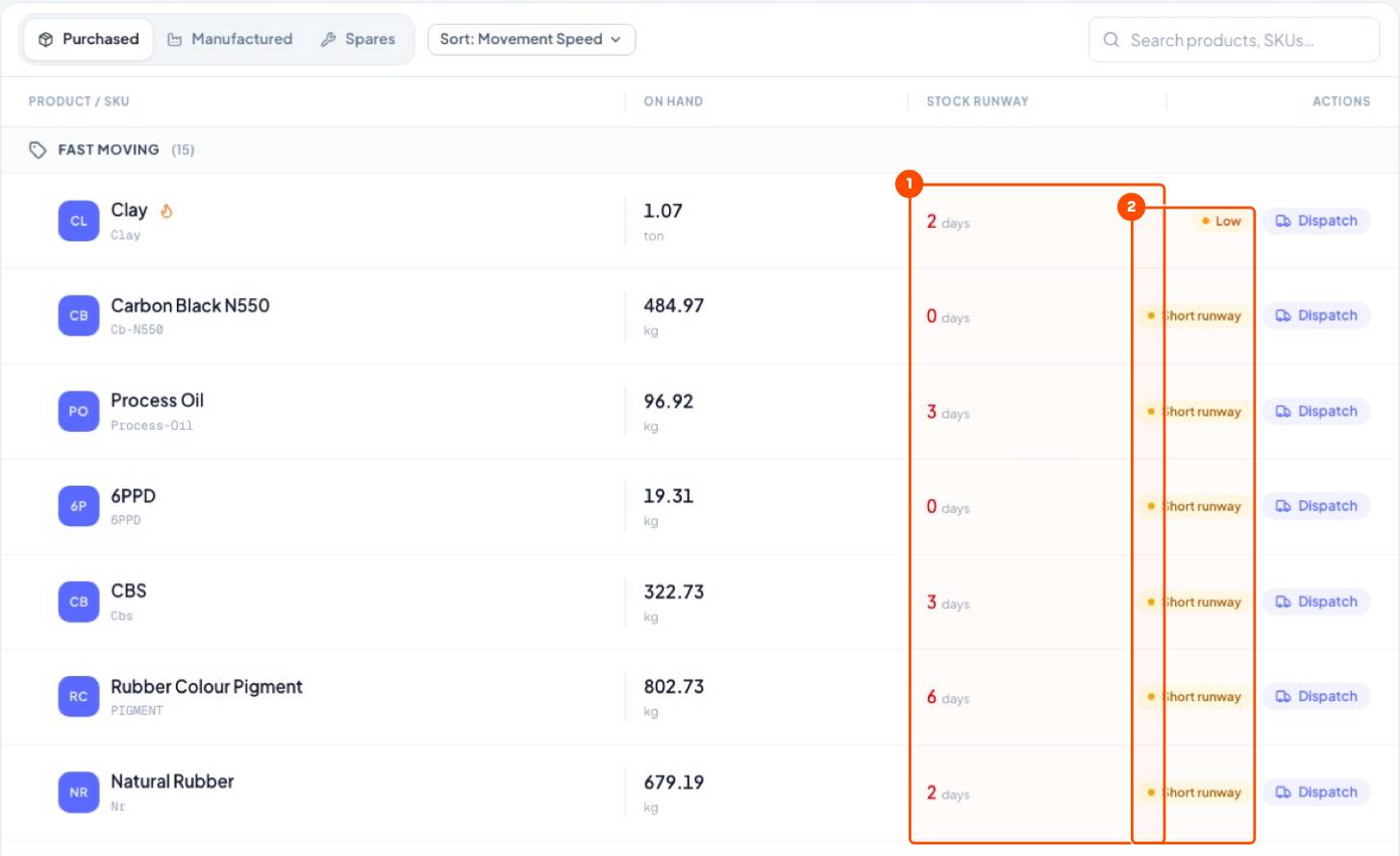
Runway = stock ÷ average daily use. The daily use comes from your real production logs over 60 days.
3Exact stock-out date
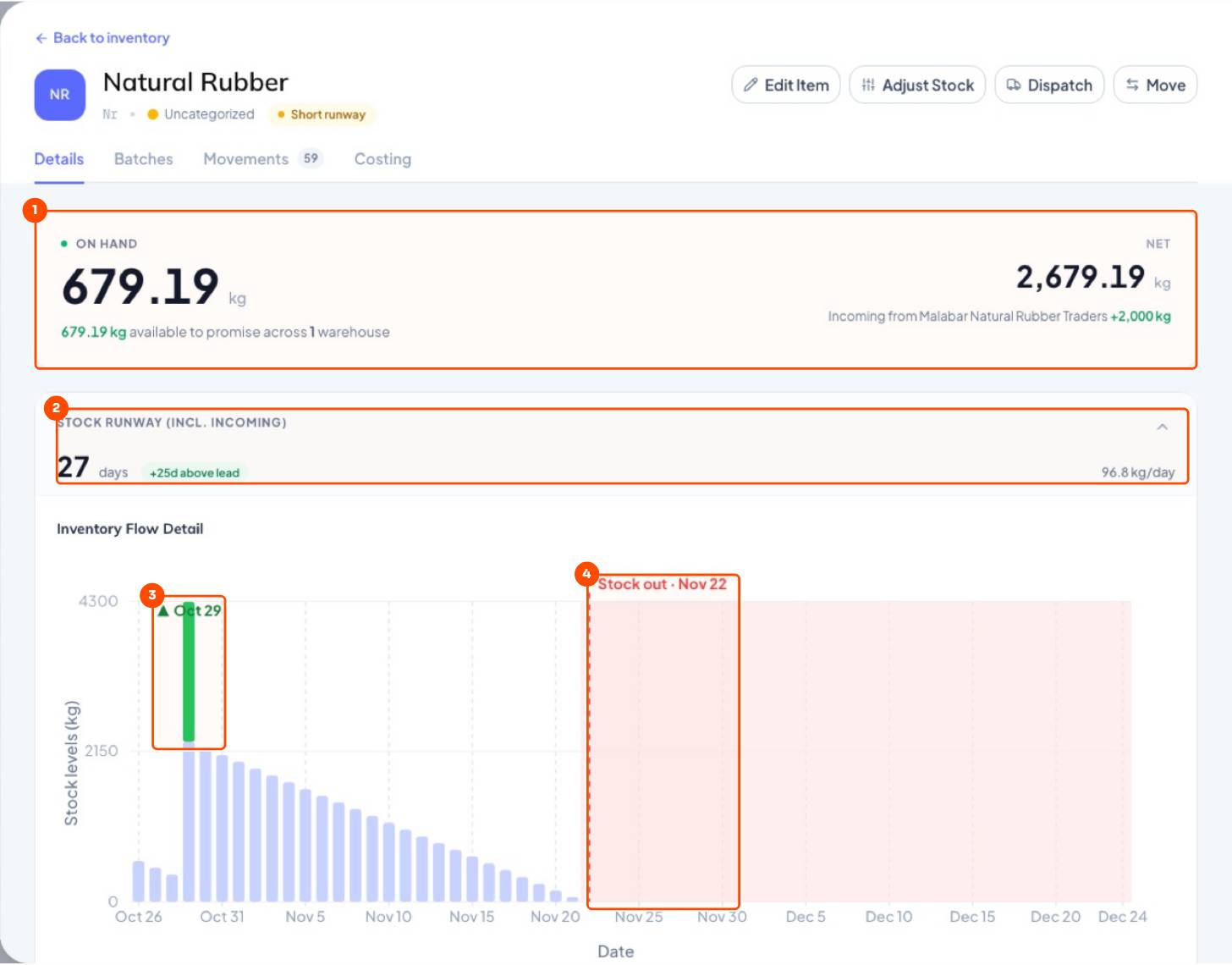
Order when runway ≈ supplier lead time. Set a Reorder Alert (days) on the item to be warned automatically.
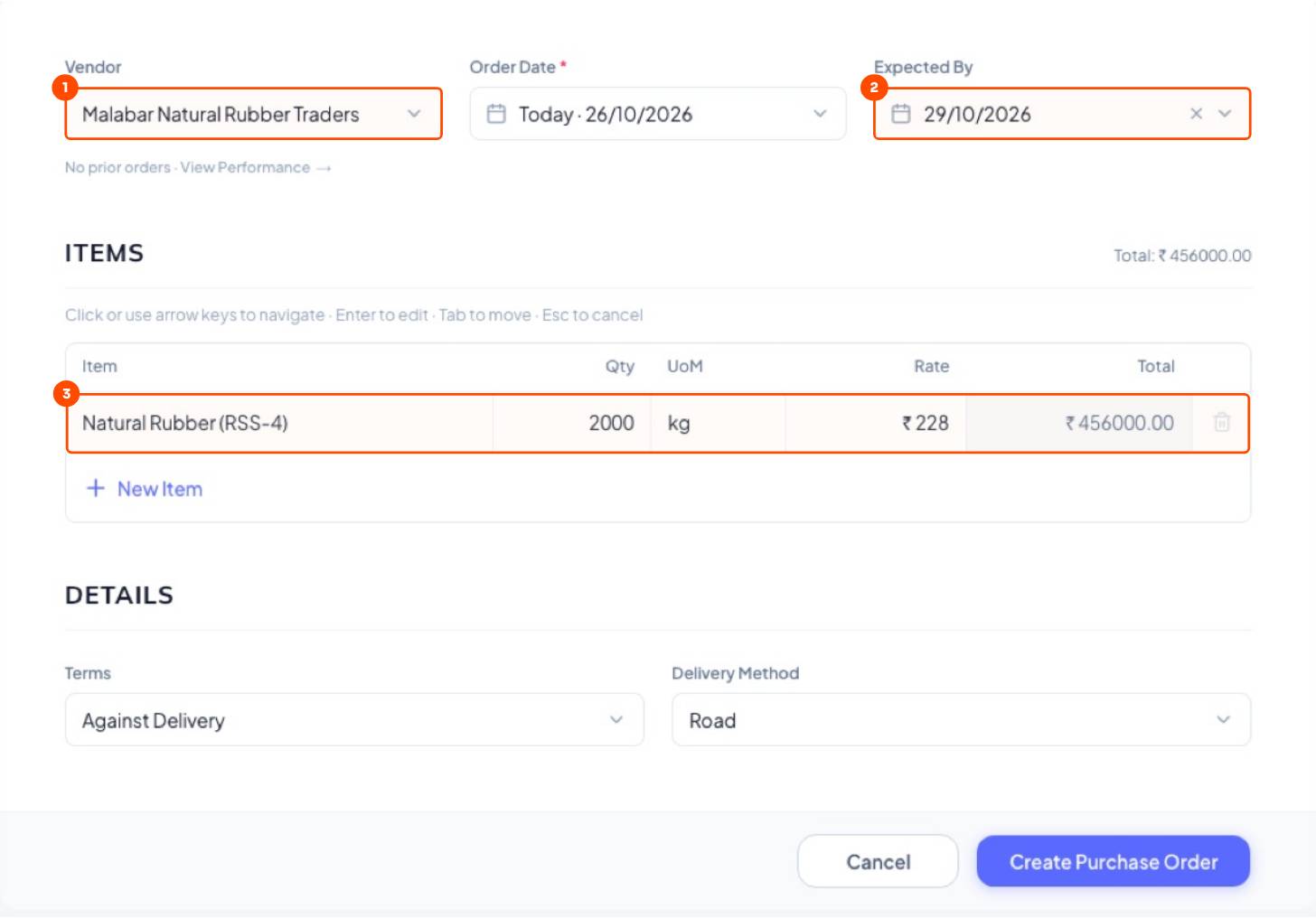
4Create a purchase order
WhereBuy → Purchase Orders → Purchase Order
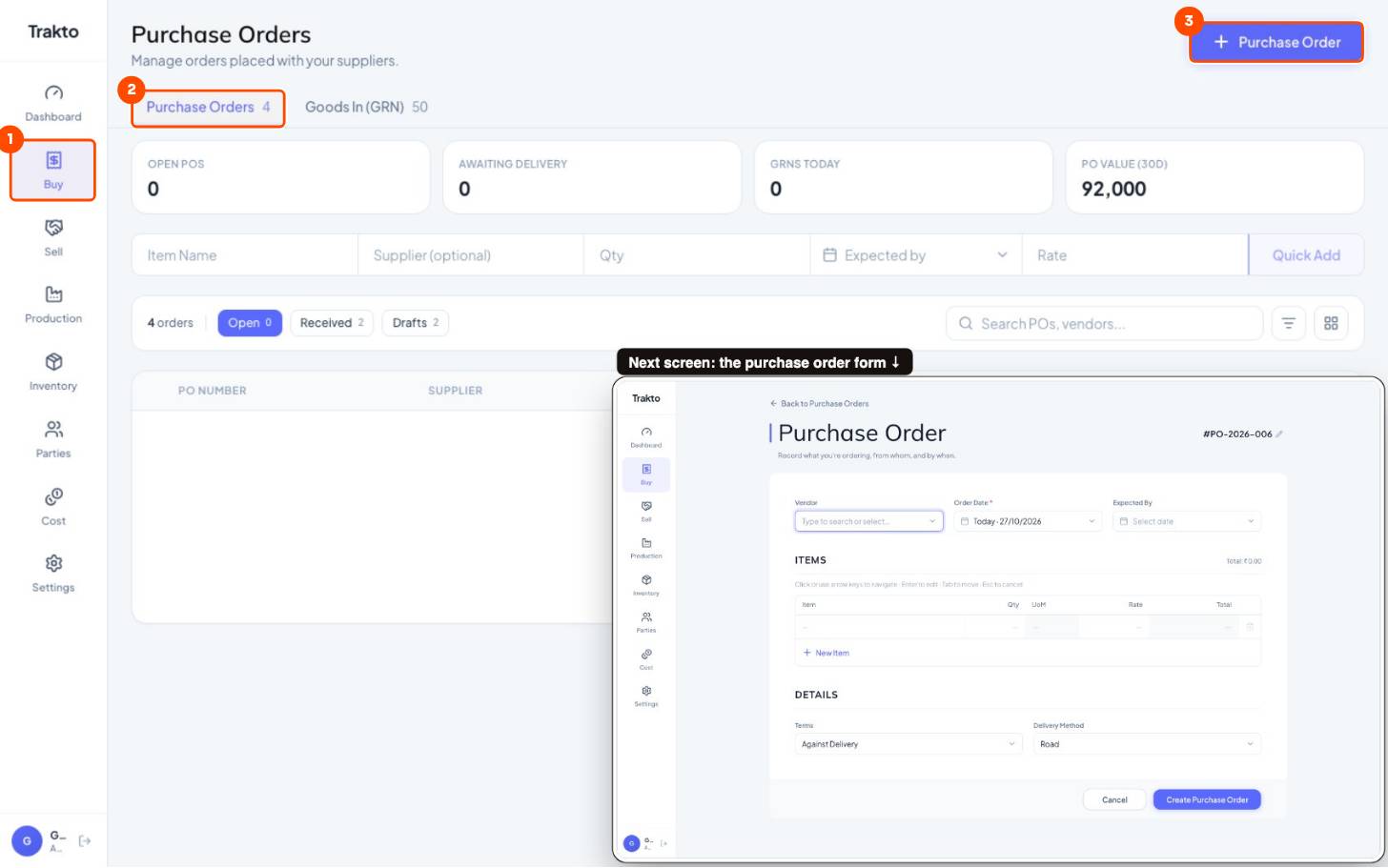
- 1BuyIn the left menu.
- 2Purchase OrdersOpen, received and draft POs.
- 3Purchase OrderCreate a PO: supplier, expected date, items and rates.
- Pick the vendor.
- Set Expected By: this puts the arrival on the runway chart.
- Items, qty, rate → Create Purchase Order.
- Send it to your supplier, then set status Issued / Sent. When the truck arrives, click Create GRN.
Still stuck?
Book a set-up call. We'll configure your compound, variants and machines with you.