Items & recipes
Route A: record only mats (phantom compound)
Build Compounding → Pressing on the mat once; log only mats and let Trakto deduct every raw material.
You chose to record only mats?
Build one flow on the mat: Compounding → Pressing. Log only the finished mats, and Trakto deducts every raw material through the recipe. Haven't chosen yet? Decide first.
1Step 1: create the flow
WhereProduction → BOMs → Gym Mat → Flows → New Flow
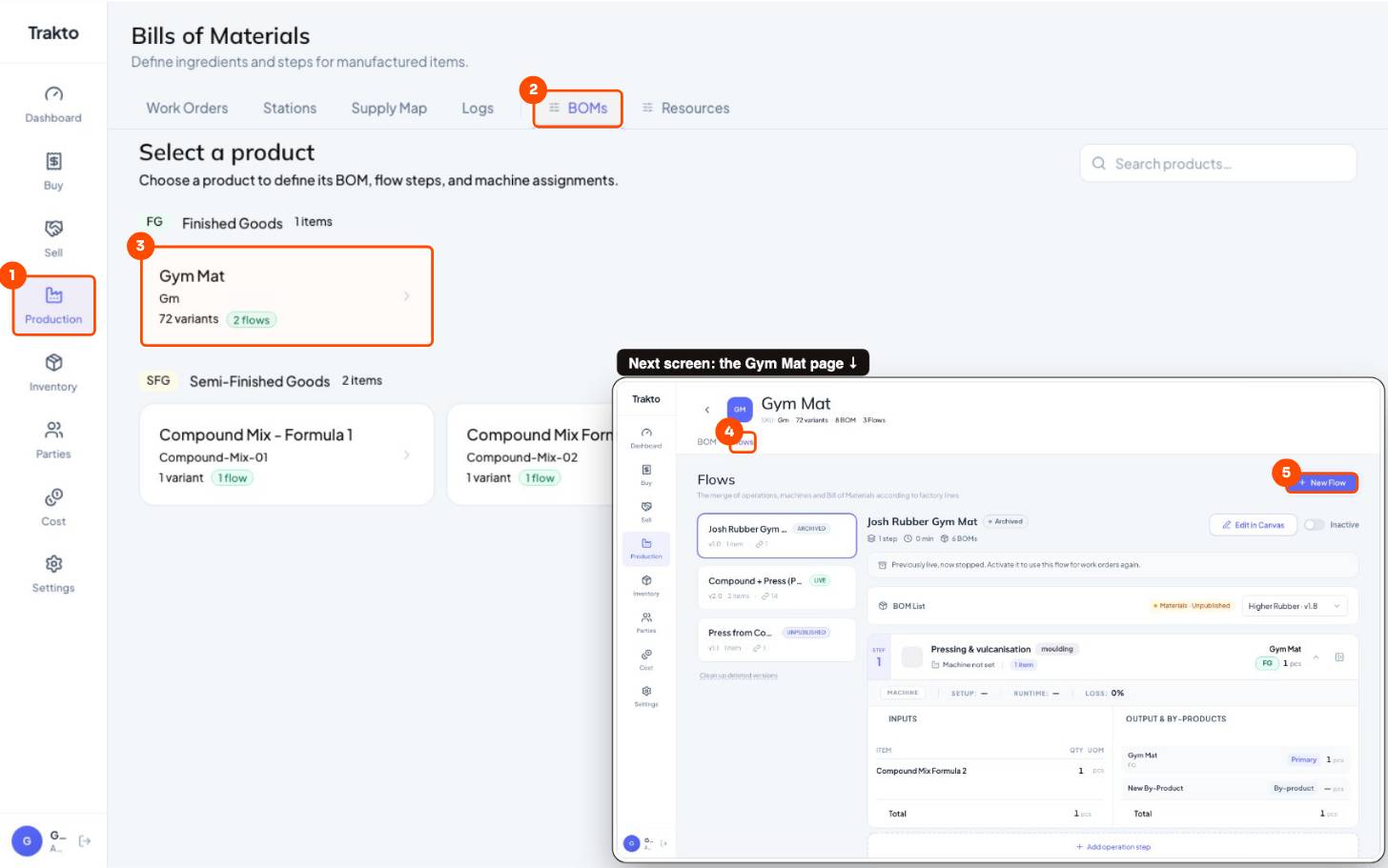
- 1ProductionIn the left menu.
- 2BOMsEvery product you make, with its recipes and flows.
- 3Gym MatOpen the product you are setting up.
- 4Flows tabThe steps this product goes through.
- 5New FlowStart a new flow. It stays a draft until you publish it.
- Start from scratch → Proceed.
- Leave Master flow (all variants), name it Compound + Press (Phantom).
- Proceed to Routing. The canvas opens; the flow is a draft until you publish.
2Step 2: the mixing step and its BOM
- Type: + Create New Operation → Mix / Blend / Chemical, name Compounding (Mixing Mill), unit kg.
- Formulation: name the BOM (Standard Compound, v1.0) → Create BOM → Add Materials, tick every raw material → Add Material.
- Type each material's kg per batch.
- Output: Phantom, output quantity 100 kg.
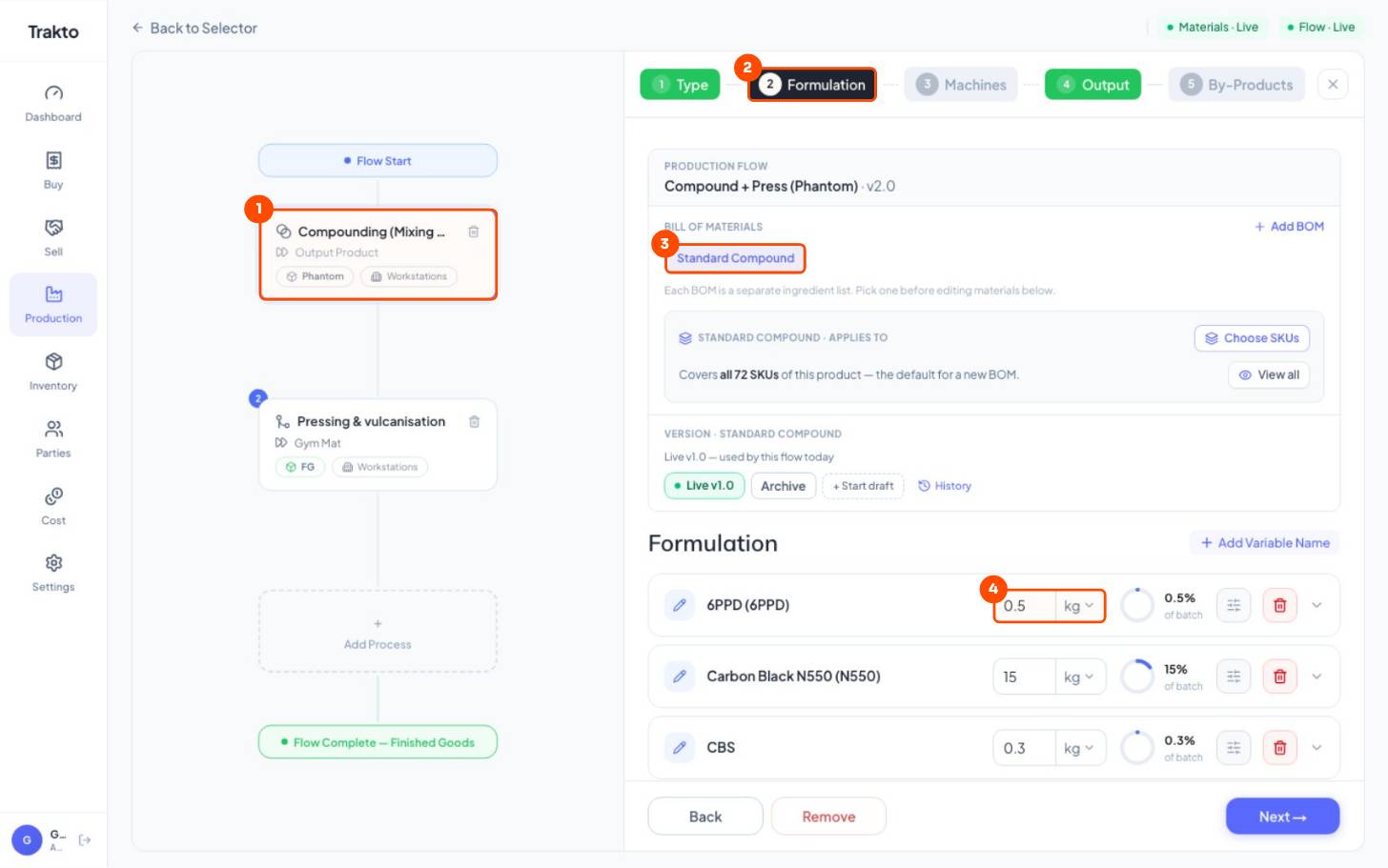
- 1Step 1: CompoundingThe mixing step, shown as a card on the left.
- 2Formulation tabThe recipe of this step lives here.
- 3The BOMNamed and created right here, inside the step. You never make it separately.
- 4kg per batchType each material's quantity for one batch. The ring shows its share.
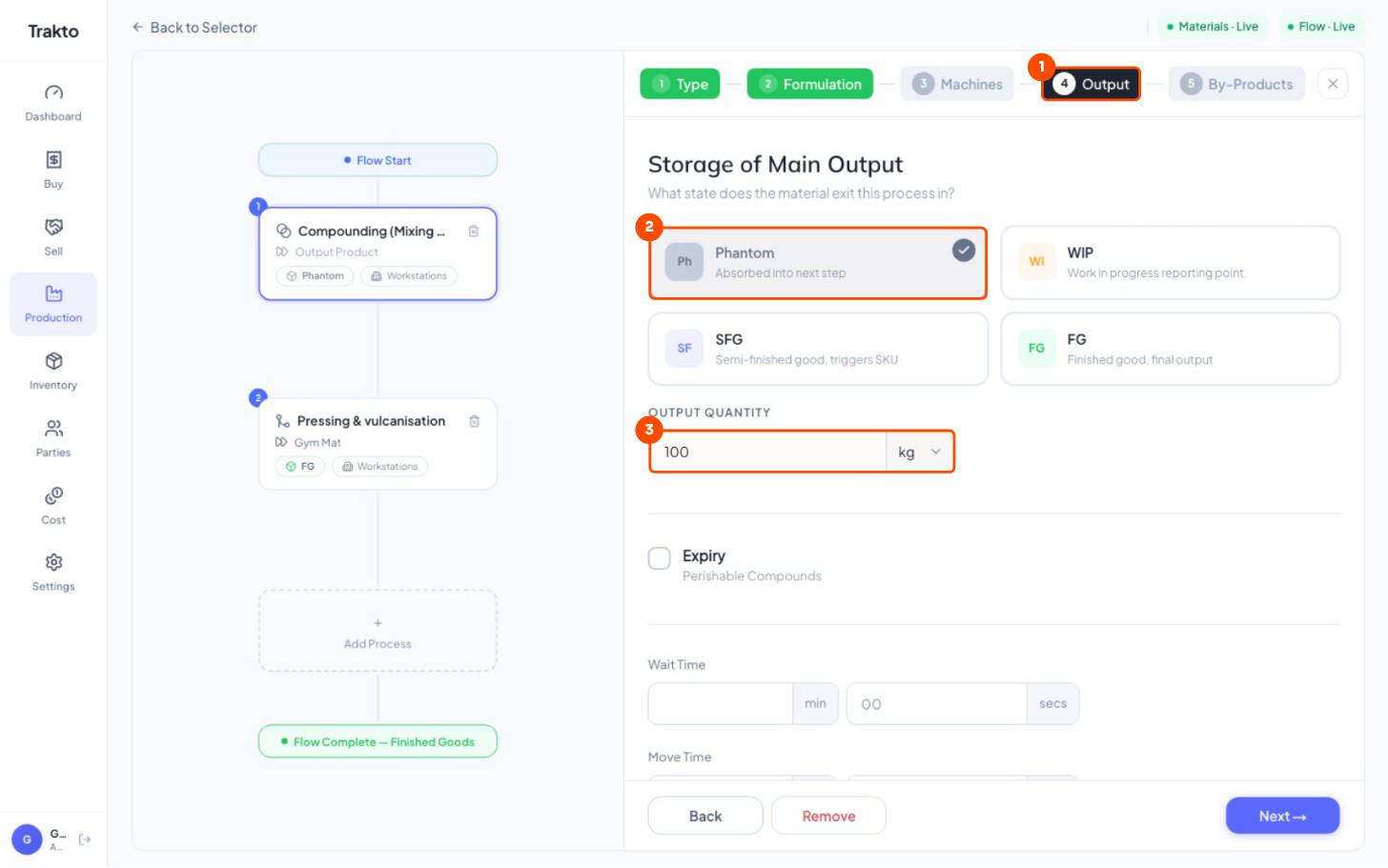
- 1Output tabWhat comes out of the step.
- 2PhantomAbsorbed into the next step. Never stocked, never logged.
- 3Output quantityOne batch: 100 kg. It must equal the formulation total.
Output must equal the formulation total. If the materials add to 100 kg, the output is 100 kg; otherwise every log deducts the wrong amount. Use Loss only for real heating or evaporation loss.
3Step 3: the press step and loading weight
- Click Add Process → Select From Library → Pressing & vulcanisation.
- Formulation: the compound is already there, From previous step. Open its settings.
- Tick Variable Input → Change on Attribute → click the pencil and add one rule per thickness.
- Machines: Press 1. Output: FG, 1 pc per cycle.
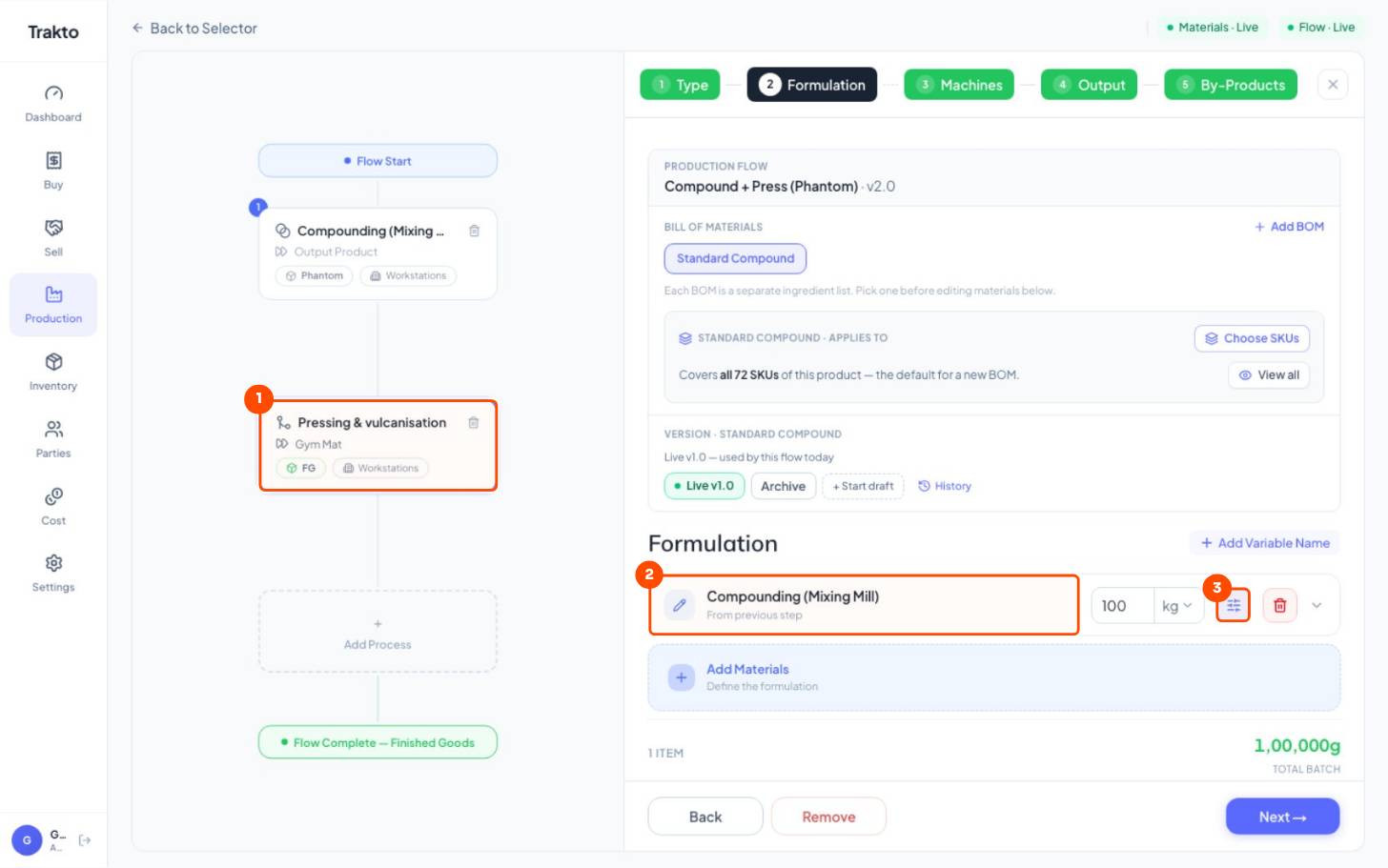
- 1Step 2: PressingAdded with Add Process, from the operation library.
- 2From previous stepThe compound arrives by itself. You add no materials here.
- 3SettingsOpens Variable Input for the loading weight.
12 mm → 10 kg · 15 mm → 14 kg · 18 mm → 18 kg of compound per mat
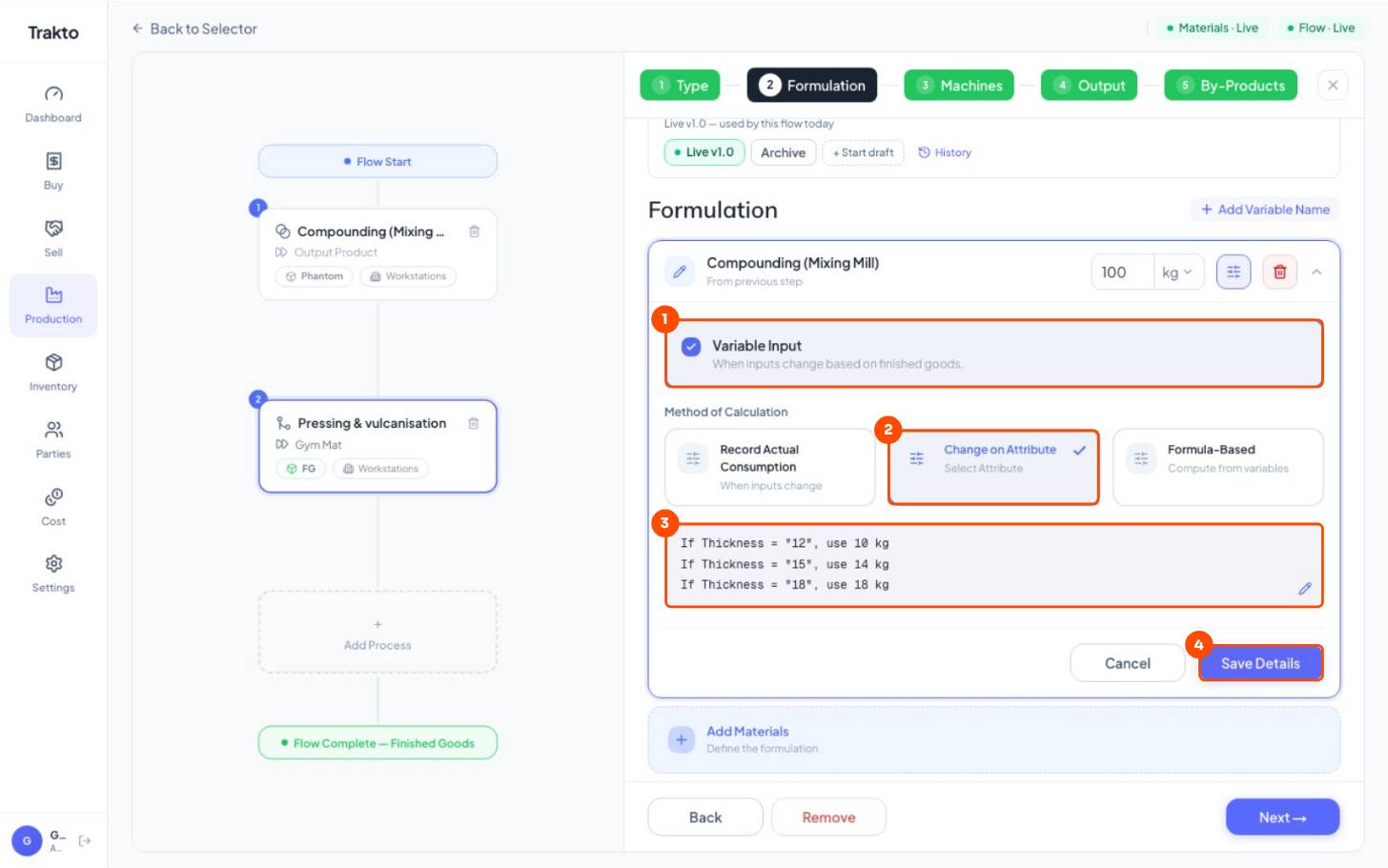
- 1Variable InputThe quantity changes with the variant.
- 2Change on AttributePick the attribute that decides it: Thickness.
- 3Loading weightOne rule per thickness: kg of compound per mat. The pencil edits them.
- 4Save DetailsKeep the rules.
4Step 4: publish
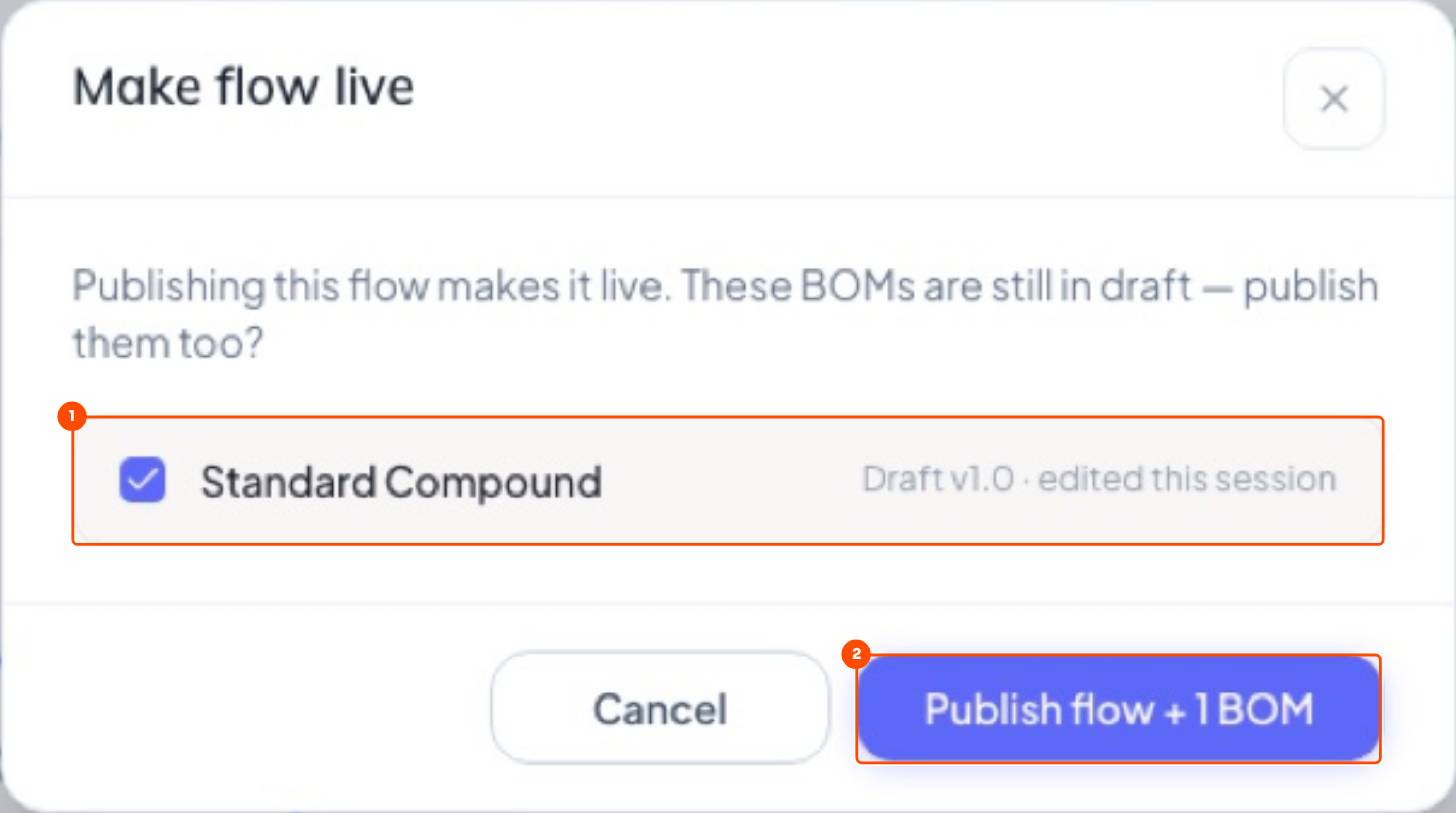
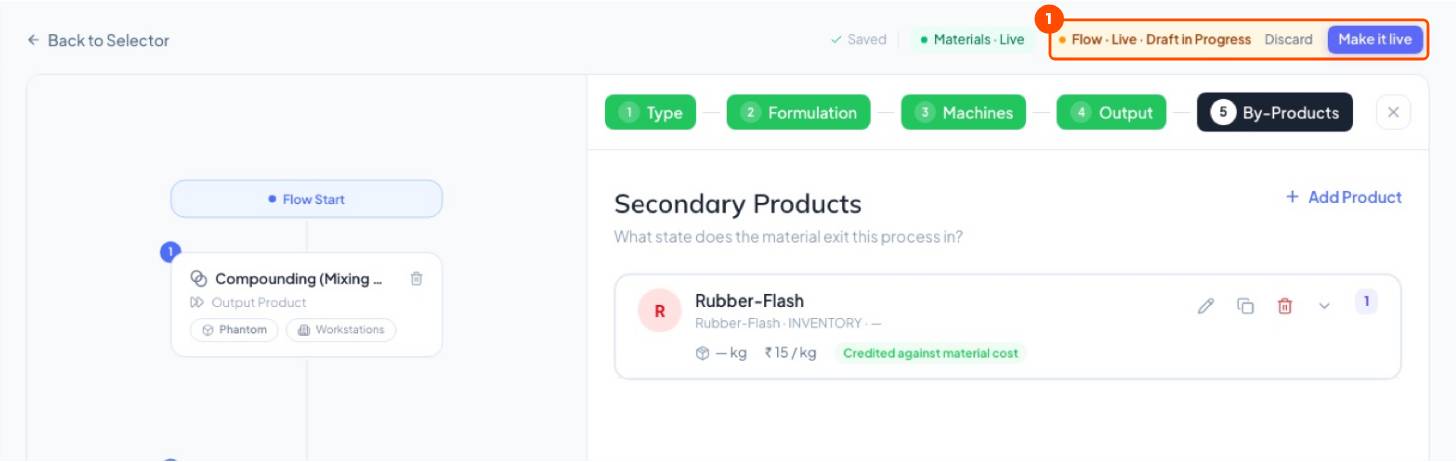
Click Publish at the top right. The draft BOM goes live with the flow, and every work order and log uses it from now on.
5Several recipes on the same flow
One flow, many recipes: a softer mix for 18 mm mats, an economy mix for a price-sensitive customer. Each recipe is a BOM on the mat's flow, limited to the variants it's for. You don't build another flow.
WhereProduction → BOMs → Gym Mat → BOM → New BOM
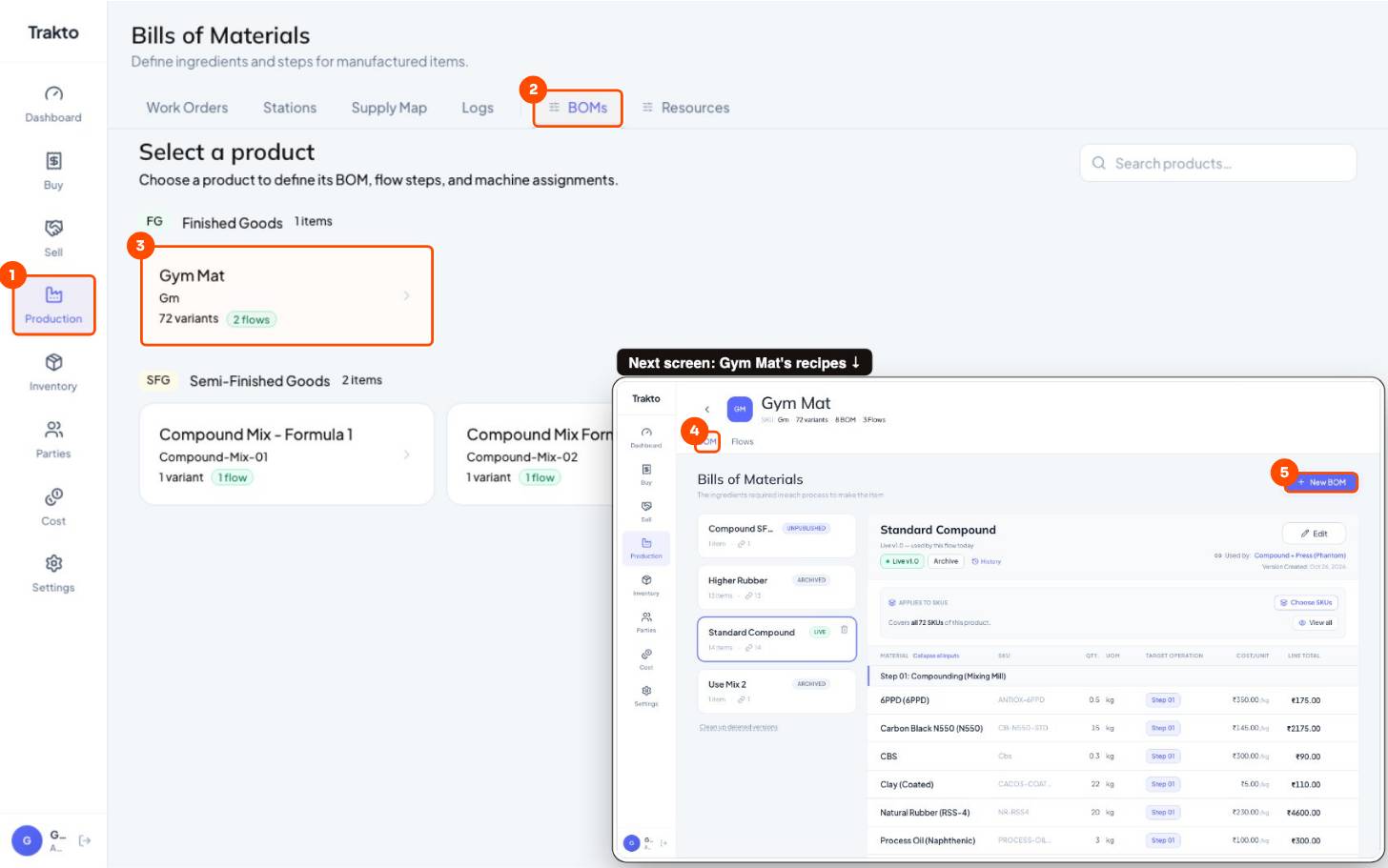
- 1ProductionIn the left menu.
- 2BOMsEvery product you make.
- 3Gym MatOpen the mat (Route A: the recipes live on the mat's flow).
- 4BOM tabEvery recipe of the mat, live and archived.
- 5New BOMAdd another recipe.
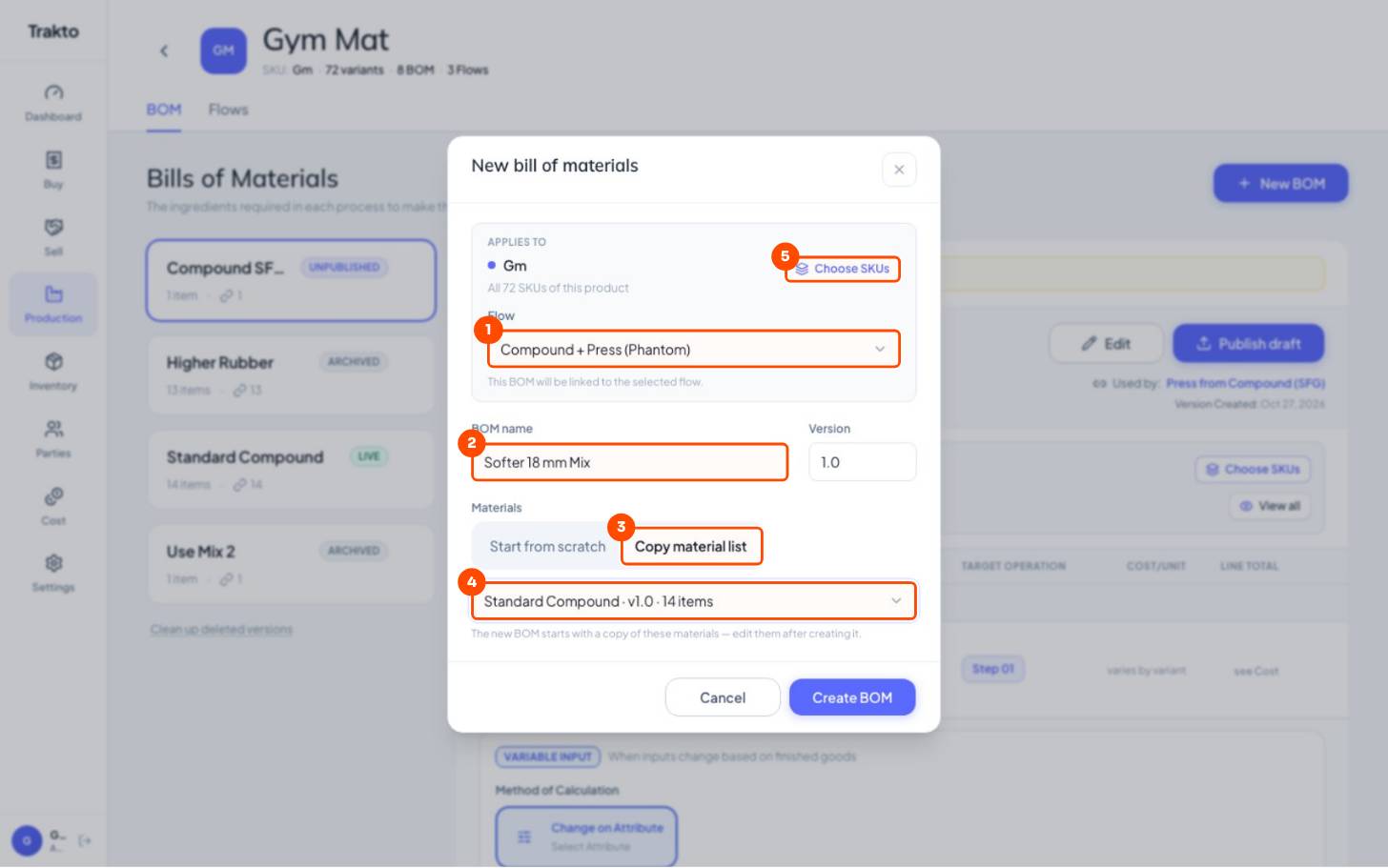
- 1FlowCompound + Press (Phantom): the recipe joins the flow you already use.
- 2NameWhat the floor will call it: Softer 18 mm Mix.
- 3Copy material listStart from an existing recipe instead of typing 13 materials again.
- 4Copy fromStandard Compound. Change the kg after creating it.
- 5Choose SKUsWhich variants use it by default. Leave empty for all.
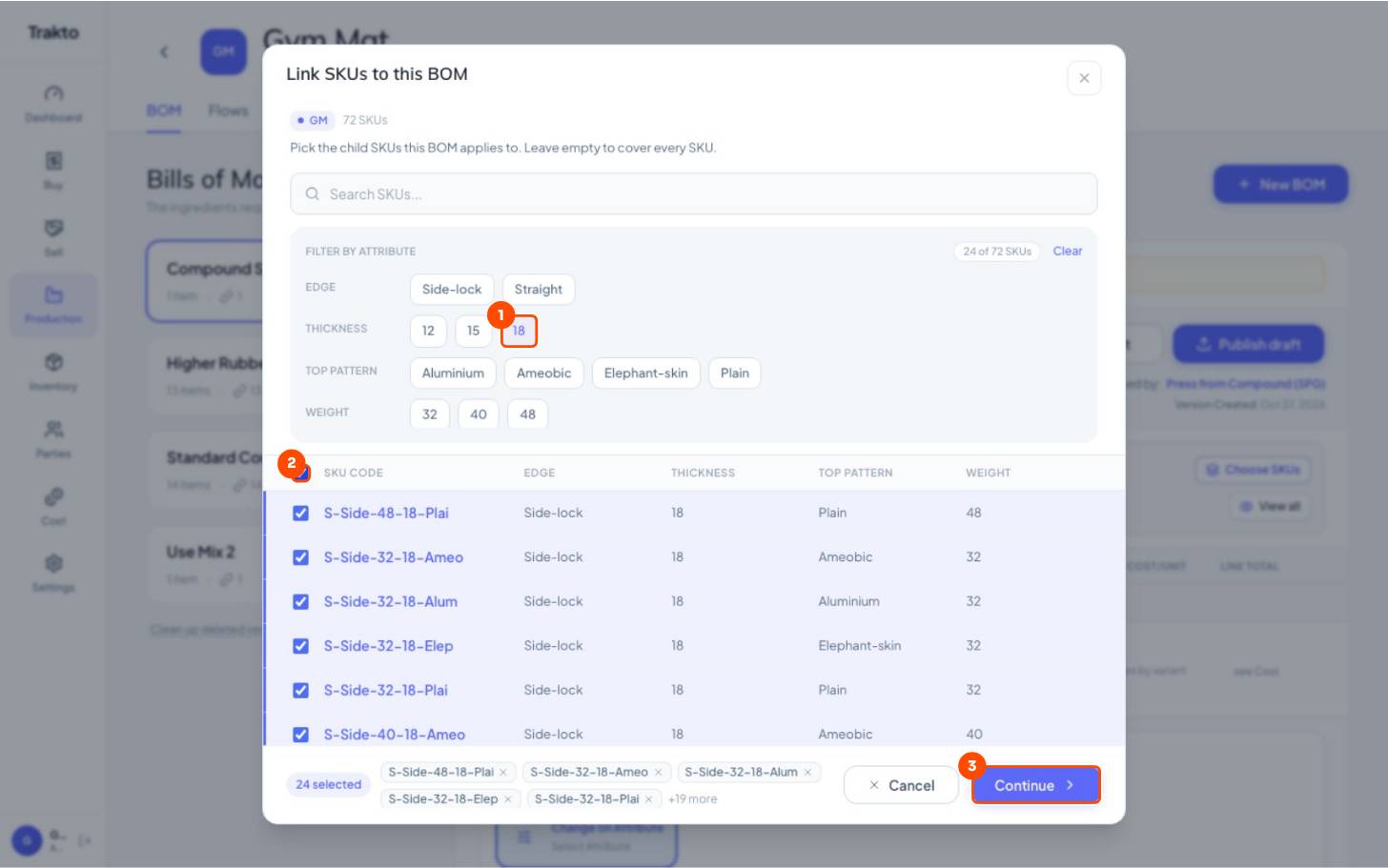
- 1Thickness 18Filter to the 18 mm mats.
- 2Select allAll 24 of them.
- 3ContinueBack to the recipe, then Create BOM.
Create BOM, then Edit the kg that differ, Save and Publish draft.
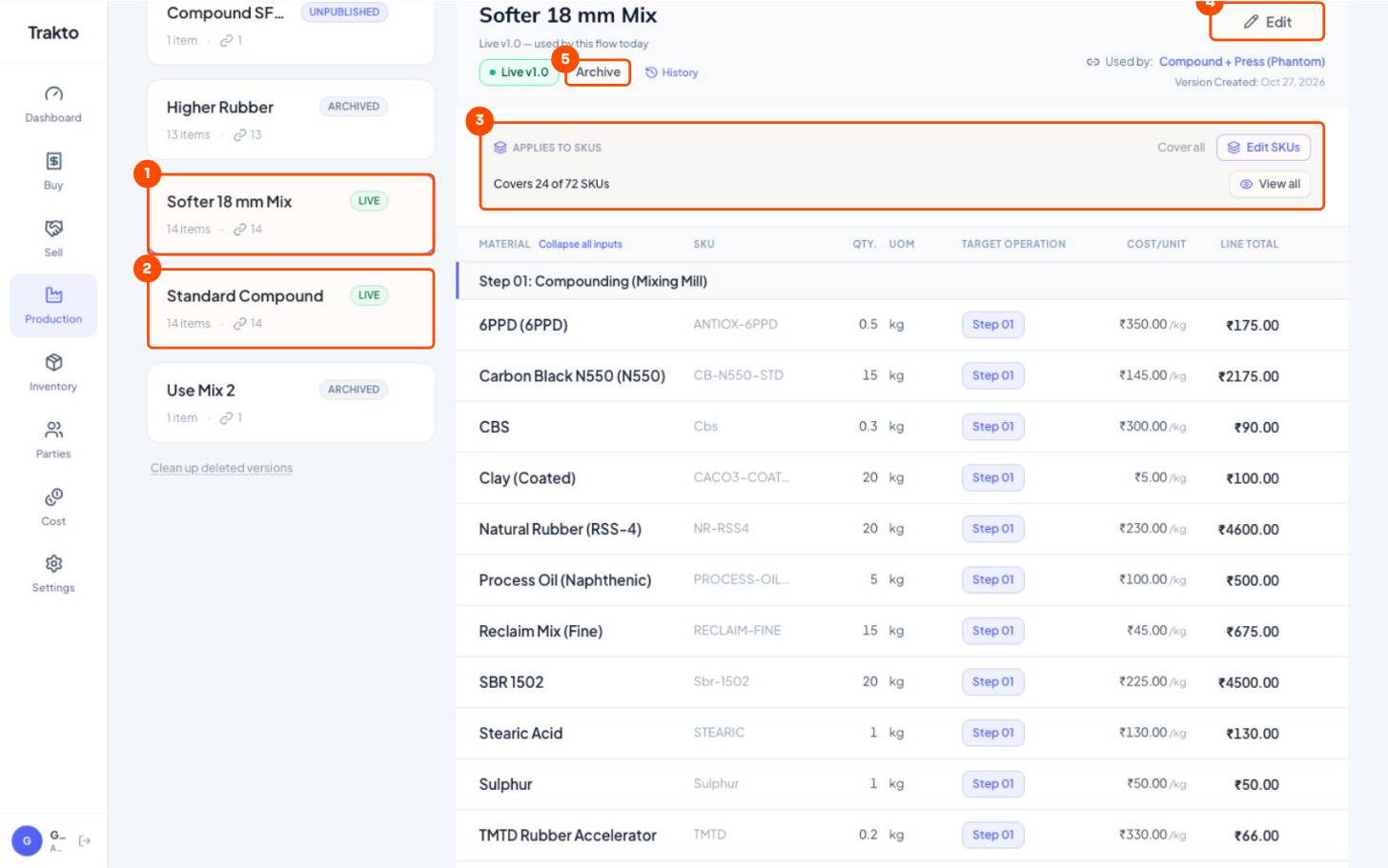
- 1Softer 18 mm Mix · LIVEThe default for the 24 18 mm variants.
- 2Standard Compound · LIVEThe default for every other variant.
- 3Covers 24 of 72 SKUsEdit SKUs changes which variants use it.
- 4EditChange the kg (here clay 20, oil 5), Save, then Publish draft.
- 5ArchiveRetire a recipe. It can still be picked on a single log.
On a log, an 18 mm run picks its recipe by itself; the supervisor can switch it for that run only.
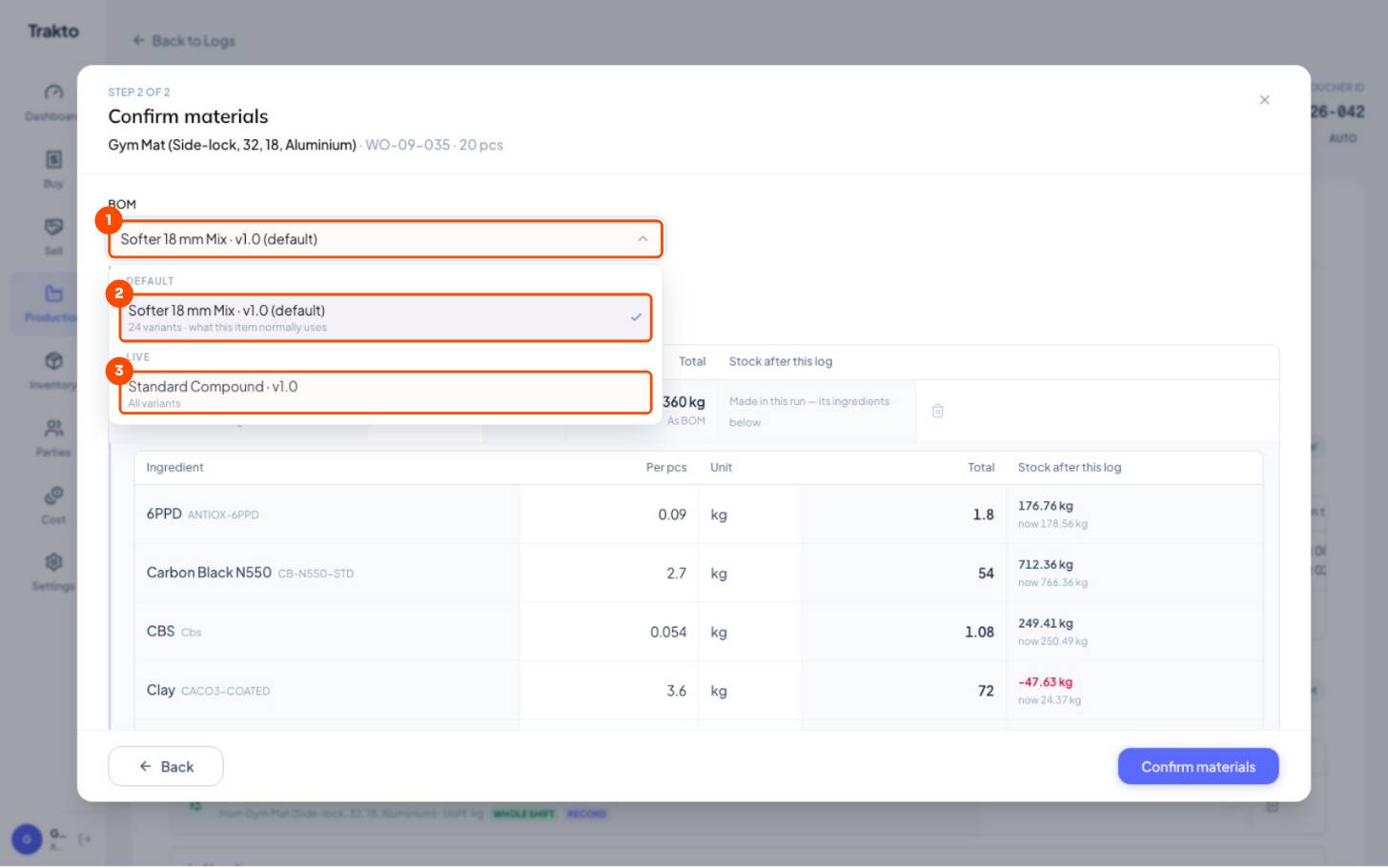
- 1BOM on the logConfirm materials step of an 18 mm run.
- 2Default, picked for youSofter 18 mm Mix, because this variant is one of its 24.
- 3Another recipe, this run onlyPick Standard Compound if the mill ran that today. Quantities recalculate.
Still stuck?
Book a set-up call. We'll configure your compound, variants and machines with you.