Costing & reports
Estimates for quoting: the cost of every variant today
Cost → Costing: recipe × latest landed rates + overheads − scrap credit, per SKU, to quote on current prices.
A customer wants a price on an 18 mm Side-lock mat. What would it cost to make today?
Cost → Costing works it out from the recipe, your latest purchase rates, overheads and scrap credit. It is an estimate for quoting; the actual cost of past runs is on the dashboard.
1Three costing screens, three questions
Trakto shows cost in three places. They answer different questions, so their numbers differ, and that is expected.
| Screen | Answers | Use it to |
|---|---|---|
| Cost → Costing | What would one mat cost if I made it today? Recipe × latest purchase rates + overheads − scrap credit. | Quote at today's prices · estimates |
| Dashboard → Costing | What did each run actually cost, day by day? | Spot a costly day, recipe or shift · daily actual cost |
| Inventory → item → Costing | What is my stock worth now, lot by lot? | Stock value, cost of goods sold · stock value |
2How a purchase becomes cost
- GRN: each receipt is a lot at its landed rate (bill rate + freight).
- Production log: materials are taken from the oldest lot first (FIFO), at each lot's rate. That is the log's actual material cost.
- Stock: the mats made carry that cost; it is their stock value.
- Dispatch: the mats leaving carry it out as cost of goods sold, and profit = selling price − that cost.
- Estimate (this screen): a separate what-if: the recipe at the latest rates, for quoting.
3Open the estimate
WhereCost → Costing → Gym Mat → Select a variant
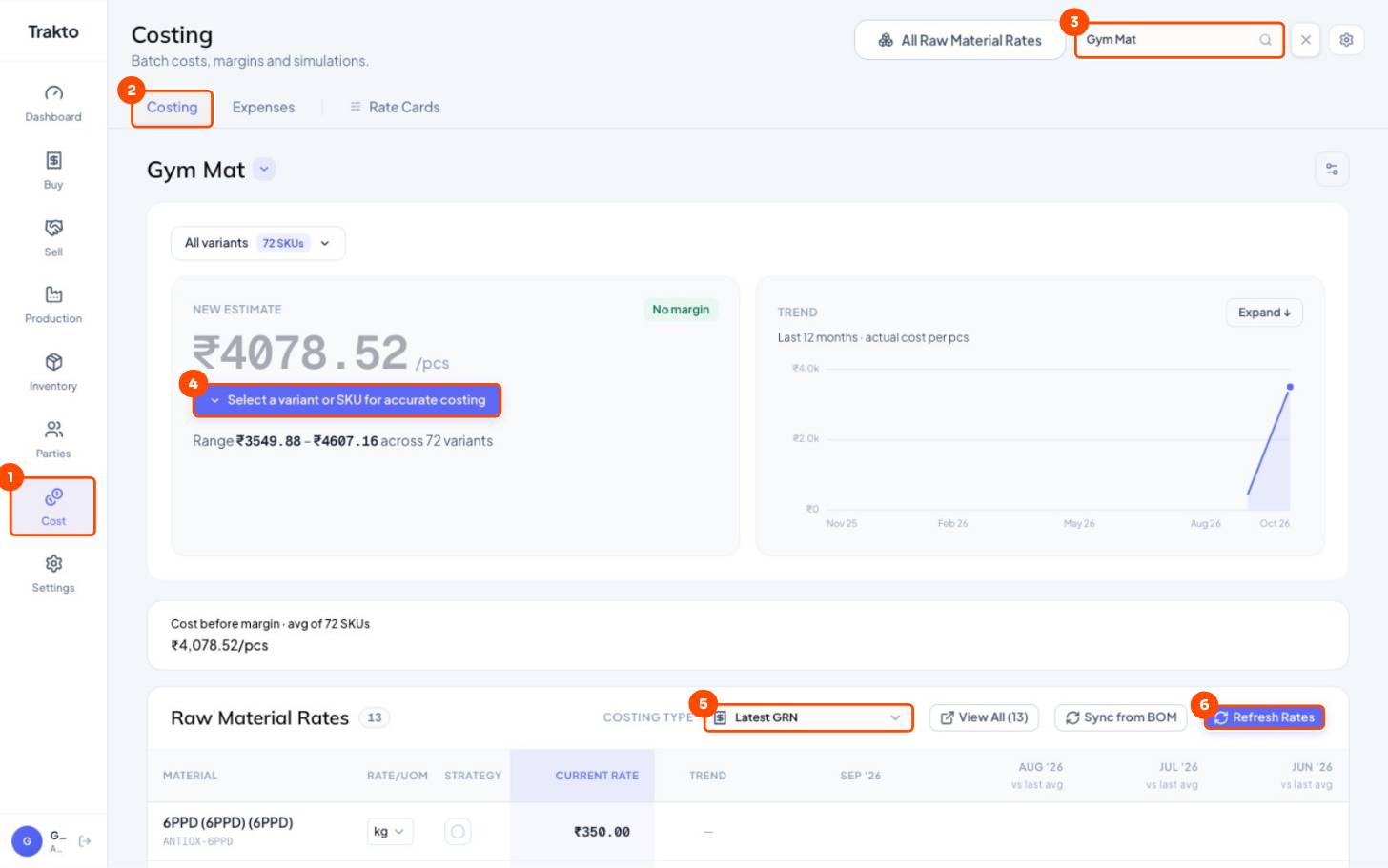
- 1CostIn the left menu.
- 2Costing tabEstimates at today's rates.
- 3ProductSearch and pick the product: Gym Mat.
- 4Select a variantThe headline is an average of all 72 SKUs until you pick one.
- 5Costing typeLatest GRN: each material at its most recent purchase rate, freight included.
- 6Refresh RatesClick after new GRNs so the estimate uses them.
4Cost of a group: all 12 mm mats
When variants share the same recipe and loading weight (every 12 mm mat, say), you don't need 24 separate costs. Pick the attribute and see one figure for the whole group.
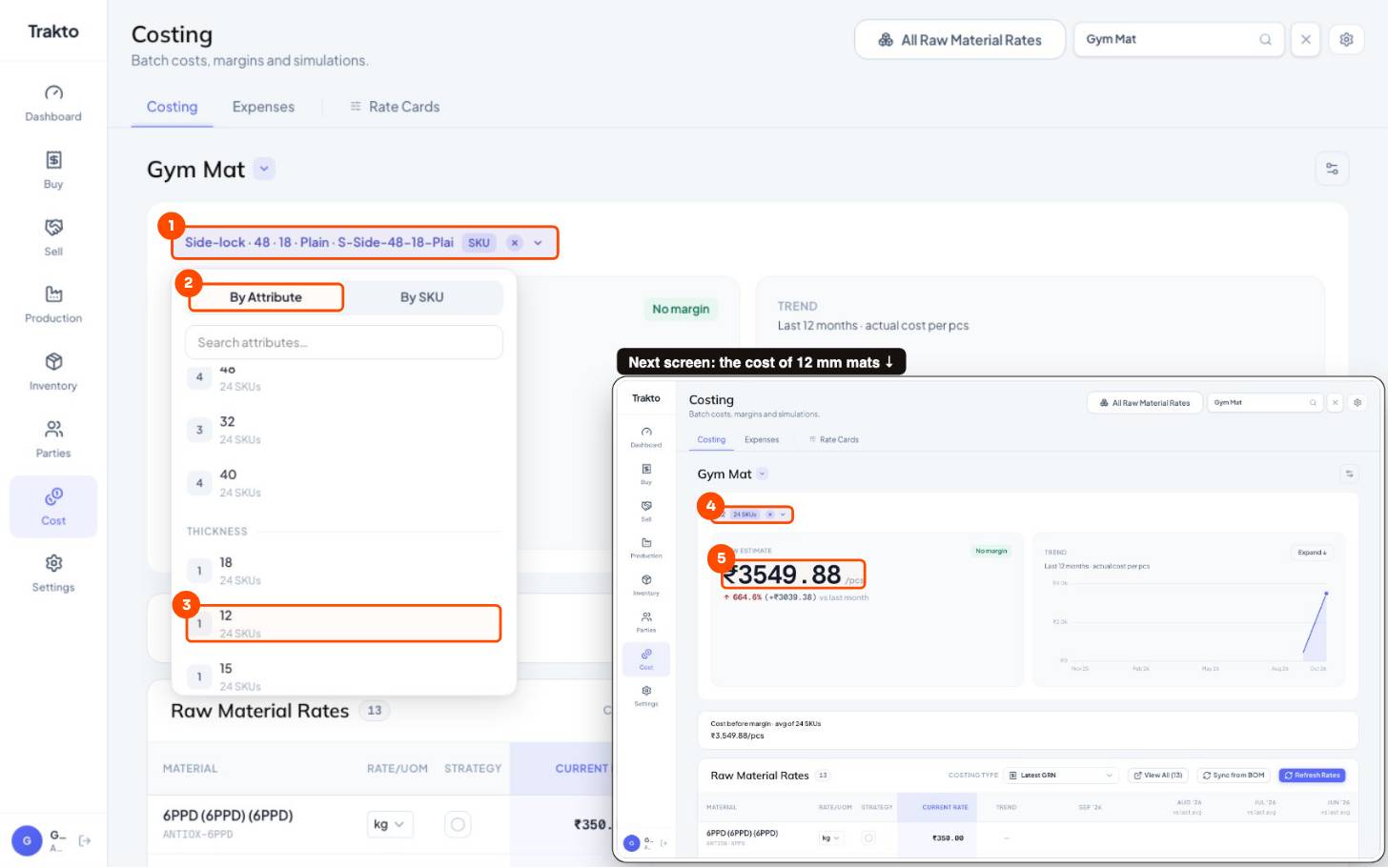
- 1Click the variant boxAt the top of the estimate. It shows All variants, or the SKU you picked last.
- 2By AttributeChoose a group of variants instead of one SKU.
- 3Scroll to Thickness, pick 12Every 12 mm mat: 24 SKUs. The same works for Weight 32, Side-lock, or any attribute.
- 412 · 24 SKUsThe group you picked. The × goes back to all variants.
- 5₹3,549.88 per matThe estimate for 12 mm mats. They share one recipe and loading weight, so one figure covers all 24.
5Cost of one variant
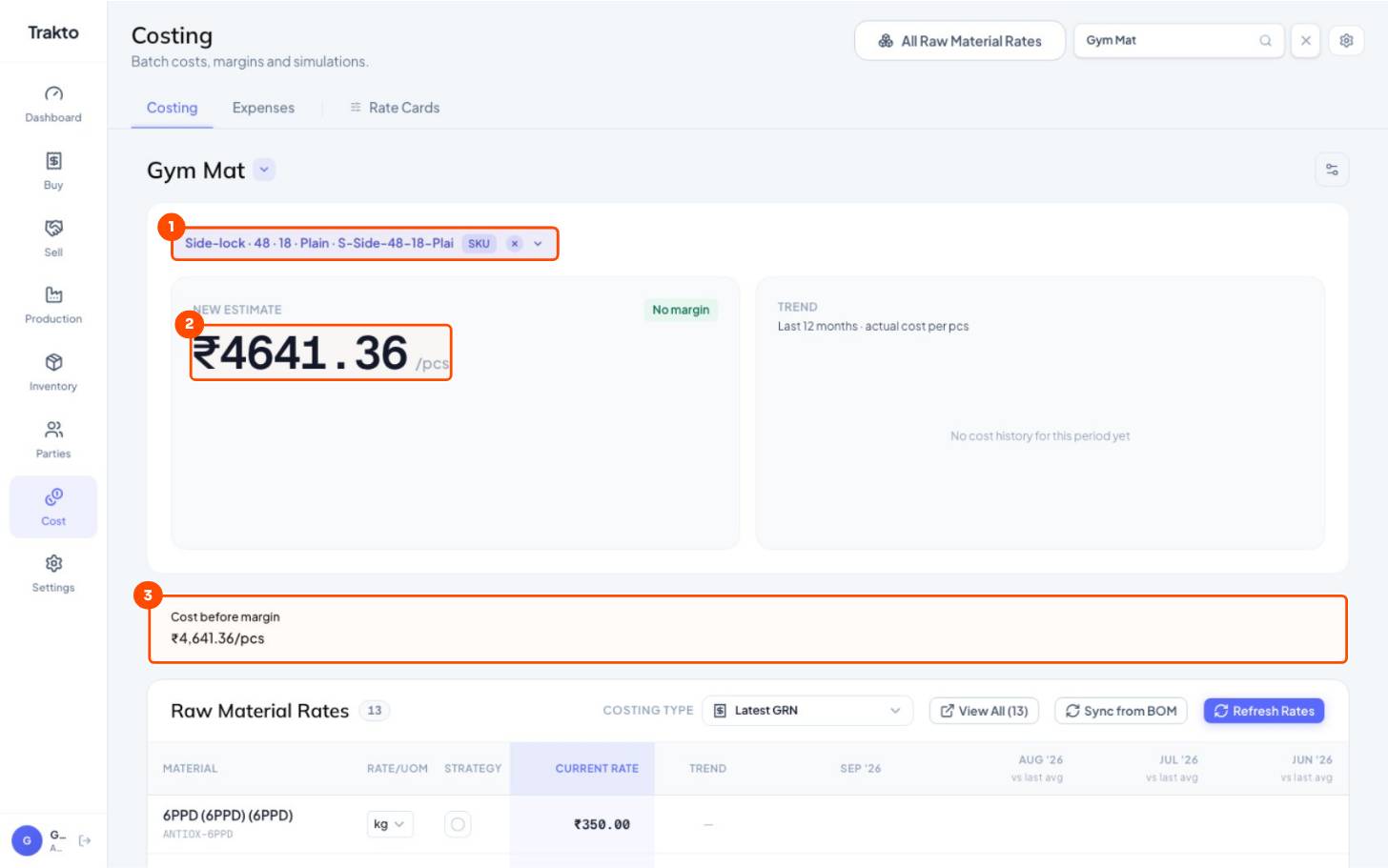
- 1One SKUSide-lock · 48 · 18 · Plain.
- 2New estimate₹4,607.16 per mat if you made it today: recipe × today's rates + overheads − scrap credit.
- 3Cost before marginWhat to quote above. Add Margin further down shows the price at your margin.
The Variant Cost Matrix further down lists all 72 SKUs with base cost, overheads and total; filter by Thickness to compare 12, 15 and 18 mm.
6Choose where rates come from
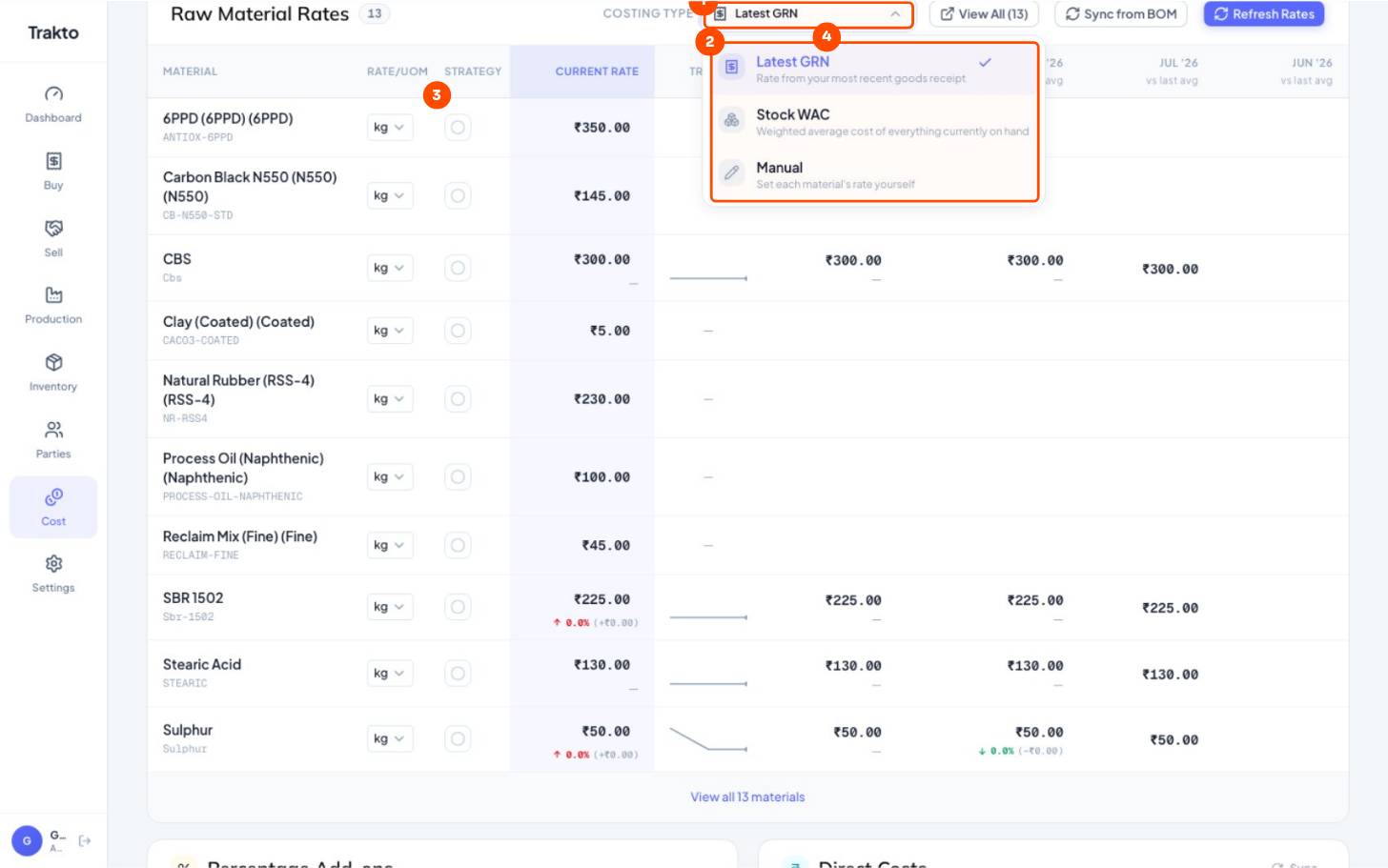
- 1Costing typeWhere every material's rate comes from for this product's estimate.
- 2Latest GRN, Stock WAC or ManualLatest purchase (freight included), the average of stock on hand, or rates you type.
- 3Strategy per materialOverride one material only: the circle opens the same choices.
- 4Month by monthEach month's average rate and its change vs the month before.
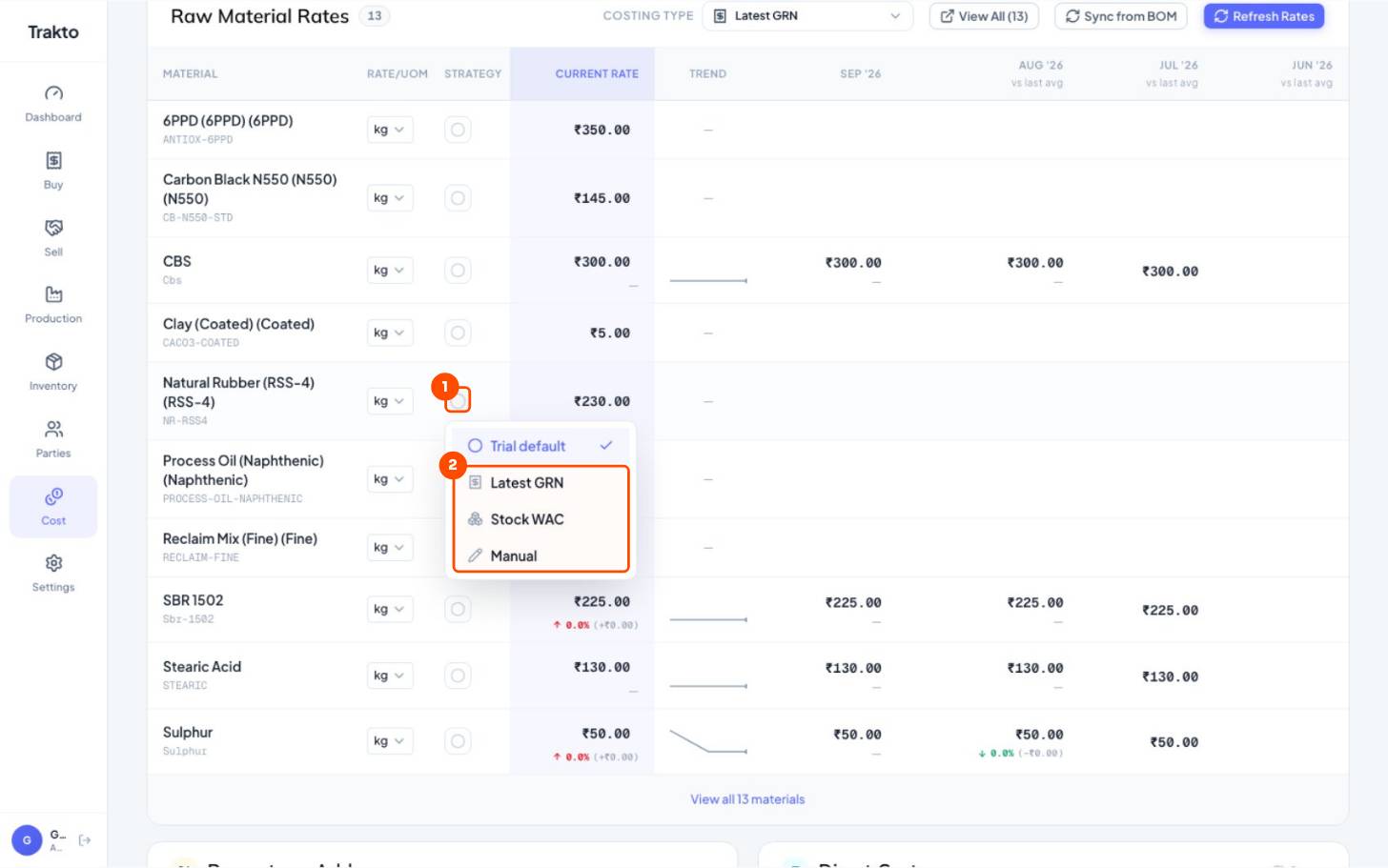
- 1The circleNatural Rubber's strategy. Empty = follows the costing type above.
- 2Pick oneManual lets you type a rate for this material only, for example a quoted price for next month.
Click a material's name to see its rate history.
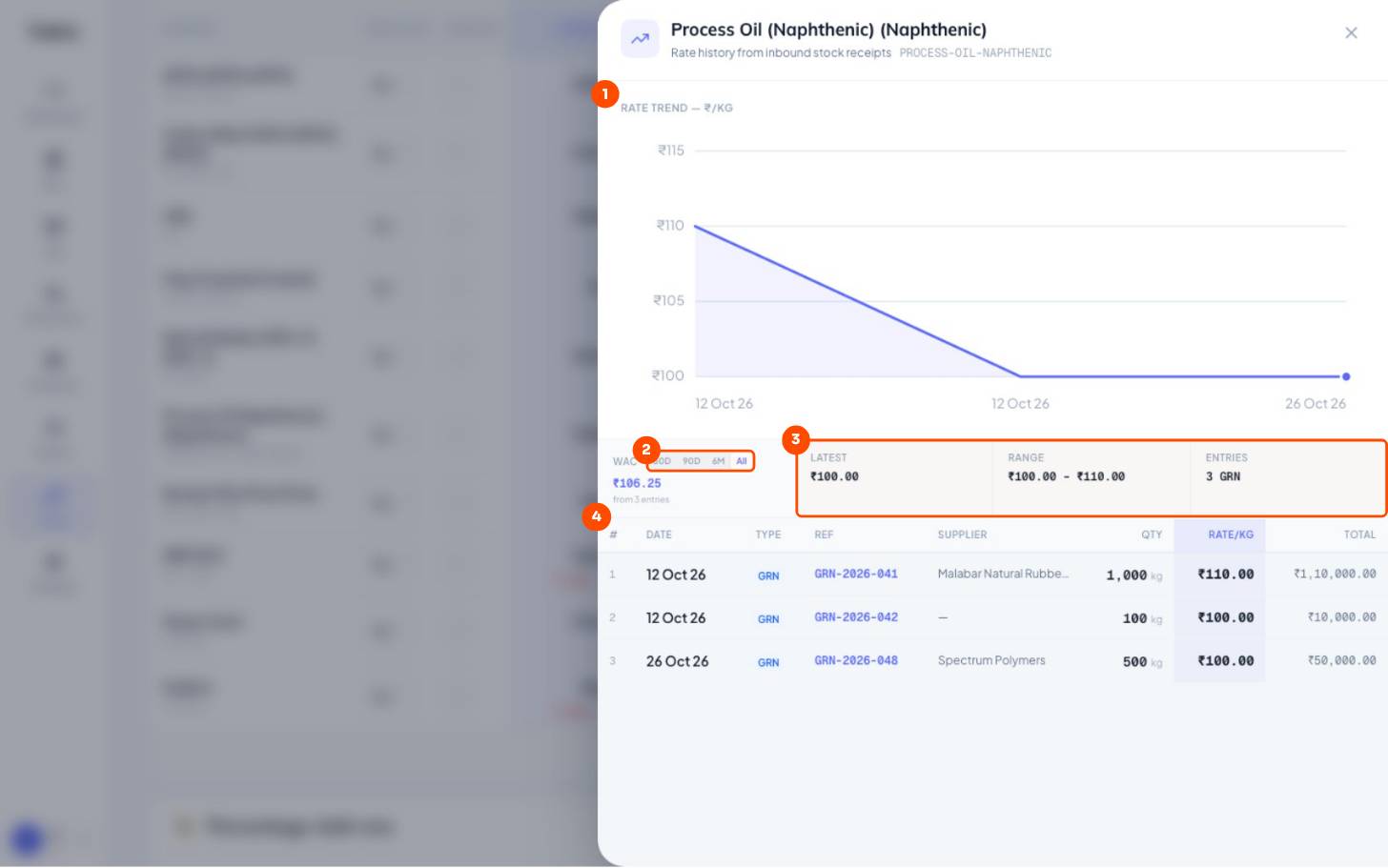
- 1Rate trendEvery receipt's landed rate over time. Click a material's name in Raw Material Rates to open it.
- 2Period30 days, 90 days, 6 months or all.
- 3Latest, range, entriesWeighted average, latest rate and the high–low range.
- 4Each receiptDate, GRN, supplier, qty and rate: see which supplier raised the price.
7Overheads, scrap credit and margin
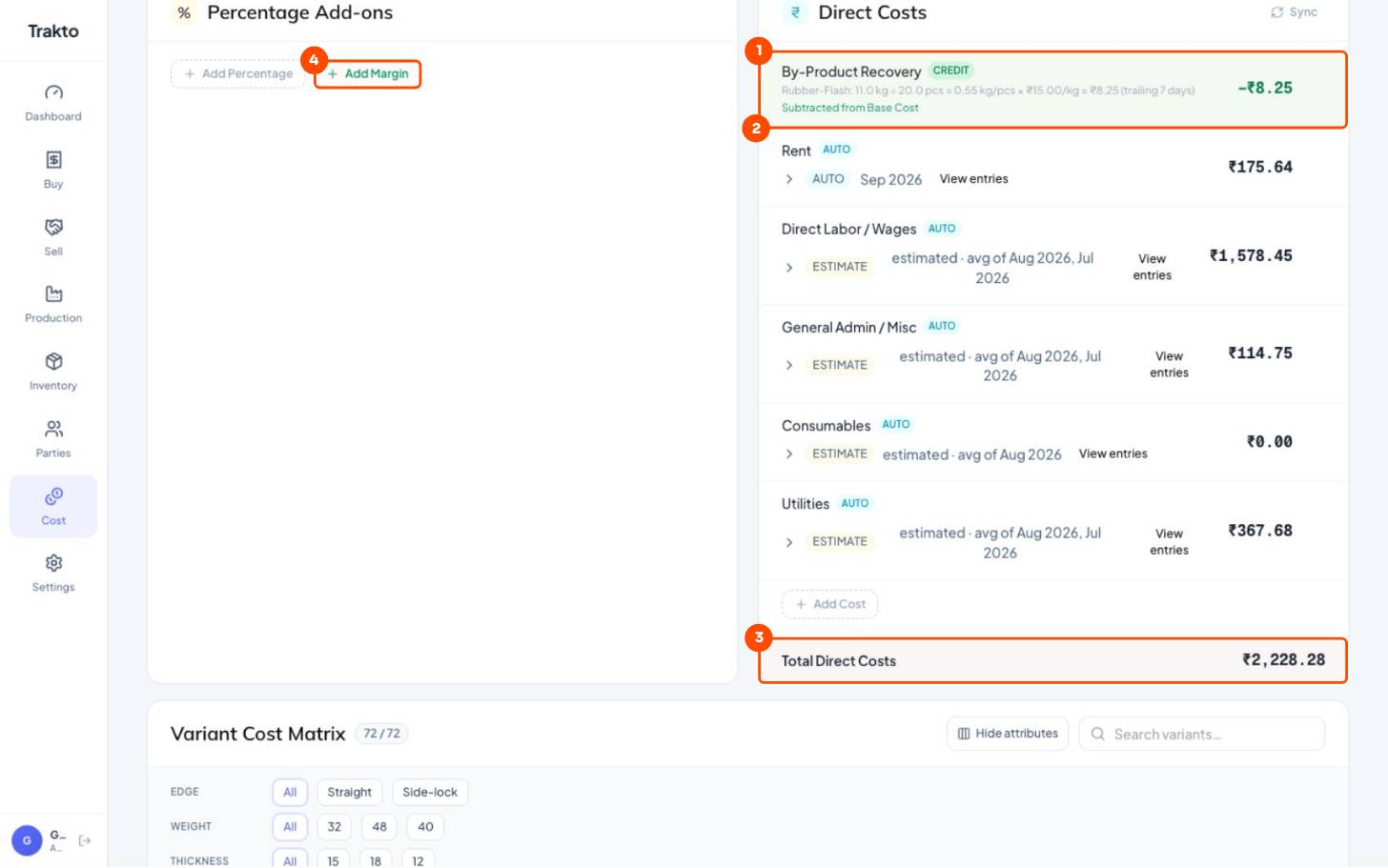
- 1By-product recoveryFlash credit from the last 7 days: 0.55 kg per mat × ₹15 = −₹8.25.
- 2Overheads per matRent, wages, admin, utilities from your expenses. ESTIMATE = average of recent months until the month is finalised.
- 3Total direct costsAdded to the material cost.
- 4Add MarginSee the selling price at your margin.
Materials ₹2,370.63 + overheads ₹2,236.53 = ₹4,607.16 per mat (scrap credit already taken off the materials)
Rubber prices moved? Approve the new GRN, then Refresh Rates. Every variant's estimate follows the new rate.
Still stuck?
Book a set-up call. We'll configure your compound, variants and machines with you.