Dispatch & stock
Mill loss: reconcile when stock is low
Count once when a material is nearly used up and book the gap as loss %.
System says 500 kg SBR, the store has less?
Small mill losses add up. When a material is nearly used up, count it and book the gap as loss %, spread over the whole period.
1Physical count
WhereInventory → On Hand → Purchased → material → Adjust Stock → Physical Count
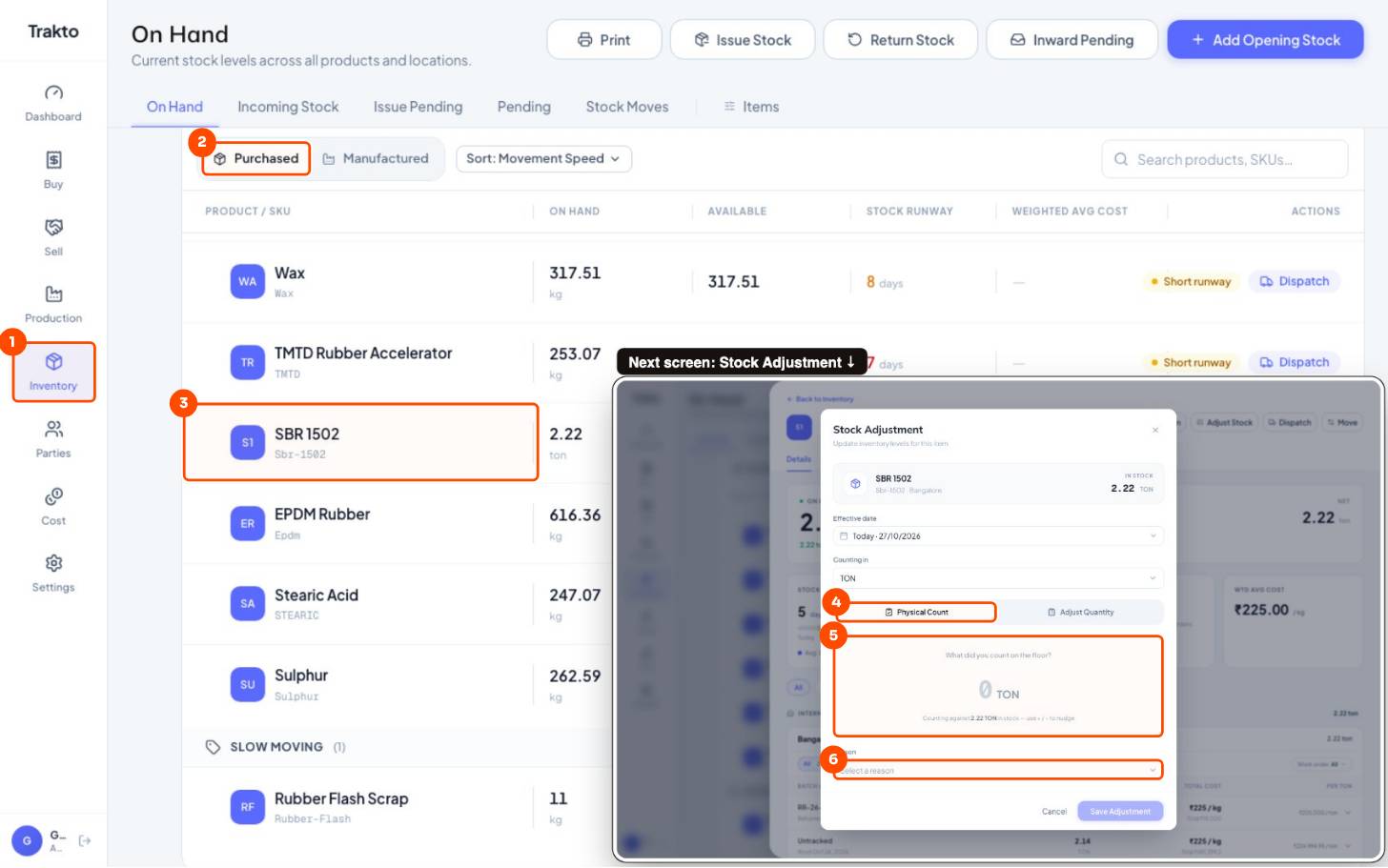
- 1Inventory In the left menu.
- 2Purchased Raw materials.
- 3SBR 1502 Click the material, then Adjust Stock at the top of its panel.
- 4Physical Count Type what you counted; Trakto works out the difference.
- 5Counted quantity In the unit you counted in.
- 6Reason For example Loss. Then Save Adjustment.
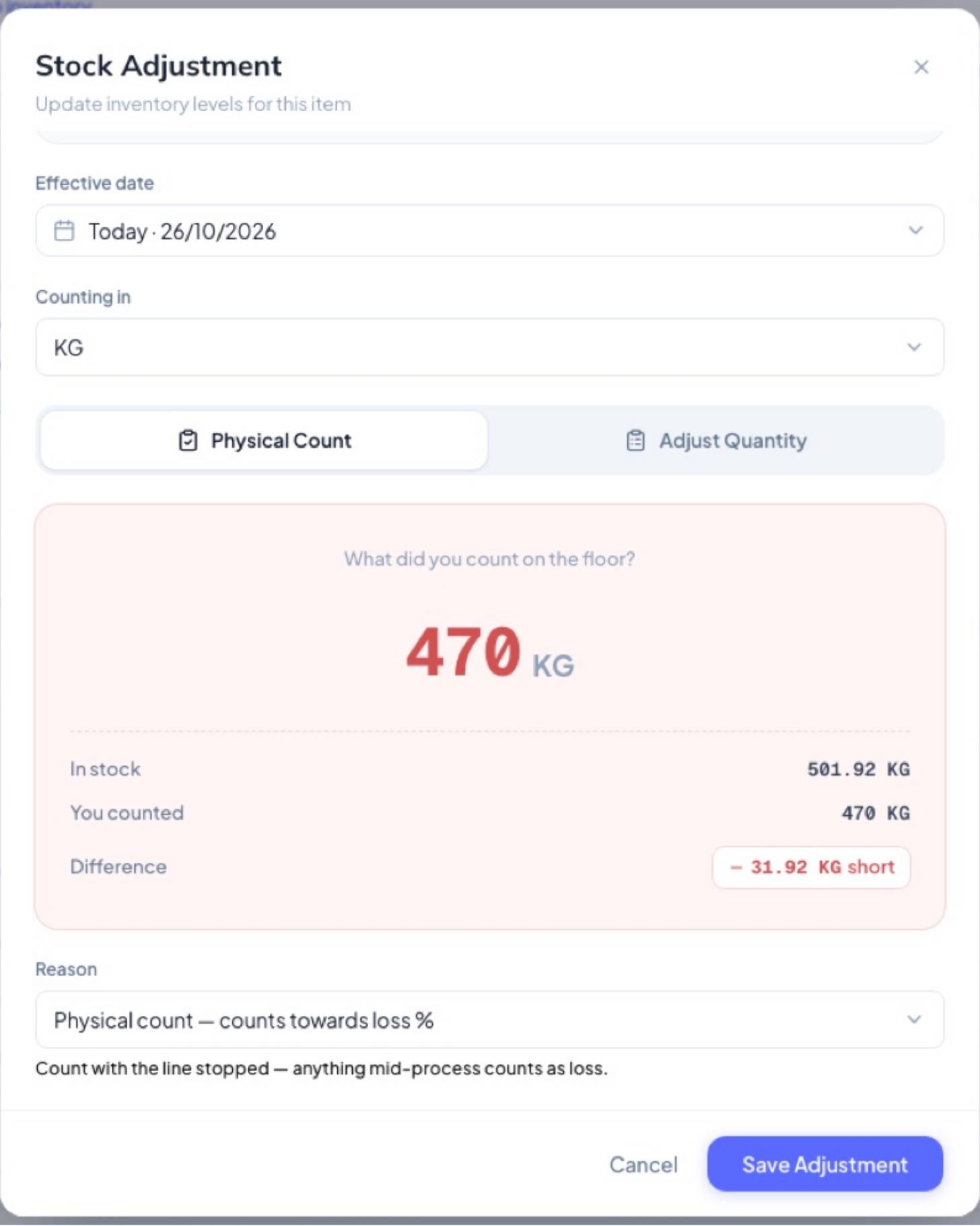
- Stop the line; anything half-mixed counts as loss.
- Type what you counted.
- Reason Physical count — counts towards loss % → Save.
Still stuck?
Book a set-up call. We'll configure your compound, variants and machines with you.