Dispatch & stock
Dispatch against a sales order, with weighbridge and profit
The order's rate fills in, the truck weight is checked, and you see the profit of every dispatch and of the month.
Not sure the load is right, or that the order made money?
Dispatch from the sales order: the line and its rate fill in, the weighbridge reading is checked, freight is counted, and the profit shows before you save.
1Dispatch from the order
WhereSell → Sales Orders → Dispatch on the order (or Sell → Dispatch → New Dispatch → pick the customer and order)
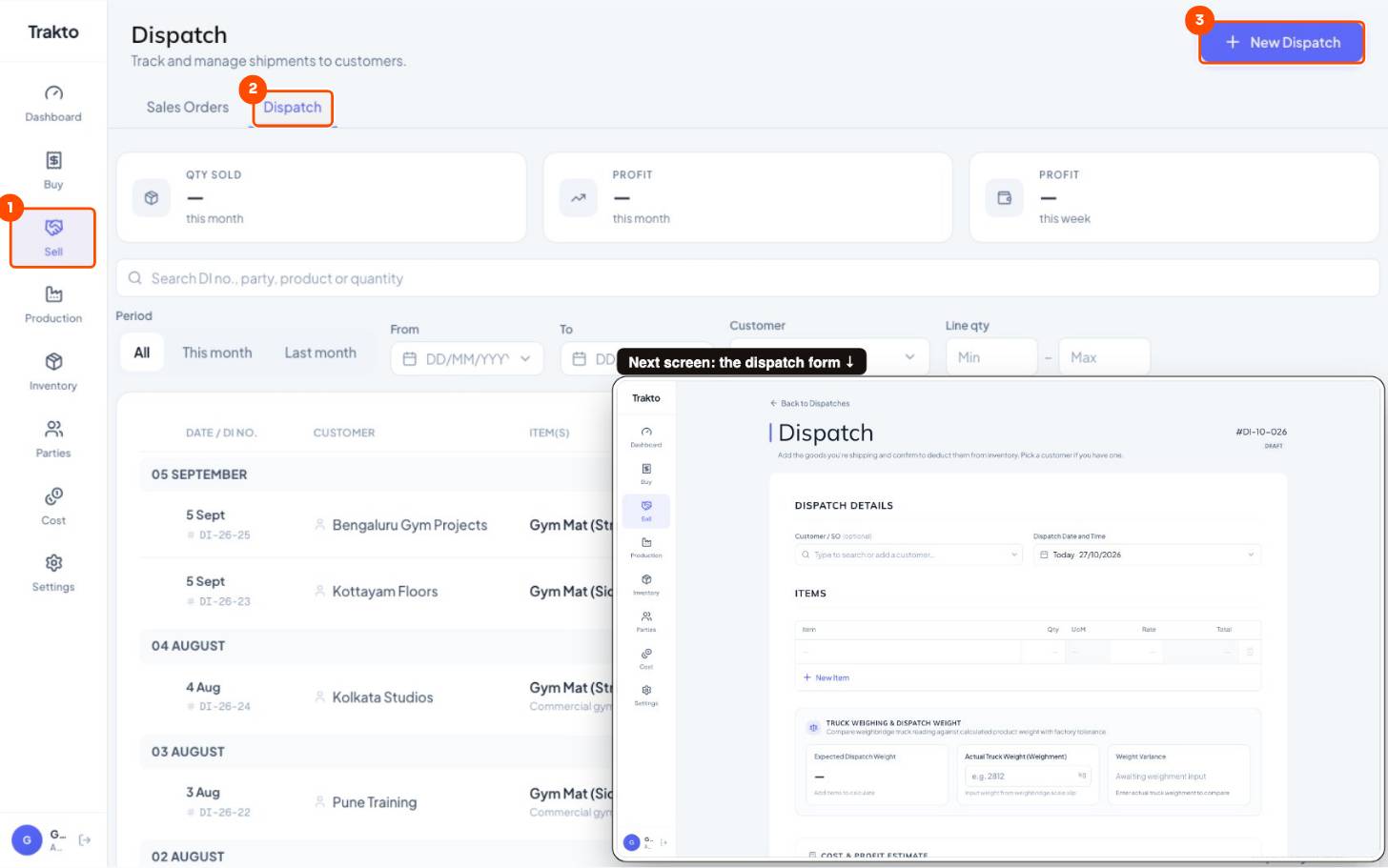
- 1Sell In the left menu.
- 2Dispatch Every dispatch with its value.
- 3New Dispatch Pick the customer and sales order, then the weighbridge and freight.
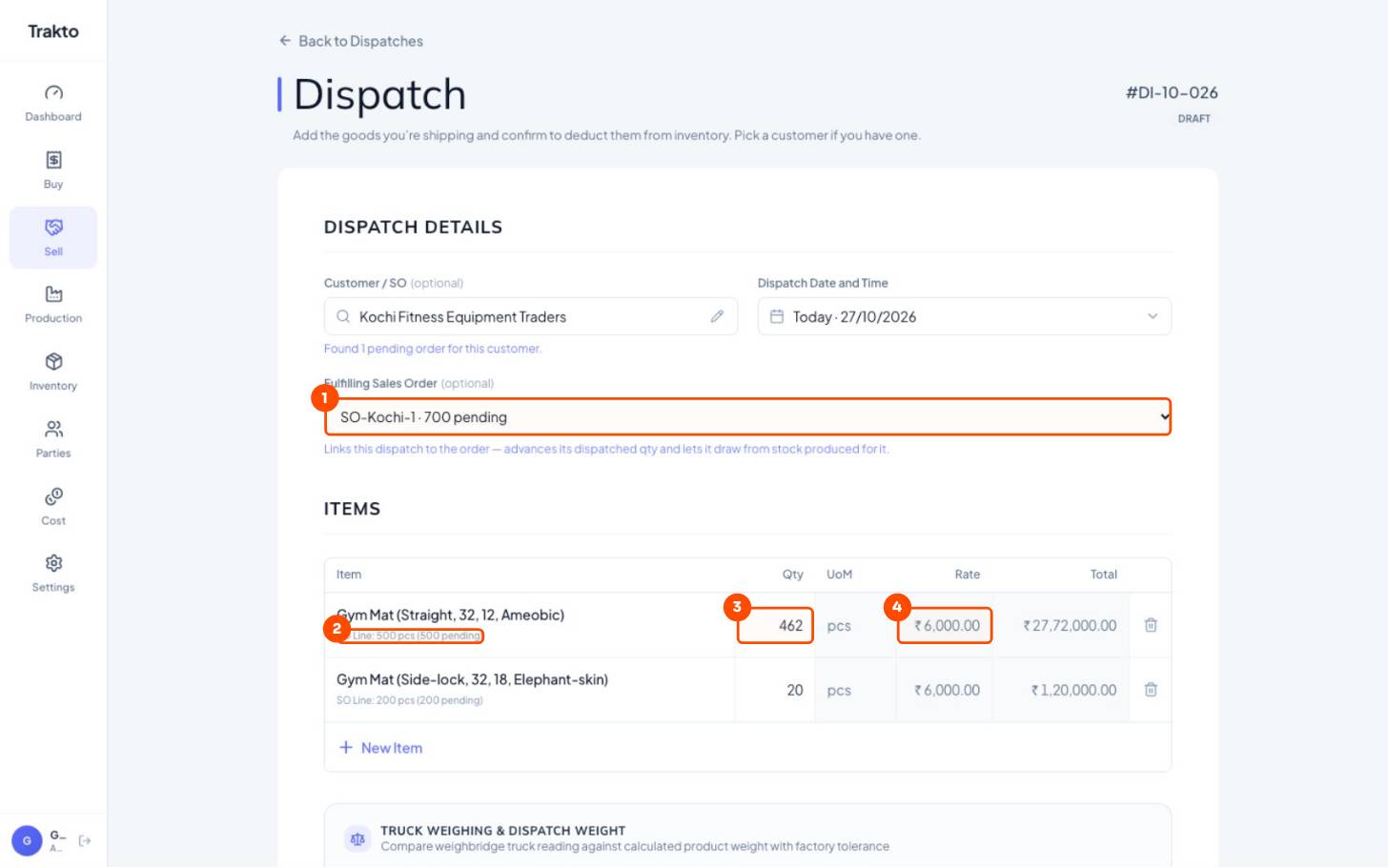
- 1Fulfilling Sales Order Links the dispatch to SO-Kochi-1: it advances that order's dispatched qty and draws its reserved stock.
- 2SO line 500 ordered, 500 still pending on this line.
- 3Qty Starts at what is ready; change it to what is on this truck.
- 4Rate from the order ₹6,000, the sales order's rate. Not typed again.
- Change each qty to what is on this truck.
- Type Actual Truck Weight from the weighbridge slip.
- Freight: paid by us or not.
- Dispatch & Deduct Stock. Print the challan.
100 mats × 32 kg = 3,200 kg expected · slip 3,240 kg = +1.25%, within ±2.5%
2Profit before you save
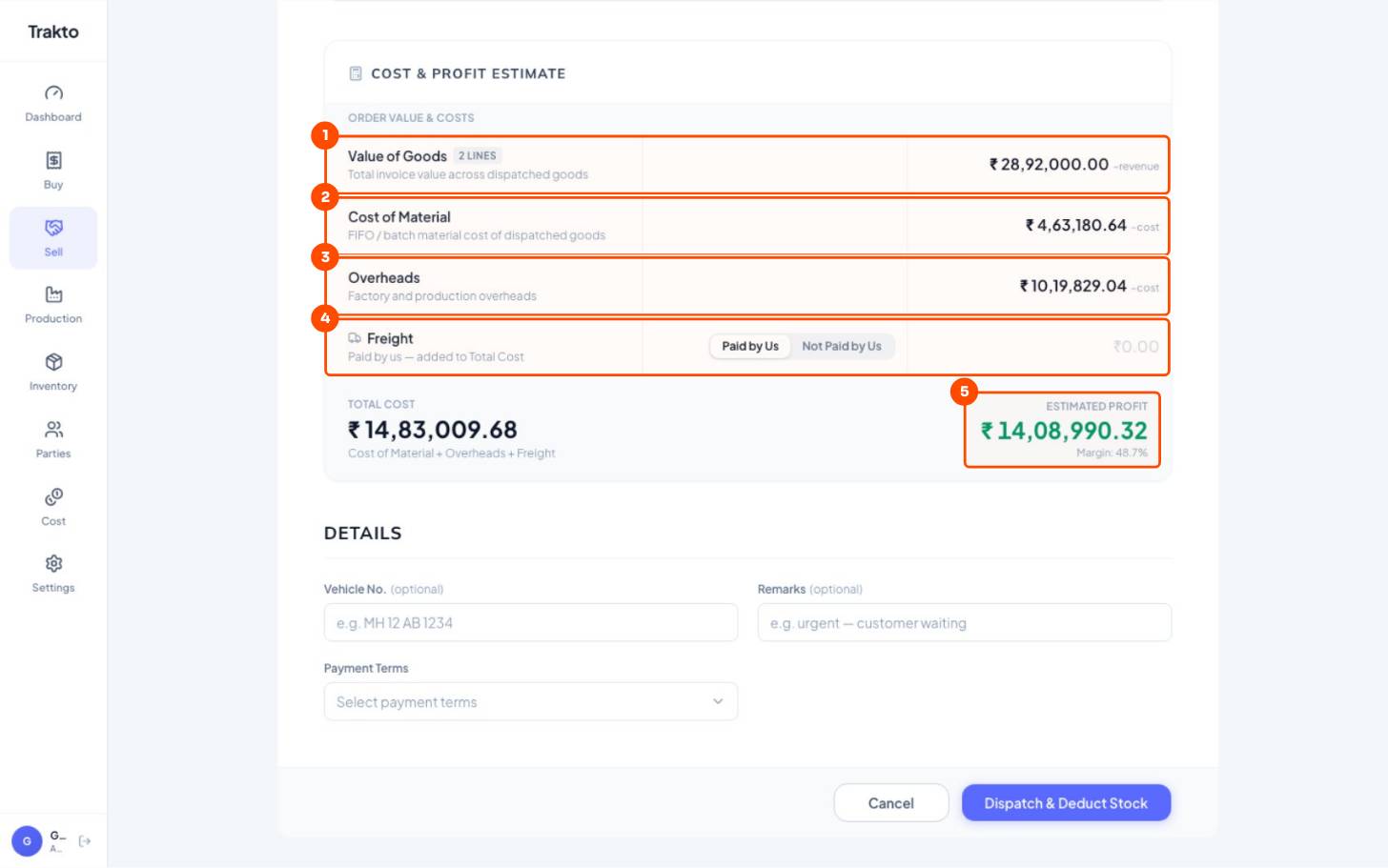
- 1Value of goods Qty × the order's rate.
- 2Cost of material FIFO cost of the mats leaving, from the logs that made them.
- 3Overheads Absorbed into those mats when they were made.
- 4Freight Paid by us adds to cost.
- 5Estimated profit Before you click Dispatch & Deduct Stock.
3Profit per dispatch, and this month
WhereSell → Dispatch
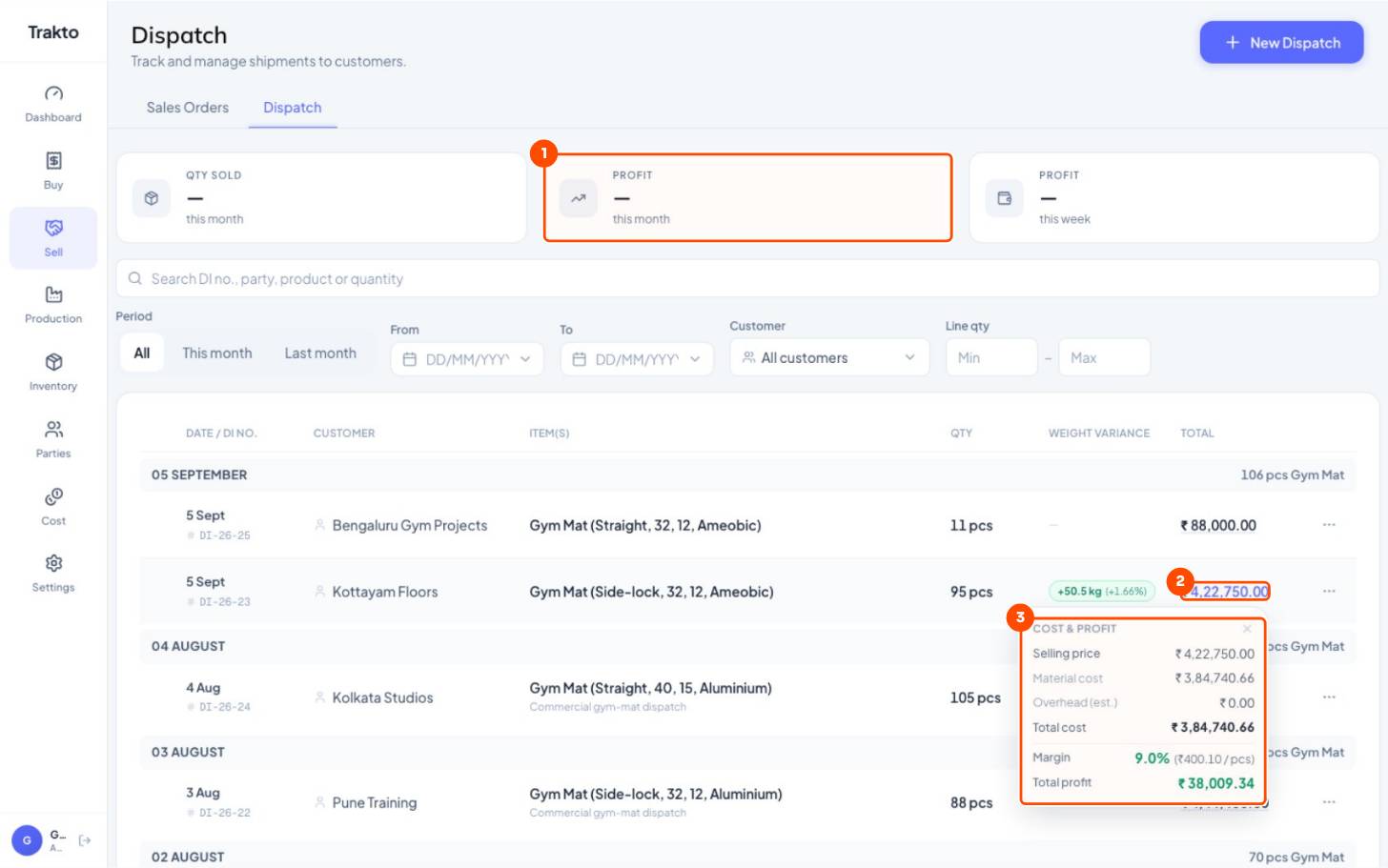
- 1Profit this month All dispatches this month: selling price minus material, overheads and freight. This week's beside it.
- 2Click the total Owners only: opens the dispatch's cost and profit.
- 3Cost & profit Selling price, material cost, overheads, total cost, margin per piece and profit.
The order's line then shows the dispatched qty, and its bar moves on to what is still owed. See reading a sales order.
Still stuck?
Book a set-up call. We'll configure your compound, variants and machines with you.