Items & recipes
Phantom compound: one flow, loading weight per mat
Build Compounding → Pressing on the mat once; log only mats and let Trakto deduct every raw material.
Working out how much NR, SBR, carbon and clay went into today's mats?
Build one flow on the mat: Compounding → Pressing. Log only the finished mats, and Trakto deducts every raw material through the recipe. Least data entry; see phantom or SFG if you are unsure.
1Step 1: create the flow
WhereProduction → BOMs → Gym Mat → Flows → New Flow
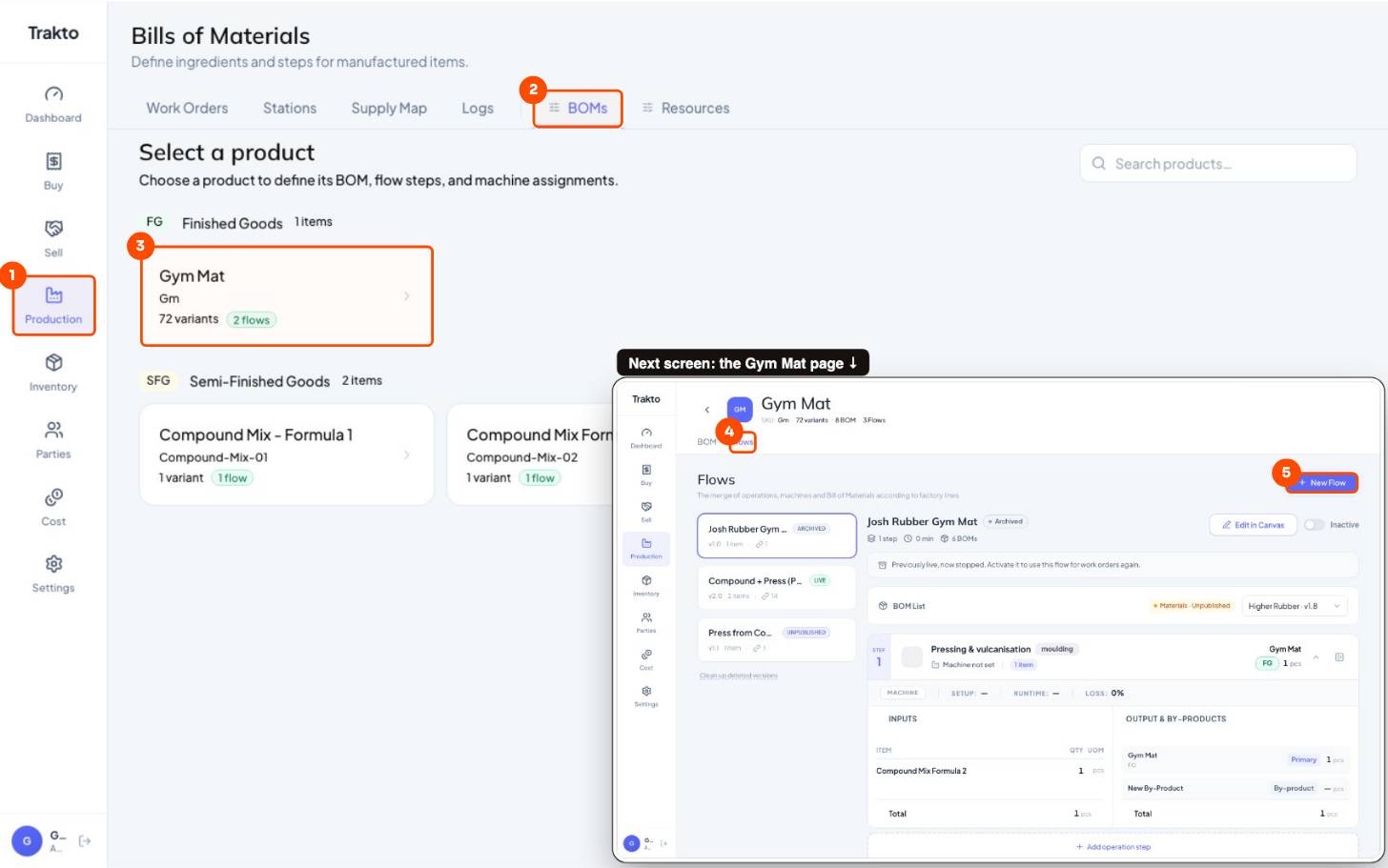
- 1Production In the left menu.
- 2BOMs Every product you make, with its recipes and flows.
- 3Gym Mat Open the product you are setting up.
- 4Flows tab The steps this product goes through.
- 5New Flow Start a new flow. It stays a draft until you publish it.
- Start from scratch → Proceed.
- Leave Master flow (all variants), name it Compound + Press (Phantom).
- Proceed to Routing. The canvas opens; the flow is a draft until you publish.
2Step 2: the mixing step and its BOM
- Type: + Create New Operation → Mix / Blend / Chemical, name Compounding (Mixing Mill), unit kg.
- Formulation: name the BOM (Standard Compound, v1.0) → Create BOM → Add Materials, tick every raw material → Add Material.
- Type each material's kg per batch.
- Output: Phantom, output quantity 100 kg.
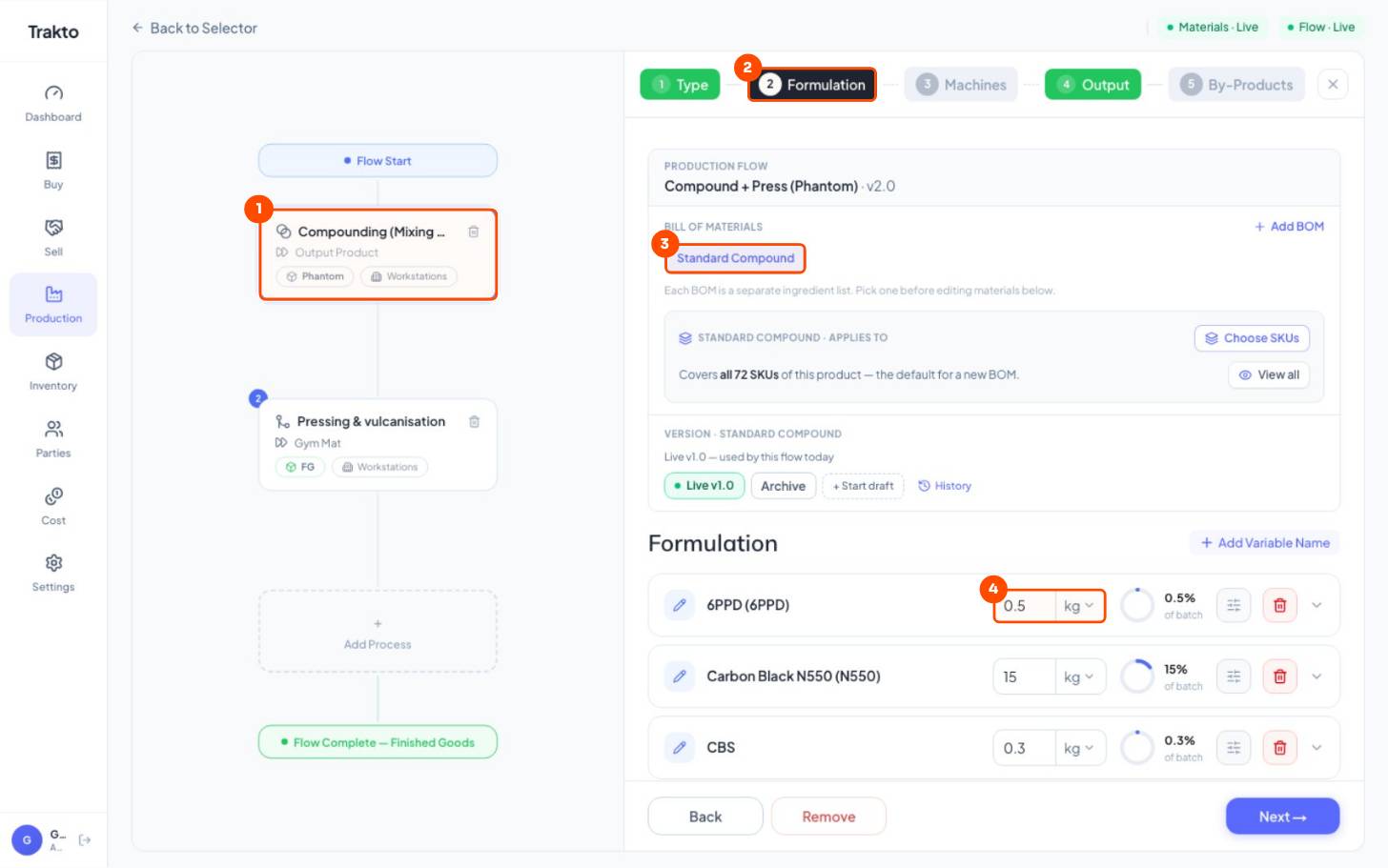
- 1Step 1: Compounding The mixing step, shown as a card on the left.
- 2Formulation tab The recipe of this step lives here.
- 3The BOM Named and created right here, inside the step. You never make it separately.
- 4kg per batch Type each material's quantity for one batch. The ring shows its share.
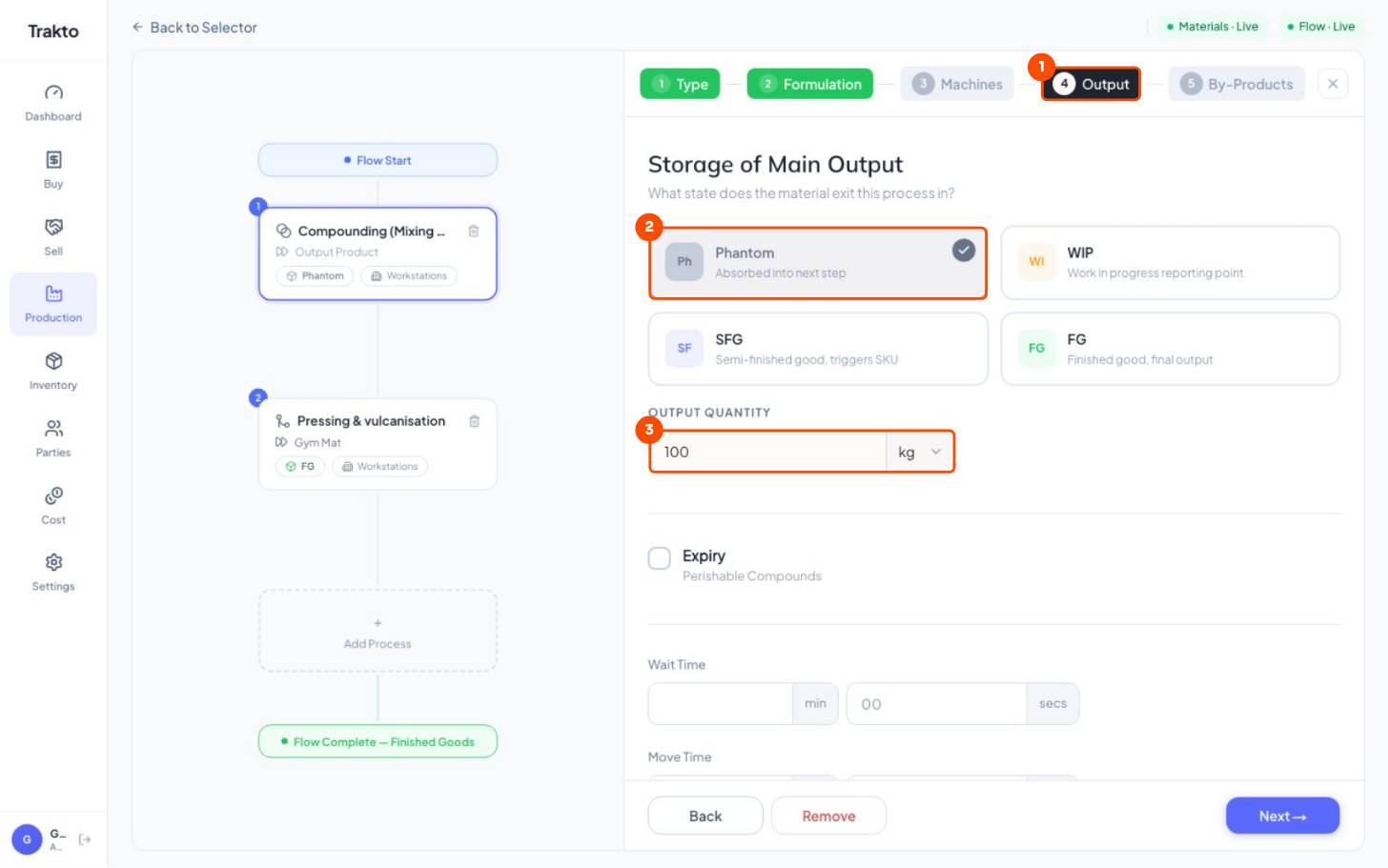
- 1Output tab What comes out of the step.
- 2Phantom Absorbed into the next step. Never stocked, never logged.
- 3Output quantity One batch: 100 kg. It must equal the formulation total.
Output must equal the formulation total. If the materials add to 100 kg, the output is 100 kg; otherwise every log deducts the wrong amount. Use Loss only for real heating or evaporation loss.
3Step 3: the press step and loading weight
- Click Add Process → Select From Library → Pressing & vulcanisation.
- Formulation: the compound is already there, From previous step. Open its settings.
- Tick Variable Input → Change on Attribute → click the pencil and add one rule per thickness.
- Machines: Press 1. Output: FG, 1 pc per cycle.
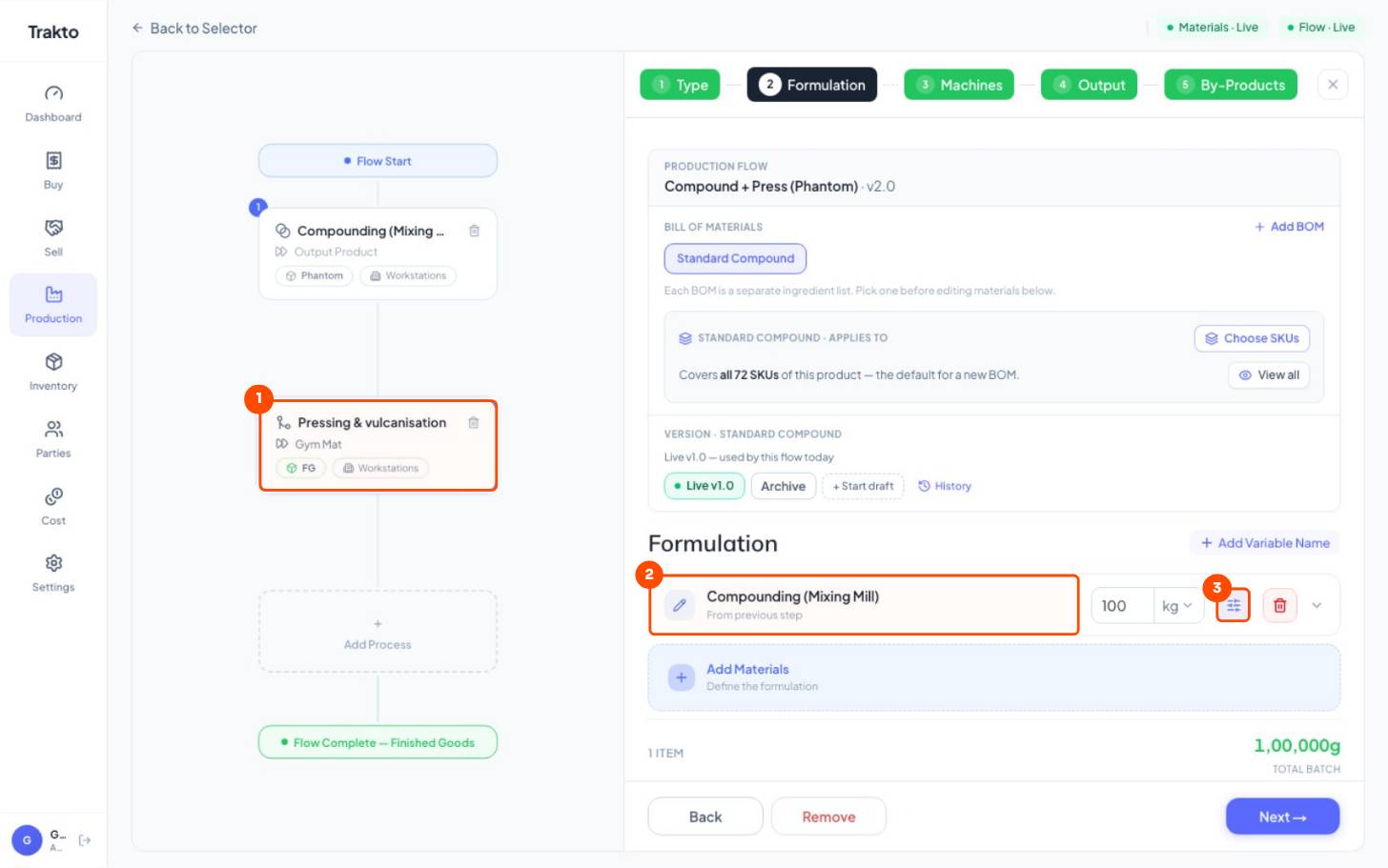
- 1Step 2: Pressing Added with Add Process, from the operation library.
- 2From previous step The compound arrives by itself. You add no materials here.
- 3Settings Opens Variable Input for the loading weight.
12 mm → 10 kg · 15 mm → 14 kg · 18 mm → 18 kg of compound per mat
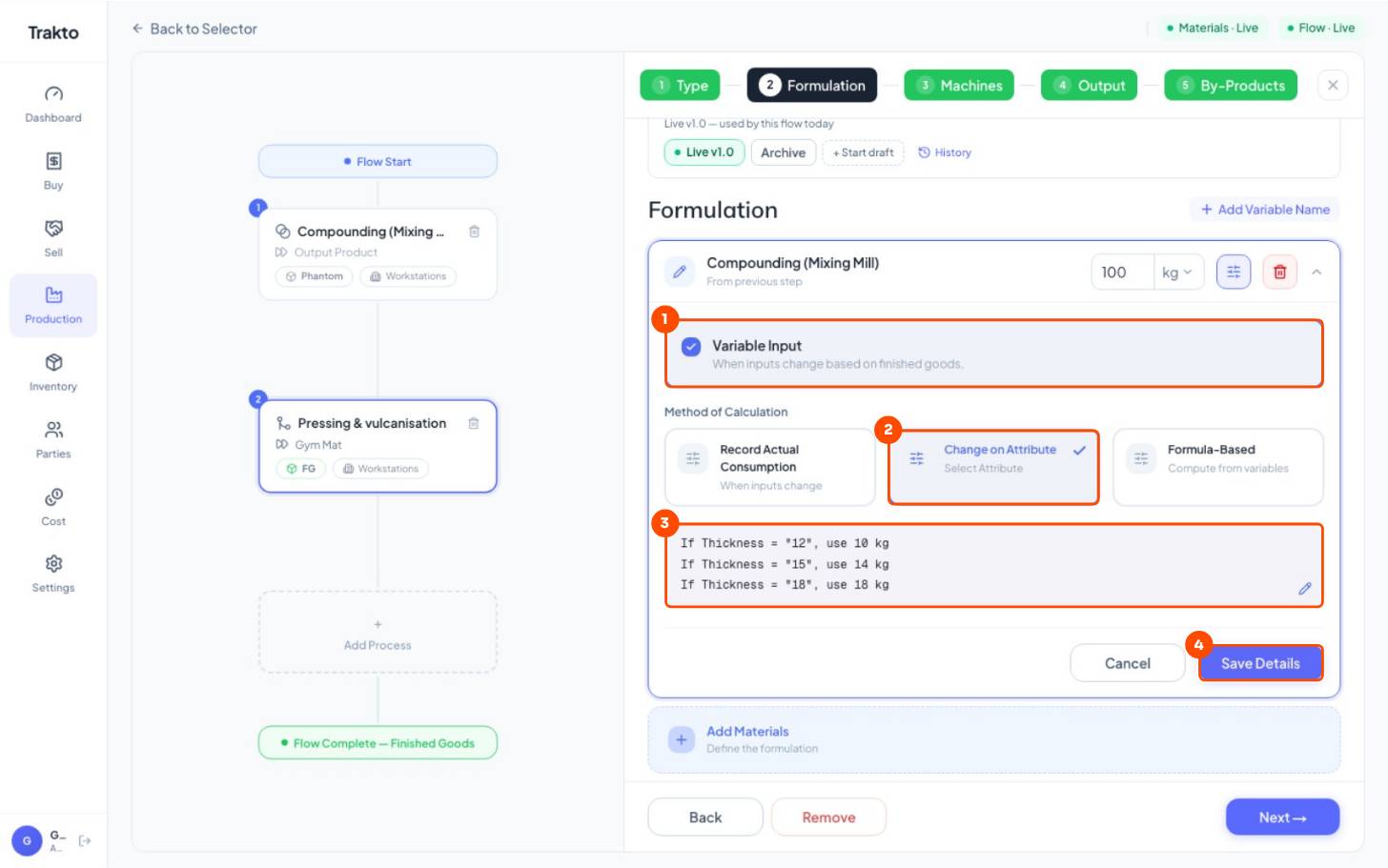
- 1Variable Input The quantity changes with the variant.
- 2Change on Attribute Pick the attribute that decides it: Thickness.
- 3Loading weight One rule per thickness: kg of compound per mat. The pencil edits them.
- 4Save Details Keep the rules.
4Step 4: publish
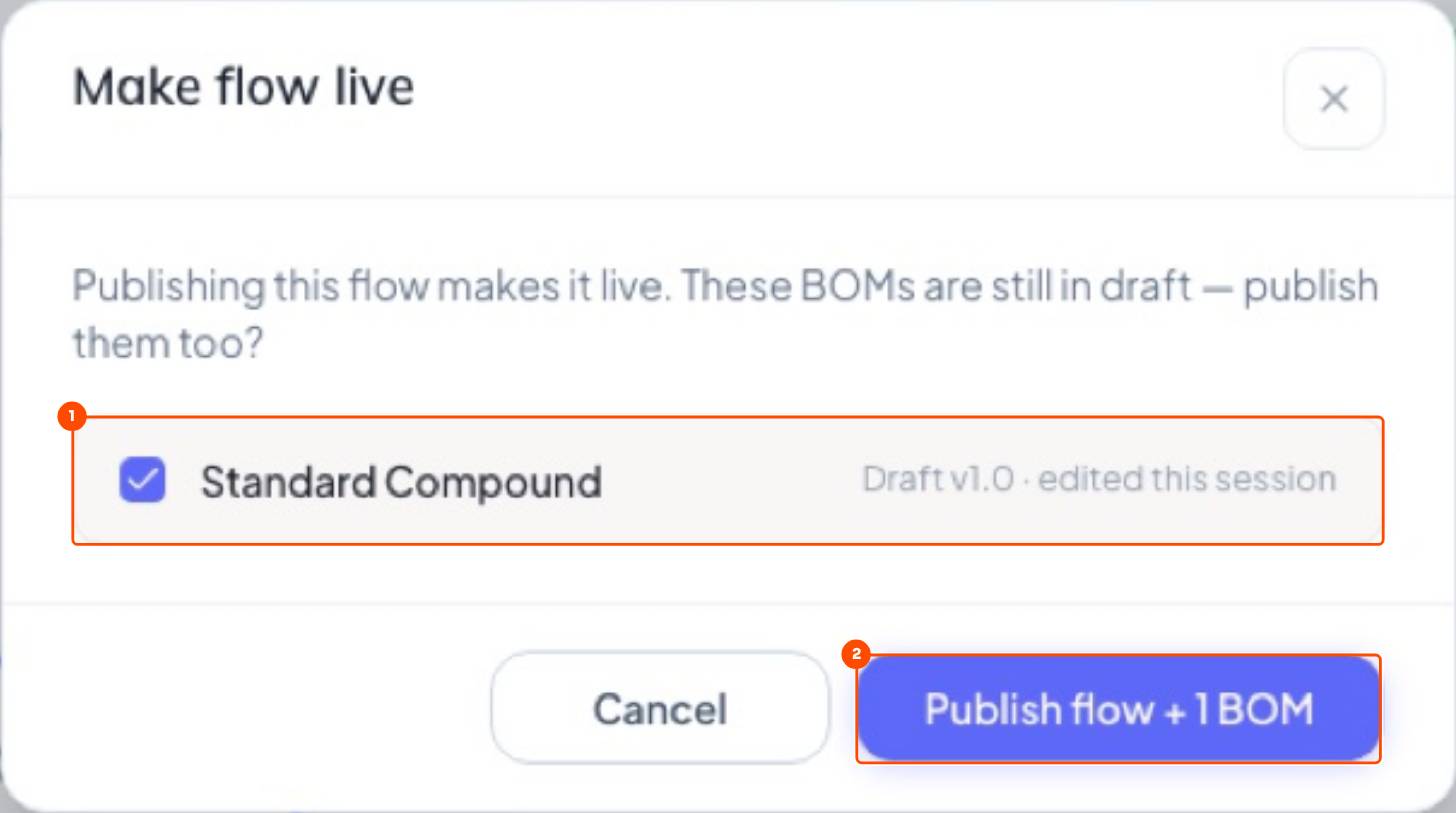
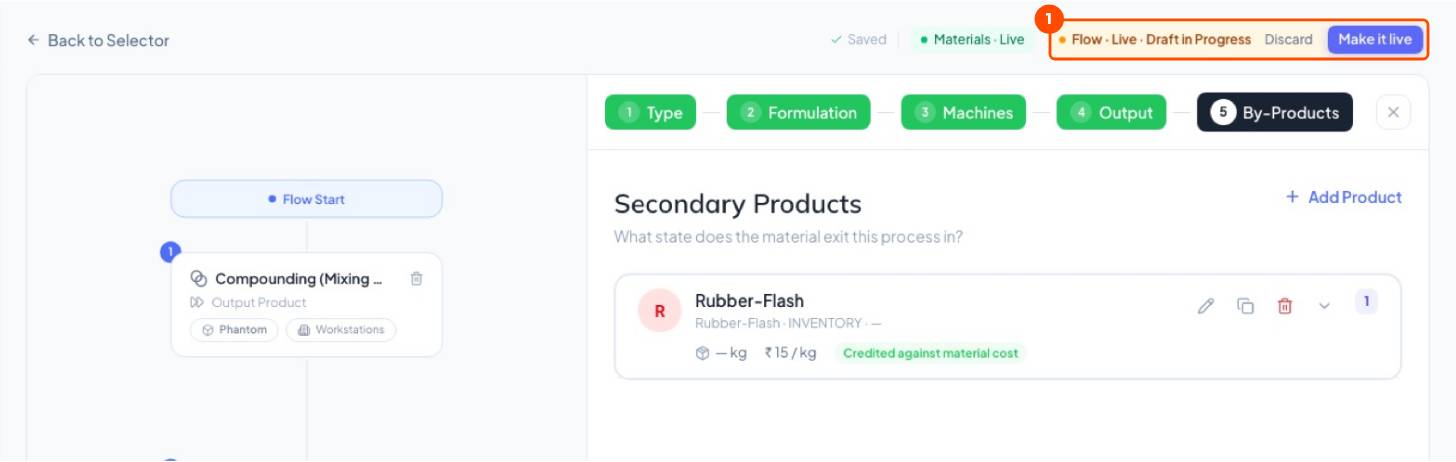
Click Publish at the top right. The draft BOM goes live with the flow, and every work order and log uses it from now on.
Still stuck?
Book a set-up call. We'll configure your compound, variants and machines with you.