Items & recipes
Create a product with all its variants
One parent item, attributes like thickness and pattern, a SKU for every variant.
Your mats come in thicknesses, weights and patterns?
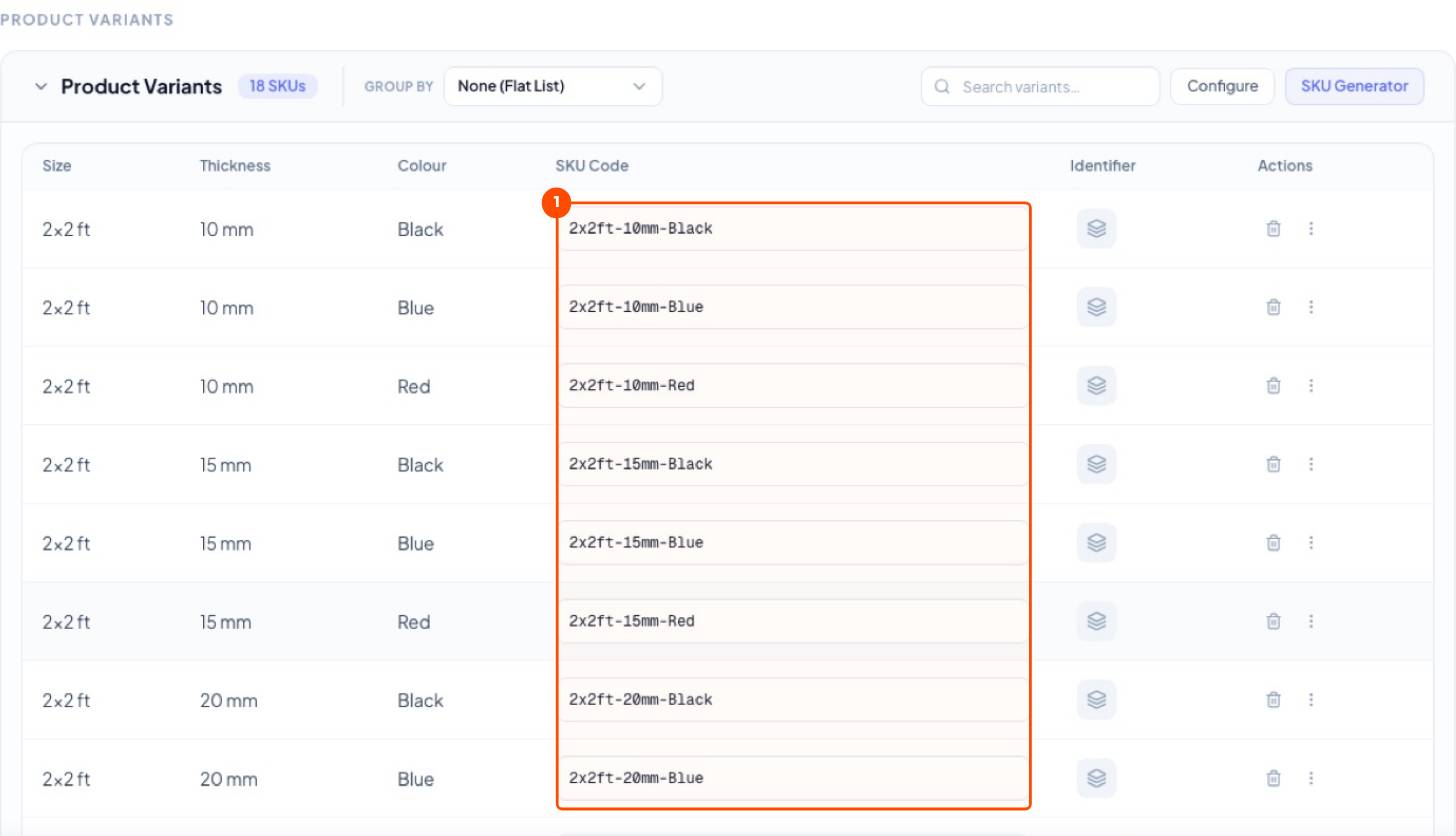
Create the product once as a parent item. Describe what changes as attributes. Trakto creates every variant with its own SKU code.
1Three kinds of items
| Kind | Use for | Rubber example |
|---|---|---|
| Purchased: Raw material | Bought and used up | NR, SBR, carbon black, clay, sulphur |
| Purchased: Spares | Keep machines running | Heater bands, mould parts |
| Manufactured: Finished good | Made and sold | Gym Mat |
| Manufactured: Semi-finished | Made and stored, not sold | Rubber compound, if stocked |
The SKU code is compulsory and unique. Bills, Tally, labels and reports use it. Keep it short: NR-RSS4, Side-32-12-Plain.
2Create the parent item
WhereInventory → Items → Create → Manufactured Item
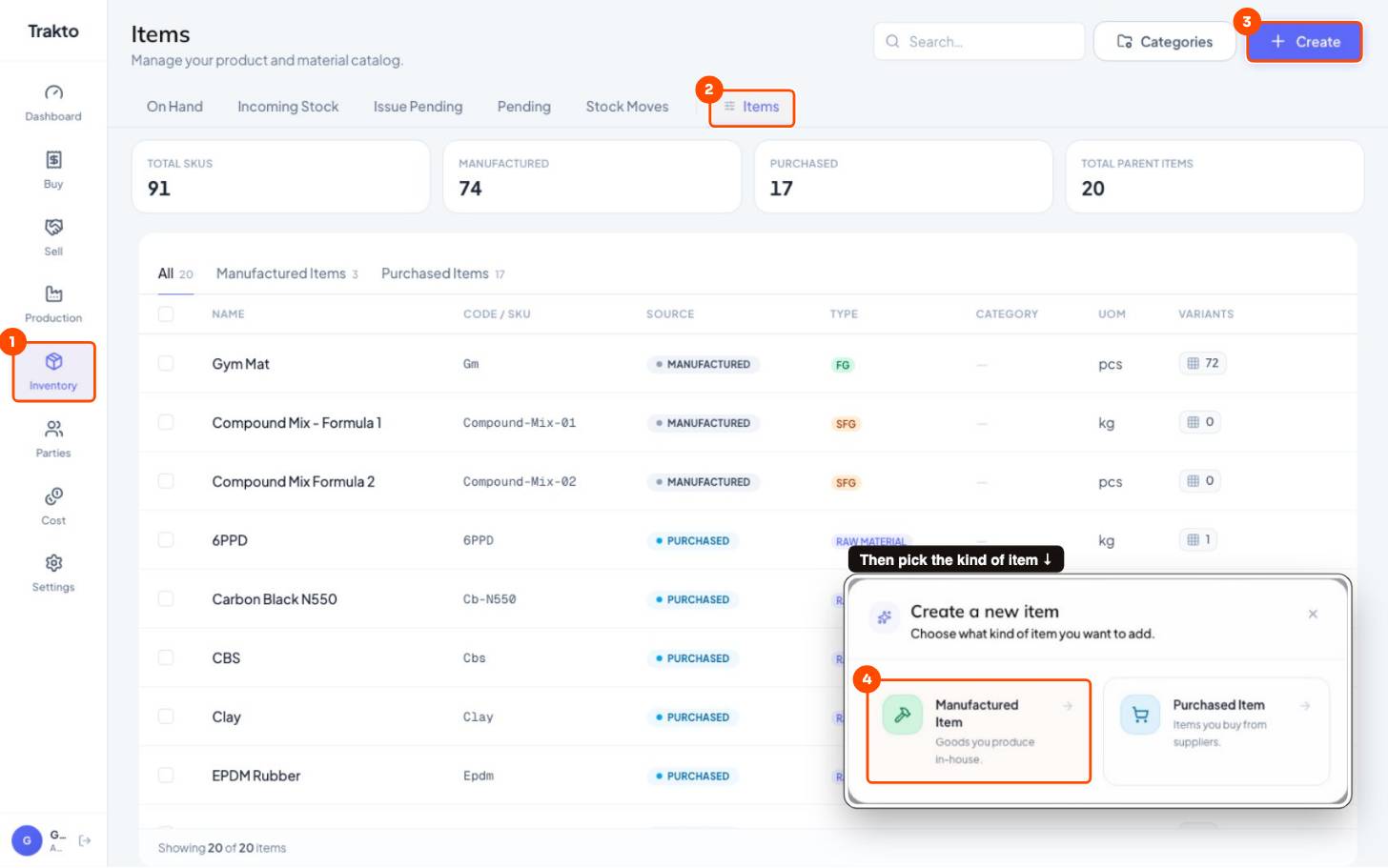
- 1InventoryIn the left menu.
- 2ItemsYour item master: everything you buy or make.
- 3CreateAdd a new item.
- 4Manufactured ItemAnything you make: the mat (FG) or the compound (SFG).
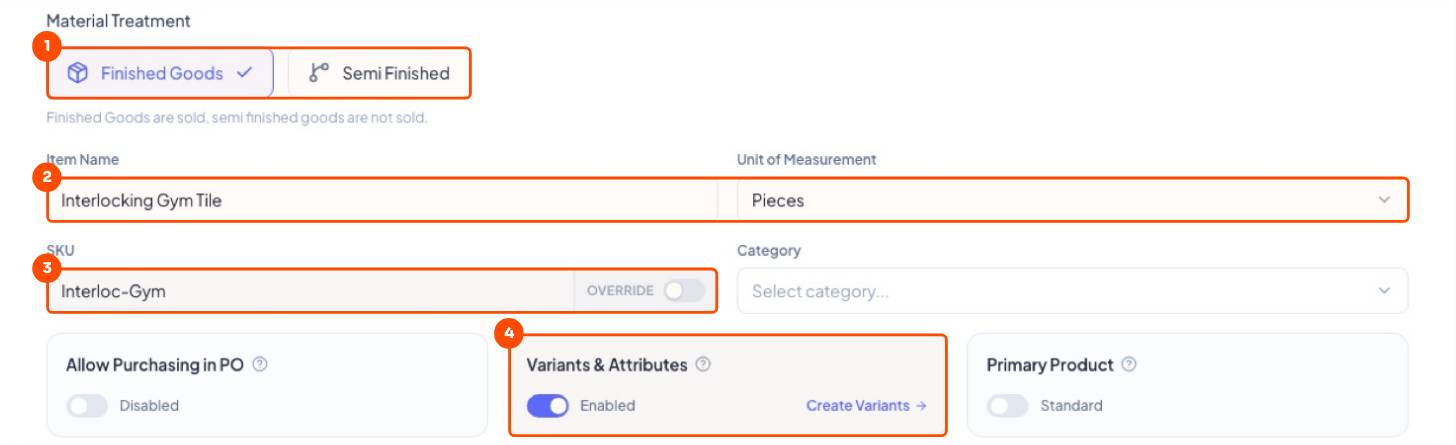
- Pick Finished Goods, type Gym Mat, unit Pieces.
- Check the SKU.
- Turn on Variants & Attributes → Create Variants.
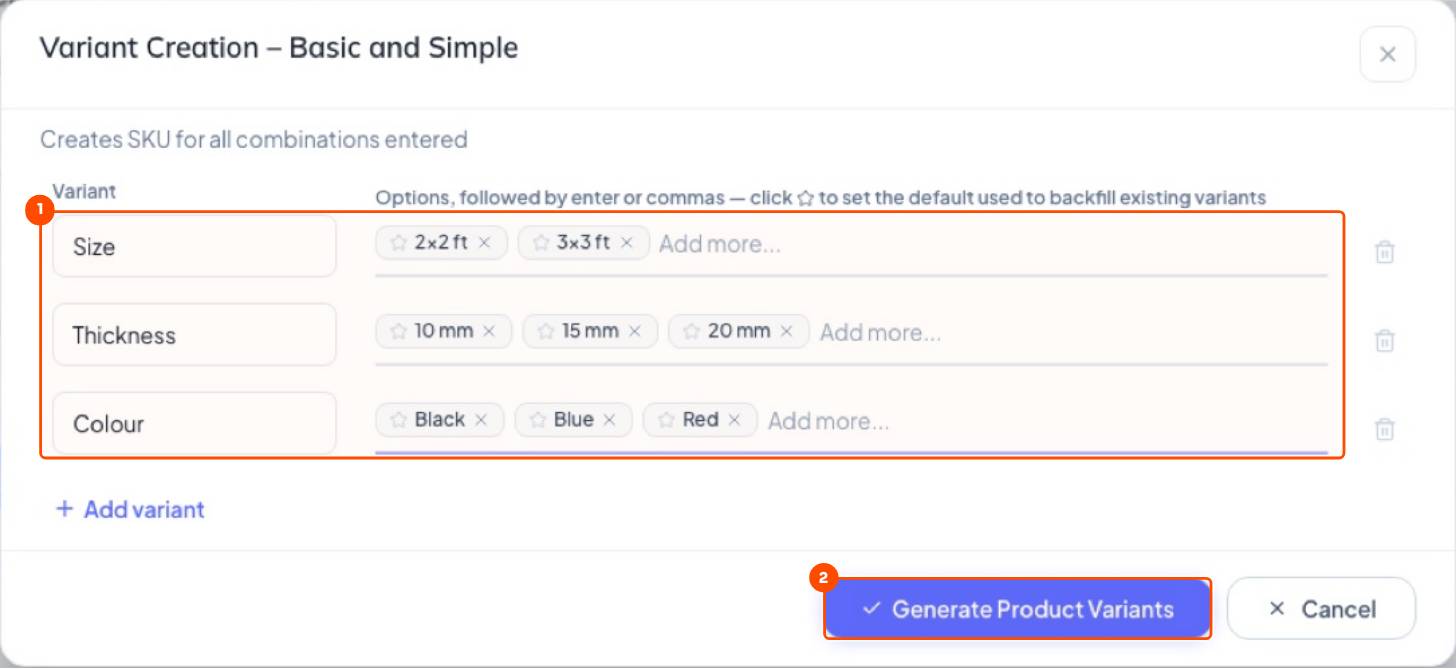
3Simple editor: every combination
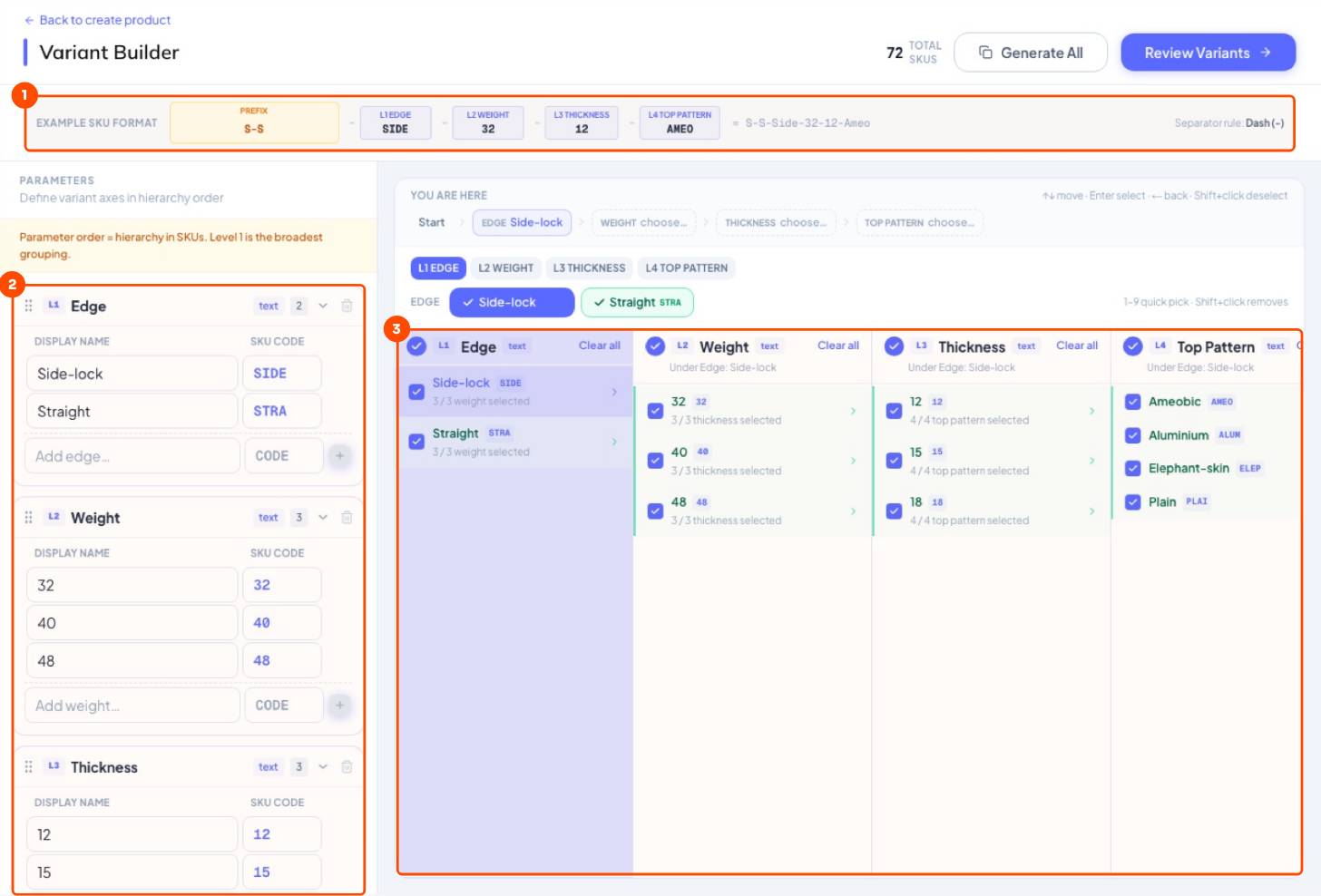
An attribute is one thing that changes between pieces. Type each attribute and its options; Trakto makes every combination.
4Advanced editor: only what you make
When not every combination exists (Straight-edge never comes in 48 kg), build a tree, Edge → Weight → Thickness → Pattern, and tick only what you make.
5Find any variant in seconds: the item picker
Wherever you pick an item (sales order, work order, production log, GRN, PO), the same picker opens. Type a few letters, then tap attribute chips to narrow the list.
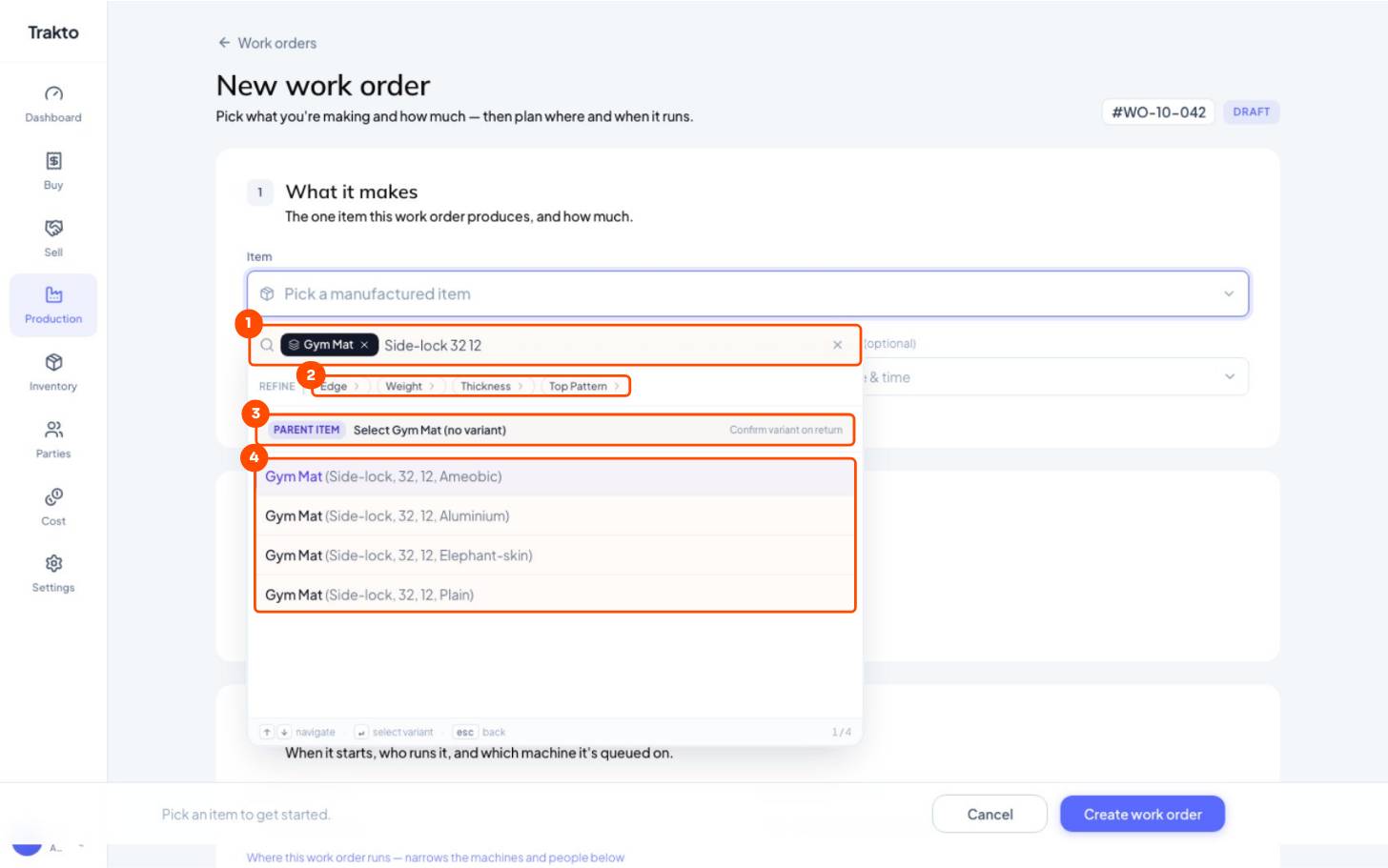
- 1Type anythingPart of the name, SKU or attribute: “Side-lock 32 12”. The product becomes a chip.
- 2Refine by attributeTap Edge, Weight, Thickness or Top Pattern to narrow 72 variants to a few.
- 3Parent itemPick the product without a variant when the exact one isn't known yet.
- 4Matching variantsClick one, or use ↑ ↓ and Enter.
Still stuck?
Book a set-up call. We'll configure your compound, variants and machines with you.