Items & recipes
Units: weight in kg on every mat
Mark the Weight attribute as kg, and when to use alternate units.
Sold by the piece, but you need weight for dispatch and costing?
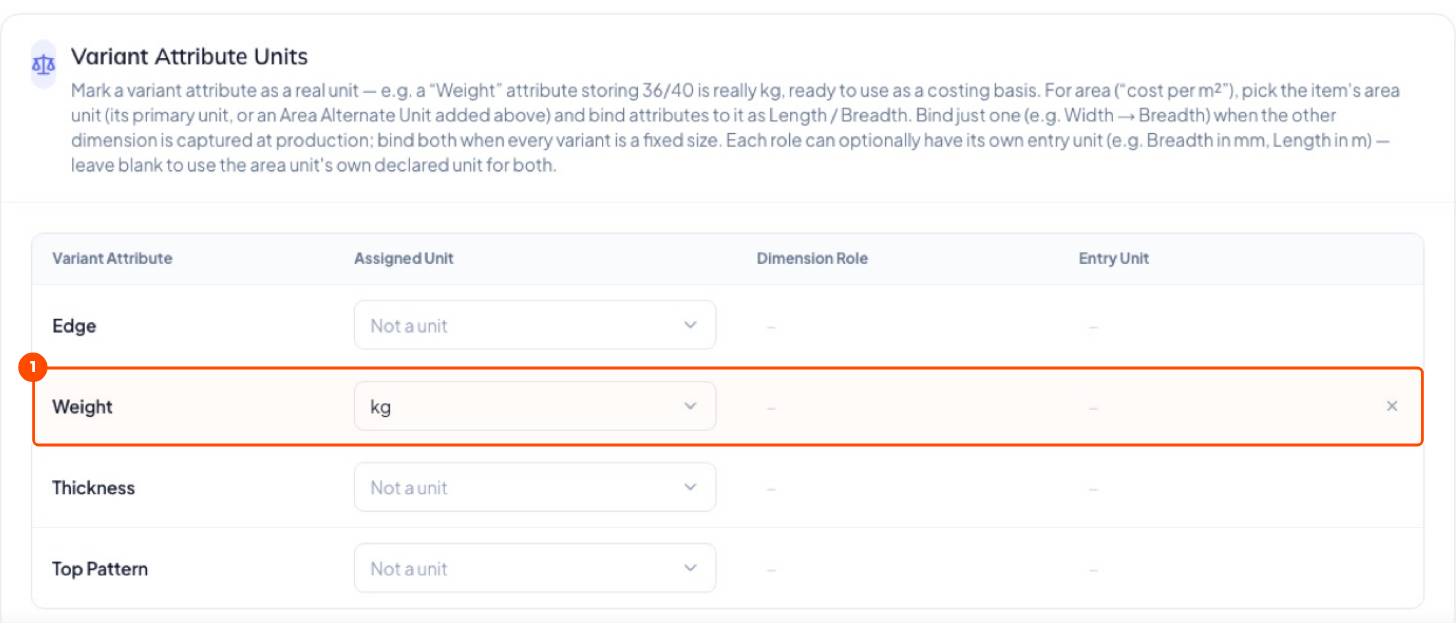
Tell Trakto the Weight attribute is really kg. Dispatch weighment, costing and per-kg reports then work without anyone typing a weight.
1Weight attribute as kg
- Save the item first.
- Open it again (Edit Item) → Units of Measurement tab.
- Under Variant Attribute Units, set Weight → kg and Save.
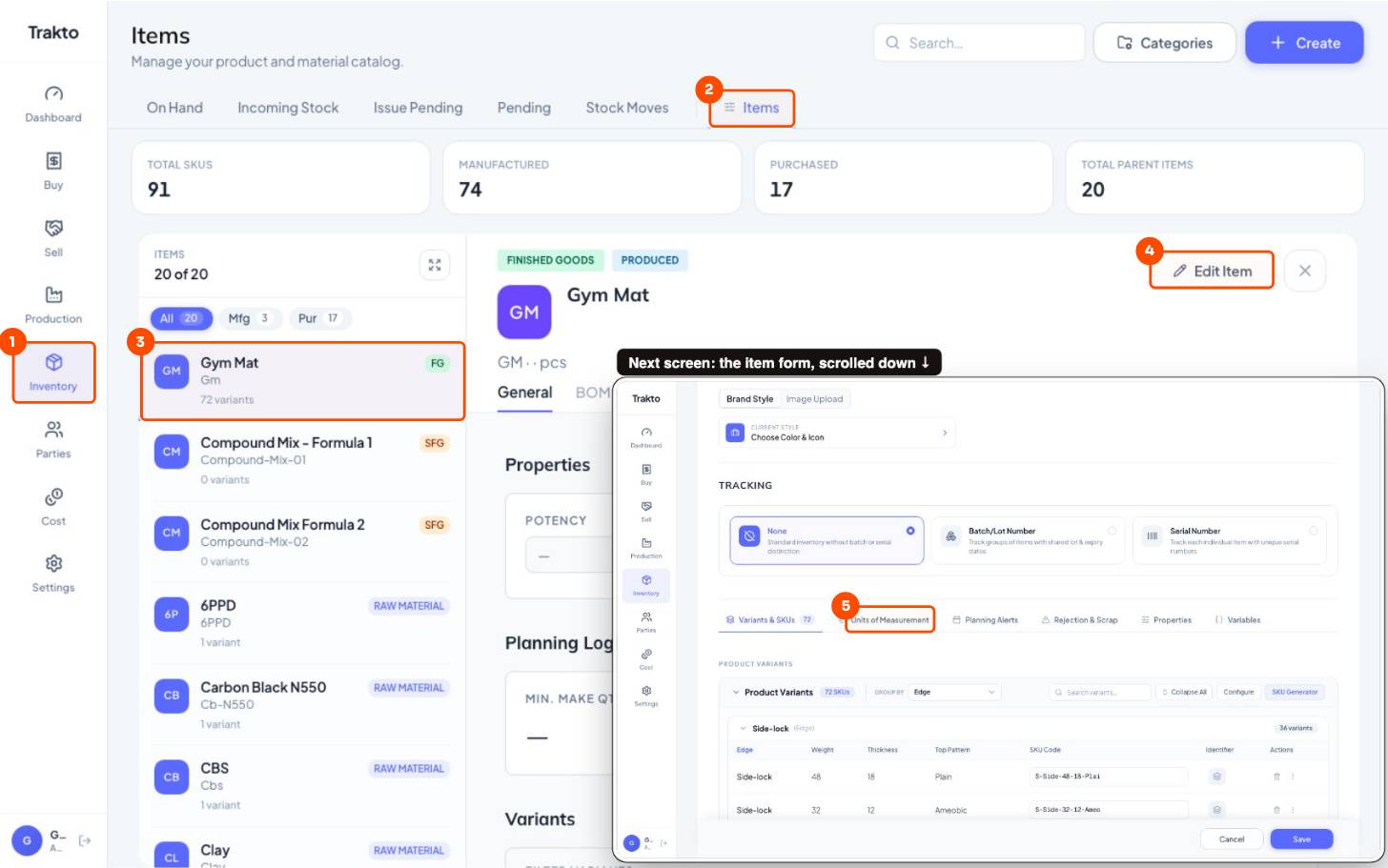
- 1InventoryIn the left menu.
- 2ItemsThe item master.
- 3Gym MatClick the saved item.
- 4Edit ItemOpens the item form.
- 5Units of MeasurementWeight → kg and alternate units are set here.
2Alternate units
| Kind | When | Example | Asked? |
|---|---|---|---|
| Fixed | Conversion never changes | 1 box = 25 pcs | Never; converted automatically |
| Capture at receipt | Changes every batch | A roll's kg | Every time stock comes in |
Important
Don't add a capture-at-receipt kg unit when the Weight attribute already gives the weight, or every production log will ask for "Qty in kg".
Still stuck?
Book a set-up call. We'll configure your compound, variants and machines with you.