Orders & production
Log production: mats in, materials out
Two ways to log finished mats, rejects and the shift's flash.
Supervisors writing kilos of every chemical?
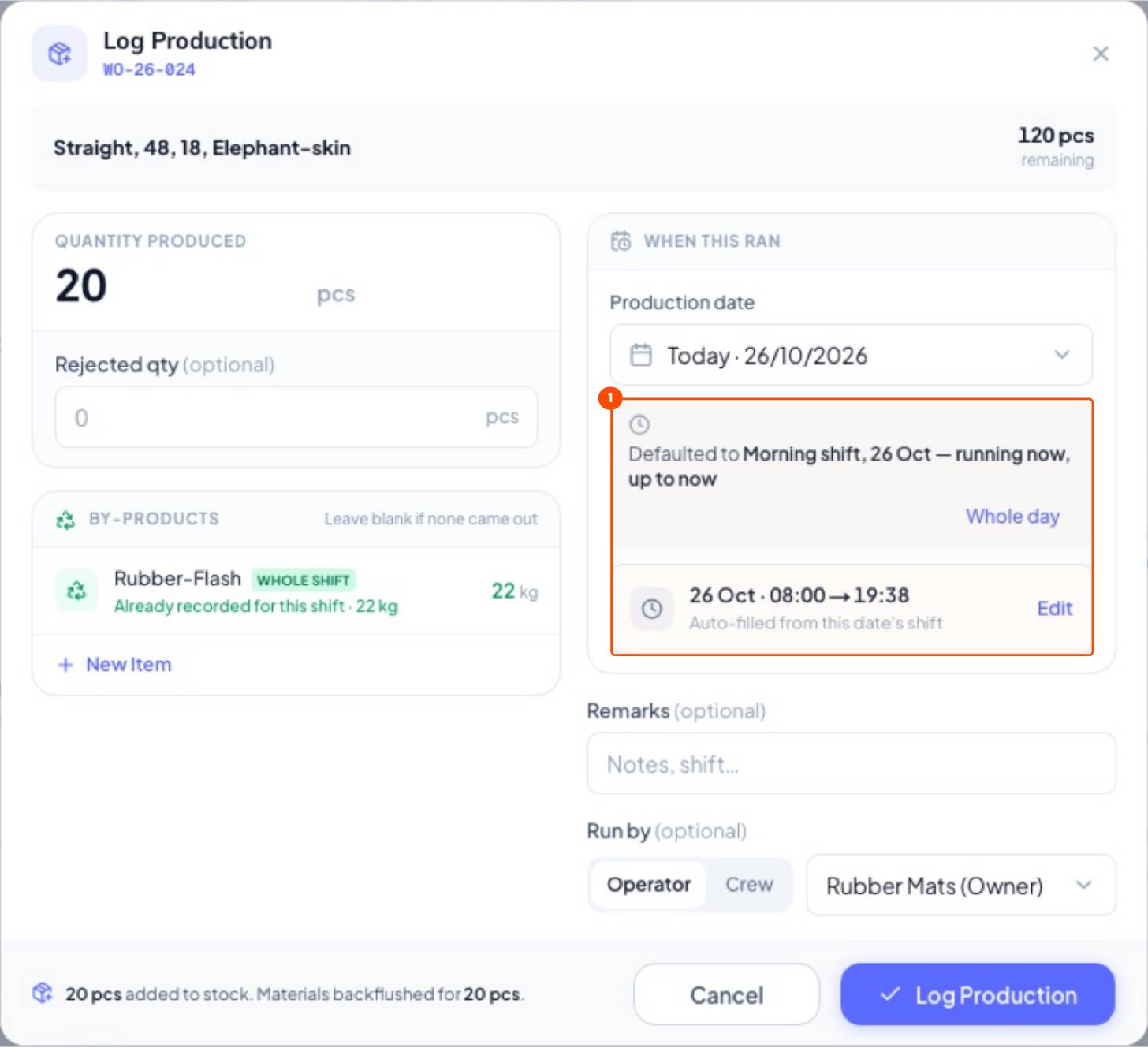
Log only good and rejected mats (plus the flash weighed this shift). Raw materials are deducted through the recipe at the same moment.
1From the work order
WhereProduction → Work Orders → In Production → Log production
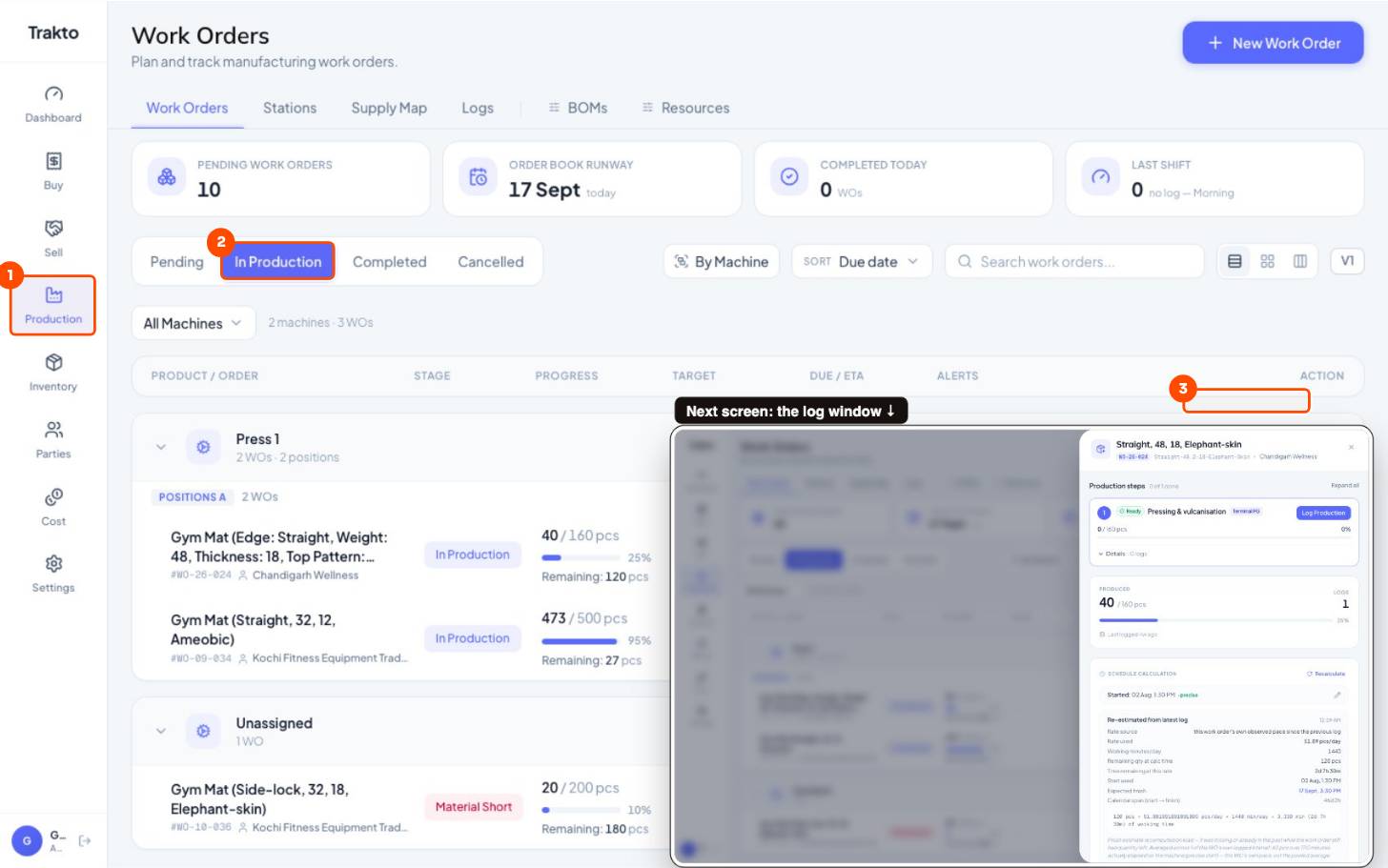
- 1Production Work Orders opens first.
- 2In Production Orders already running.
- 3Log production Log good and rejected mats against this order.
2What a log shows
WhereProduction → Logs → click a log
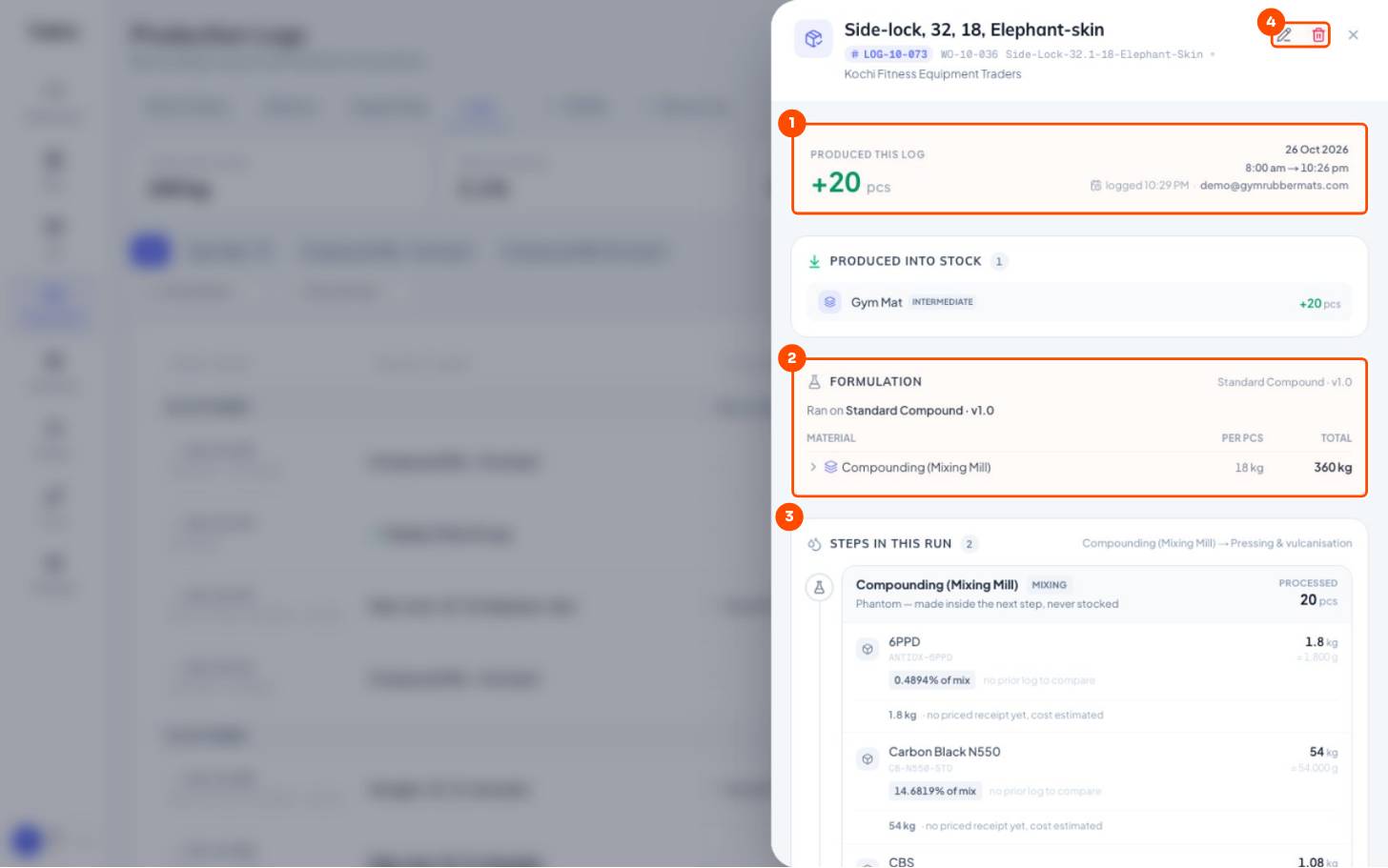
- 1What was made +20 mats, the date, shift window and who logged it.
- 2Formulation used Ran on Standard Compound v1.0: 18 kg compound per mat, 360 kg in all.
- 3Each material deducted Per step: kg of every material, its share of the mix, and the lot it came from.
- 4Edit or delete The pencil opens Edit production log; the bin deletes it and reverses the stock.
3Edit a log
Click the log, then the pencil at the top right.
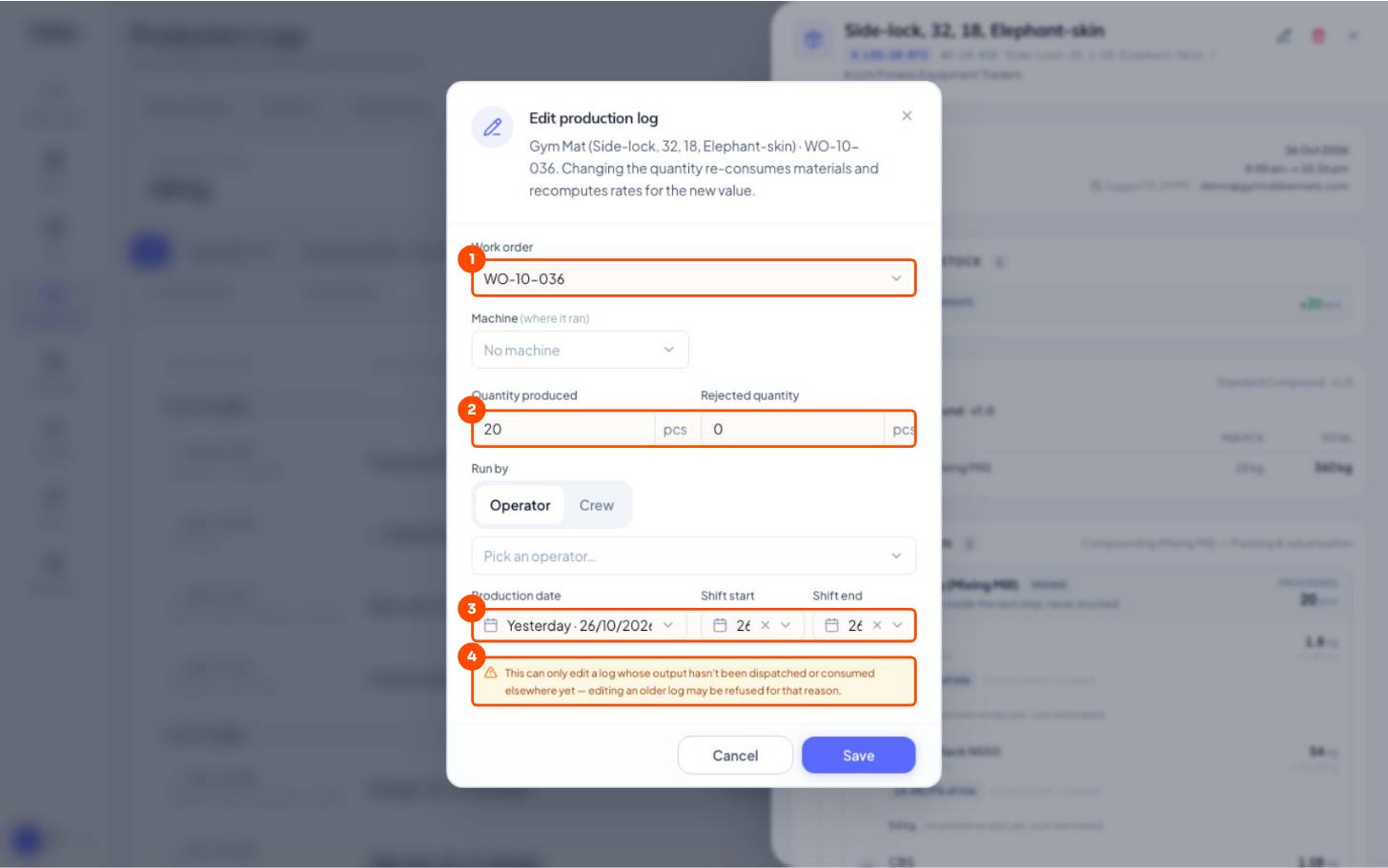
- 1Work order Move the log to another work order if it was logged on the wrong one.
- 2Produced and rejected Changing them re-deducts materials and recomputes the cost.
- 3Date and shift times Fix a wrong day or shift.
- 4When it's refused If the mats have already been dispatched or used.
4A work order's logs and progress
WhereProduction → Work Orders → click the work order
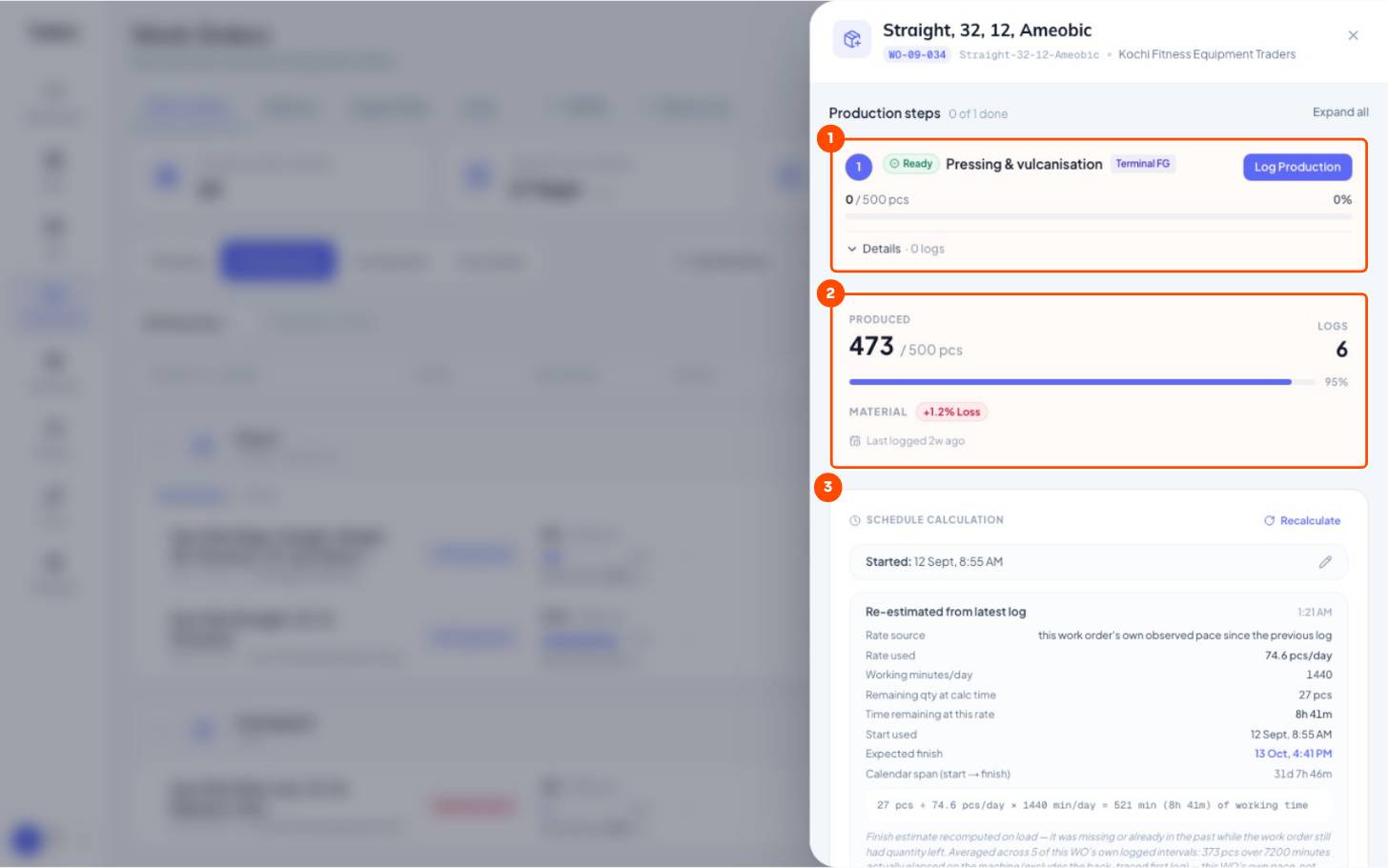
- 1Steps Each step with Log Production on it.
- 2Produced and logs 473 of 500 made in 6 logs; material loss vs the recipe.
- 3Ready date, worked out The pace used and the expected finish, recalculated after every log.
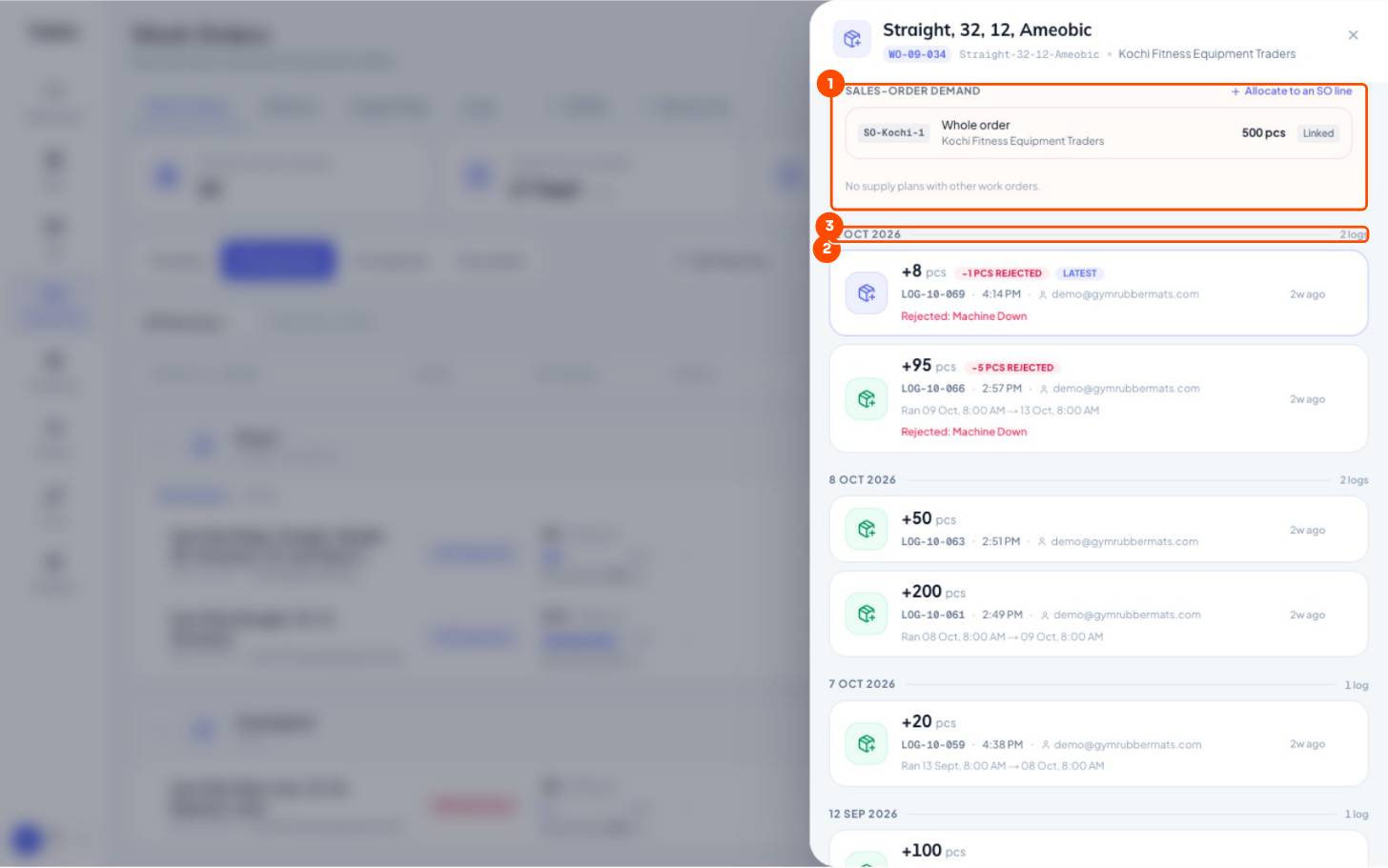
- 1Sales-order link Which order this work order supplies.
- 2Every log Qty, rejects and their reason, who logged it. Click one to open it.
- 3By day Grouped by production date.
5Log Daily Production
WhereProduction → Logs → Log Production
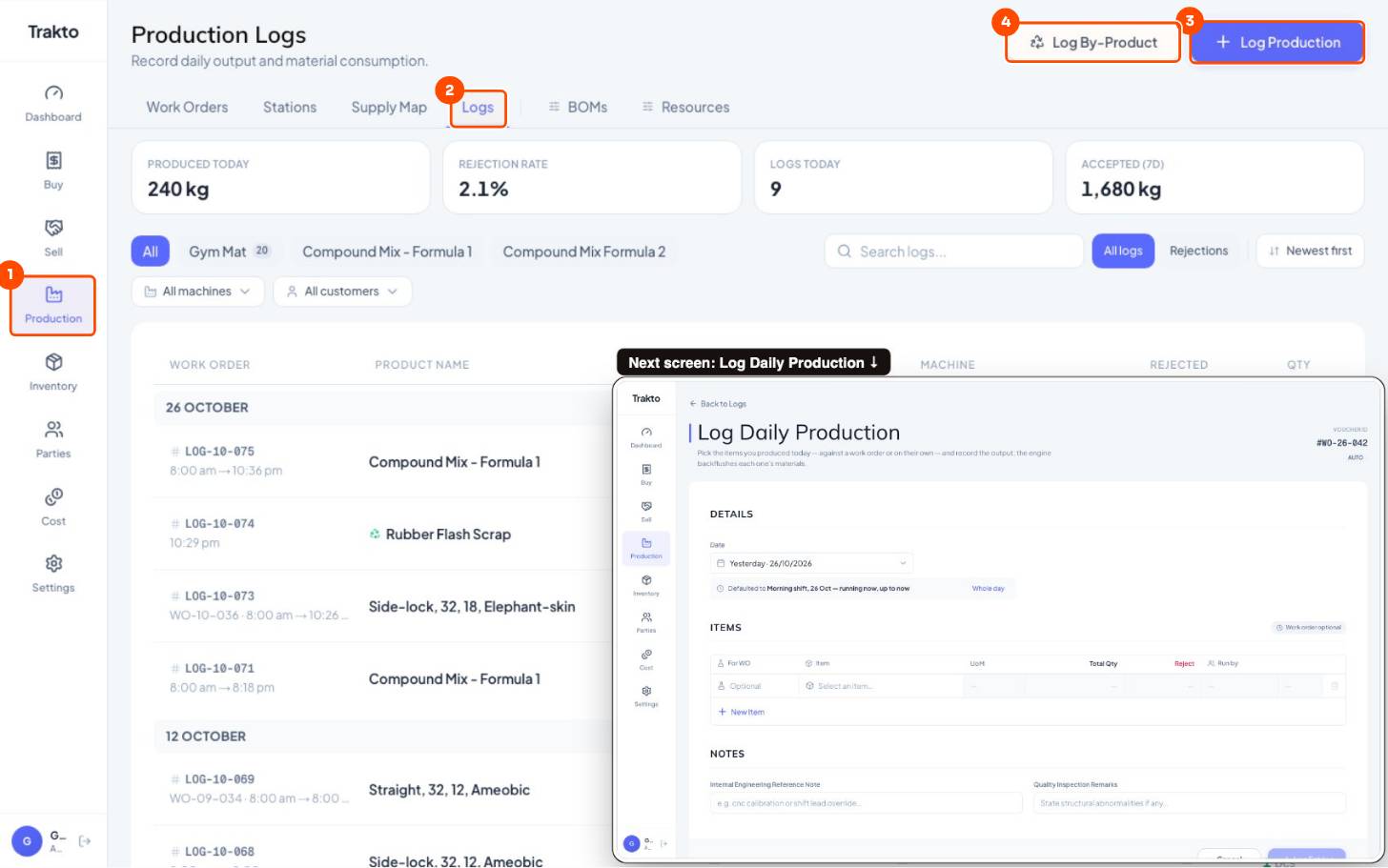
- 1Production In the left menu.
- 2Logs Every production log, newest first.
- 3Log Production Several rows at once: one per work order or product run this shift.
- 4Log By-Product Flash or scrap weighed on its own.
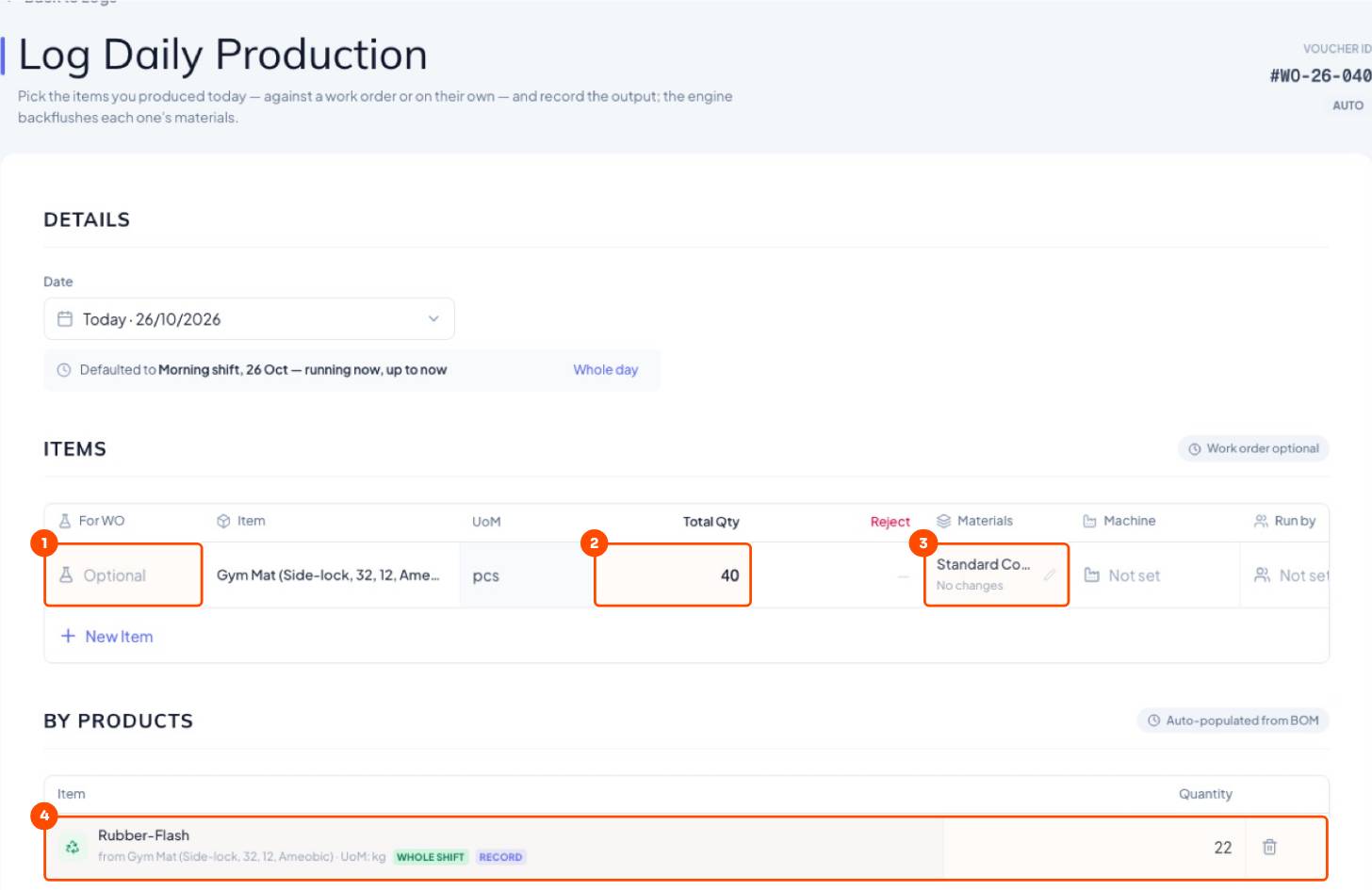
- Work order (optional) and the exact mat variant.
- Total Qty and Reject. Date and shift fill themselves in.
- Materials: check or change what's deducted. See enter actual materials.
- Flash under By Products → Log Entries.
Still stuck?
Book a set-up call. We'll configure your compound, variants and machines with you.