Getting started
Set up shifts, holidays and your store
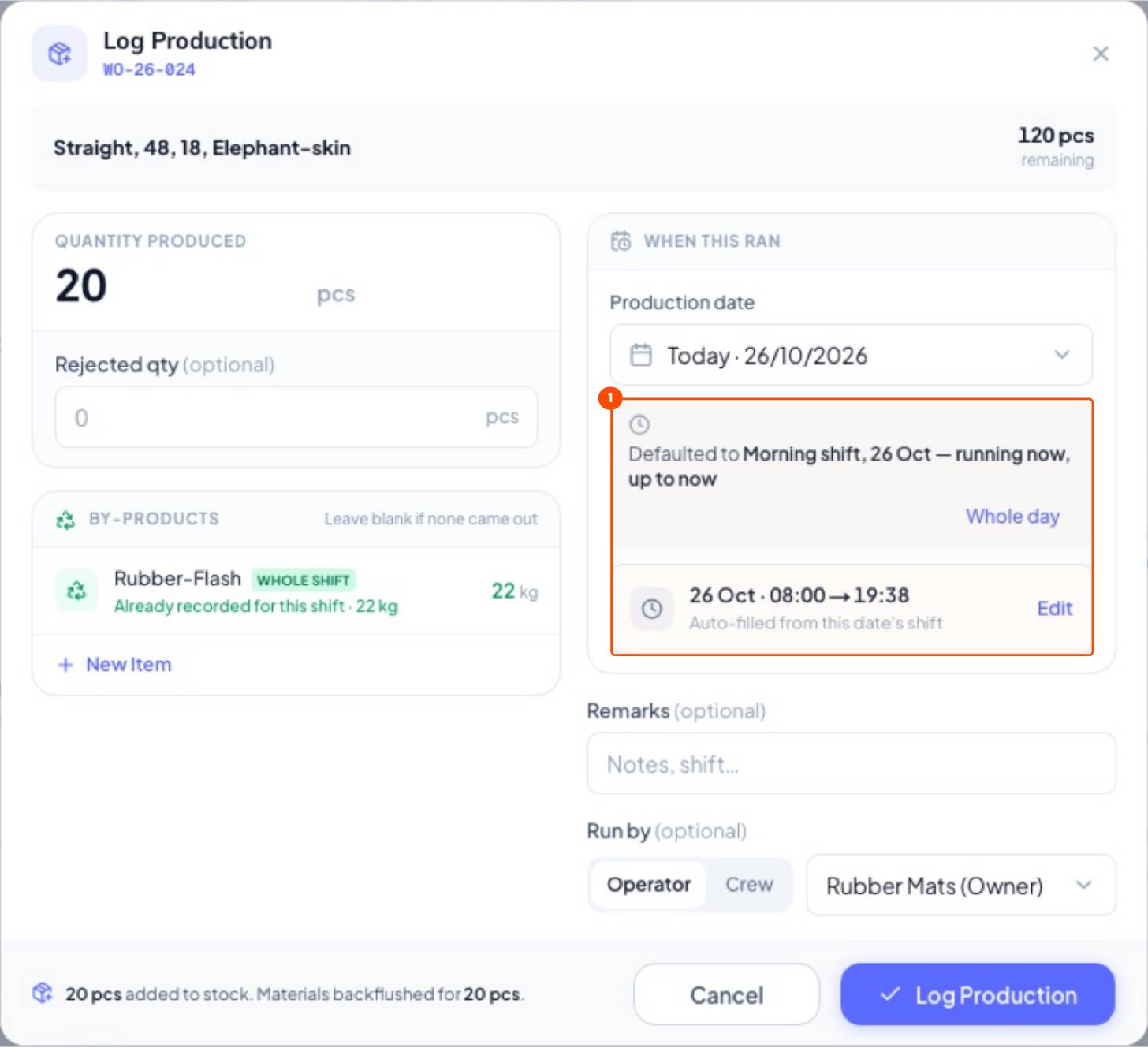
Production dates and times fill themselves in once shifts are set.
Tired of typing the date and time on every production entry?
Set your shifts and working days once. Every production log fills in the shift, start and end time, and machine planning knows when the factory is open.
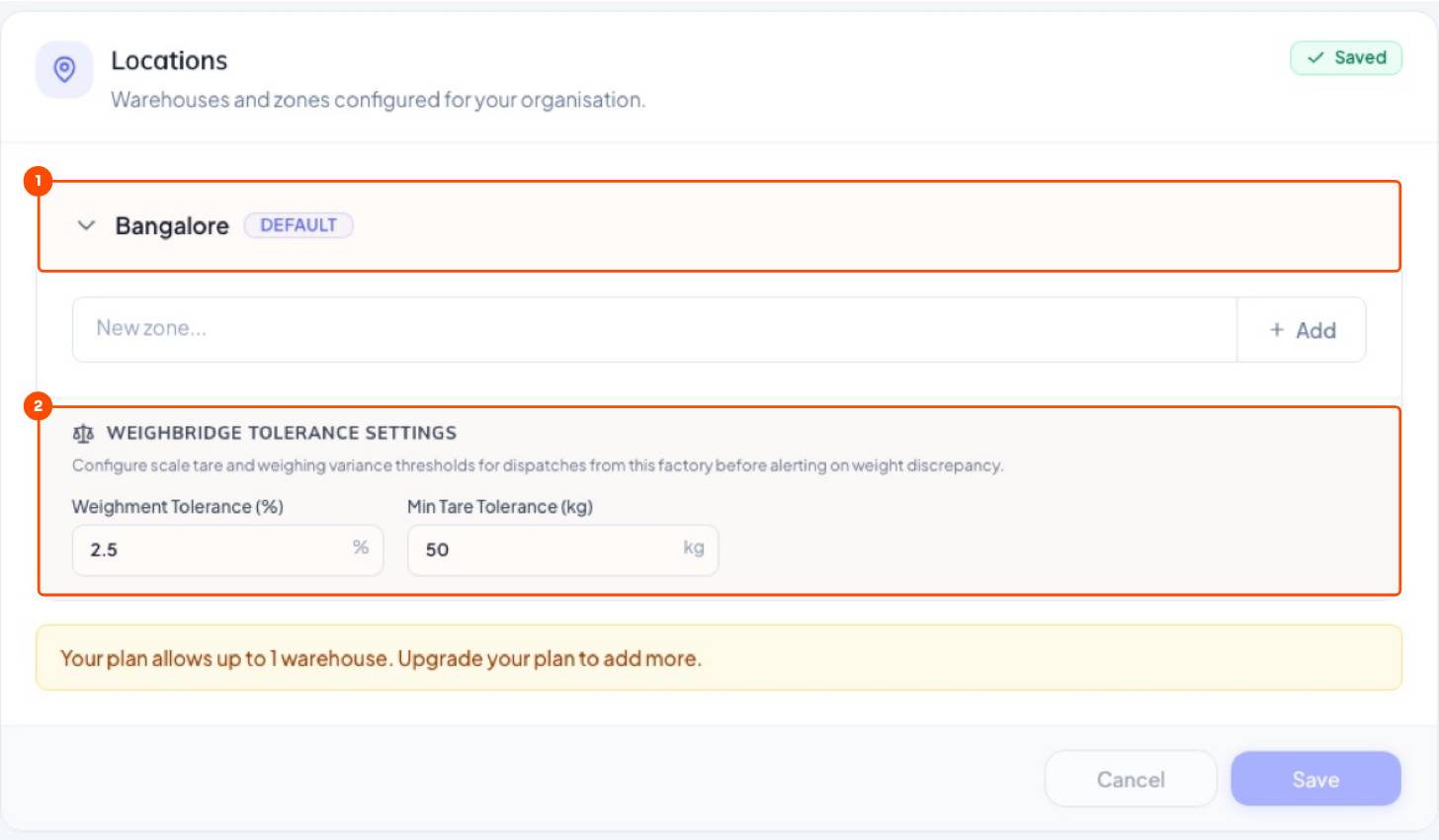
1Your store
WhereSettings → Locations
A location is a store. Most small factories need just one: all purchases arrive there and all production goes there. Here you also set the weighbridge tolerance used when dispatching.
2Shifts and working days
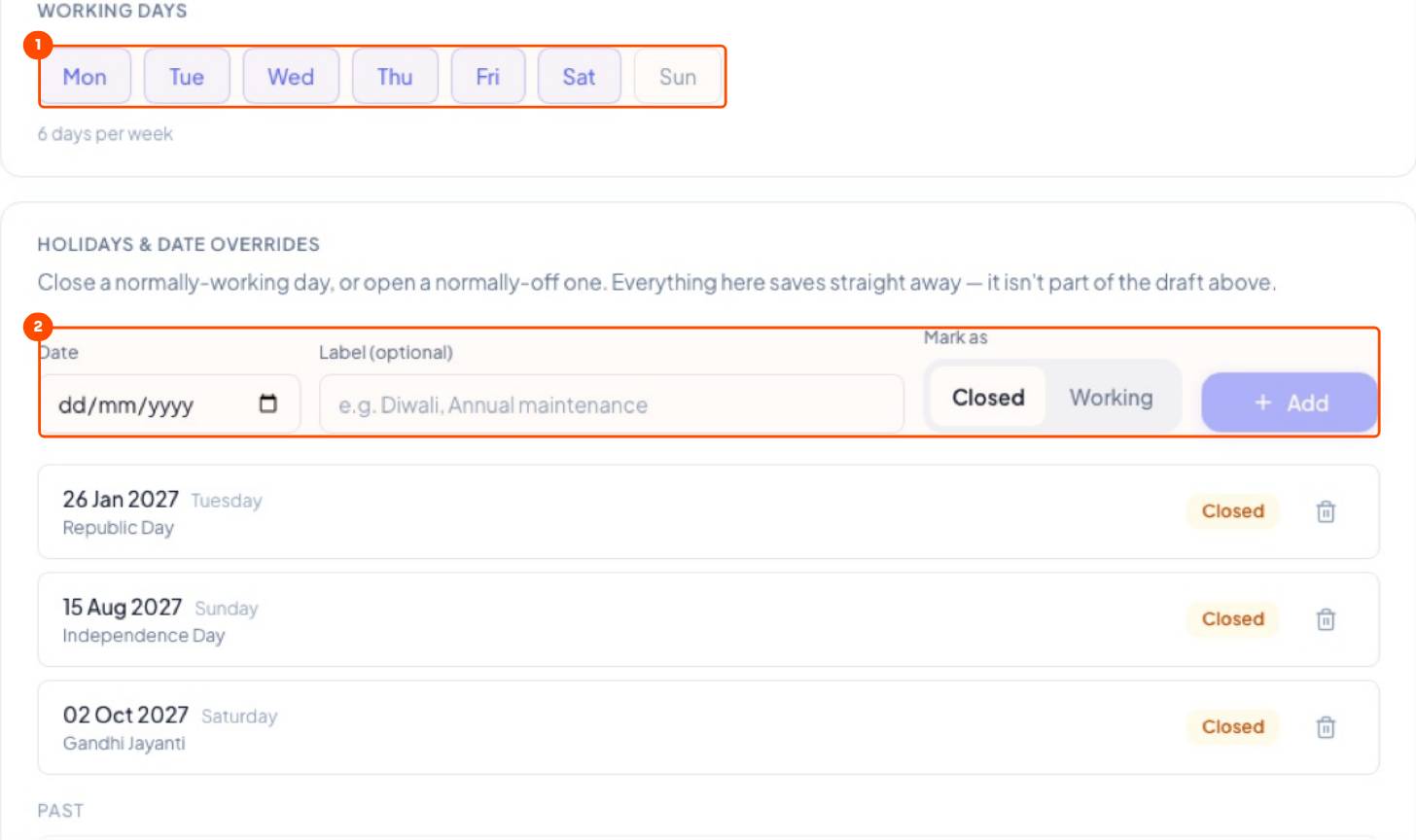
WhereSettings → Operating Hours
- Click the days your factory works, for example Mon to Sat.
- Add holidays: Diwali, Independence Day, maintenance shutdowns.
- Add each shift with start and end time and breaks. A press running round the clock can have one 24-hour shift.
- Click Save.
How your floor records production (as it happens, after each shift, or once a day) is set under Settings → Operations → Production Logging.
Still stuck?
Book a set-up call. We'll configure your compound, variants and machines with you.